23
3.3. Set-up Mode
Initial set-up is accomplished by the installer or operator using the SETUP Mode to
configure the system parameters.
Press and hold the “MENU” button for more than 3 seconds to enter the SETUP mode.
To navigate the menu, press the UP or DOWN button. The set-up mode has 10 sub-
menus.
Upgrade
The installer or operator can change and configure the current parameters of the S3 by
computer.
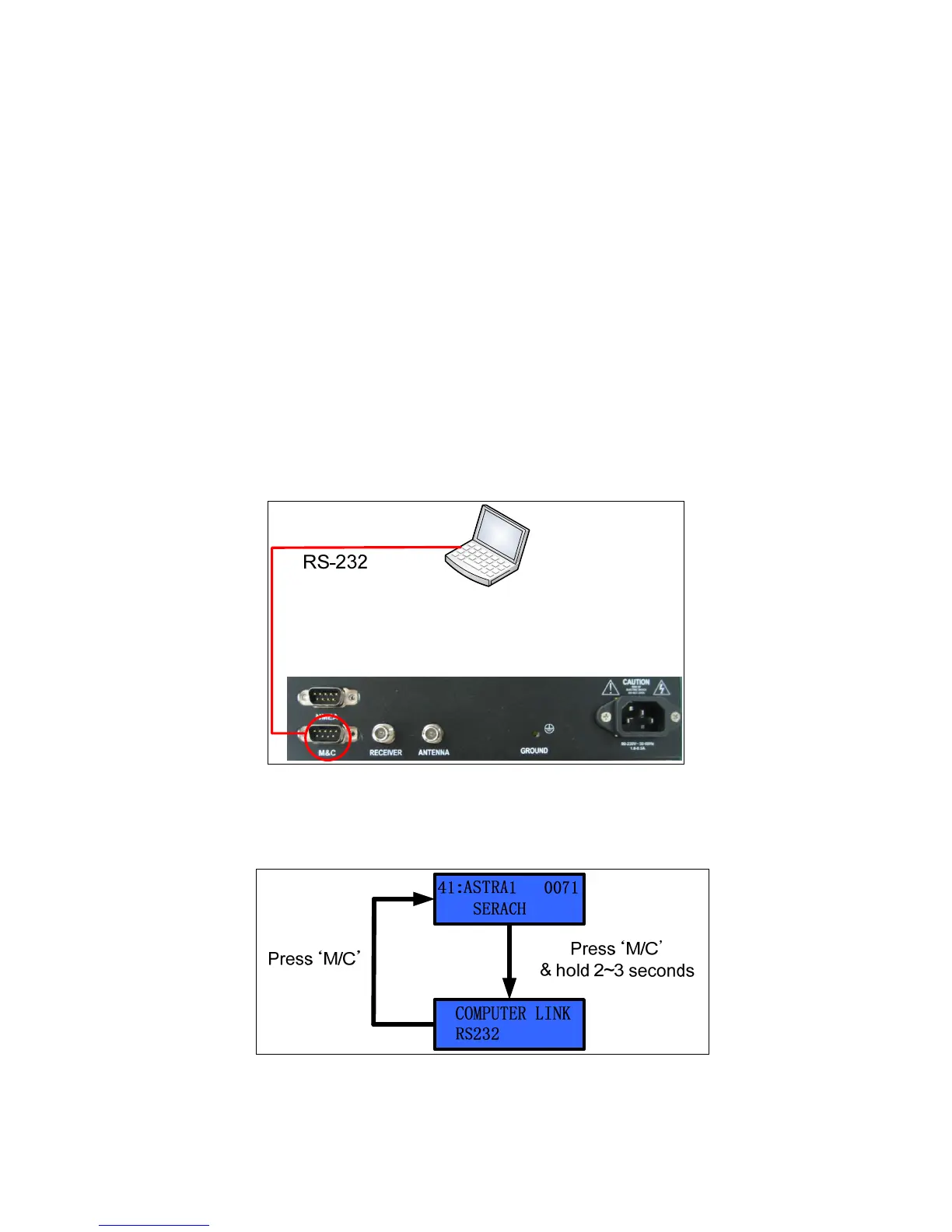
Connect the M&C port of the ACU to the serial port or the USB port of the computer with
an RS-232 cable (Female to Female), as shown in Figure 3-5.
Figure 3-5 Connection ACU with Computer
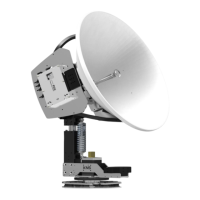
If you want to connect to the PC, follow Figure 3-6 or Figure 3-7.
Figure 3-6 Computer Link step 1


 To Next Page