27
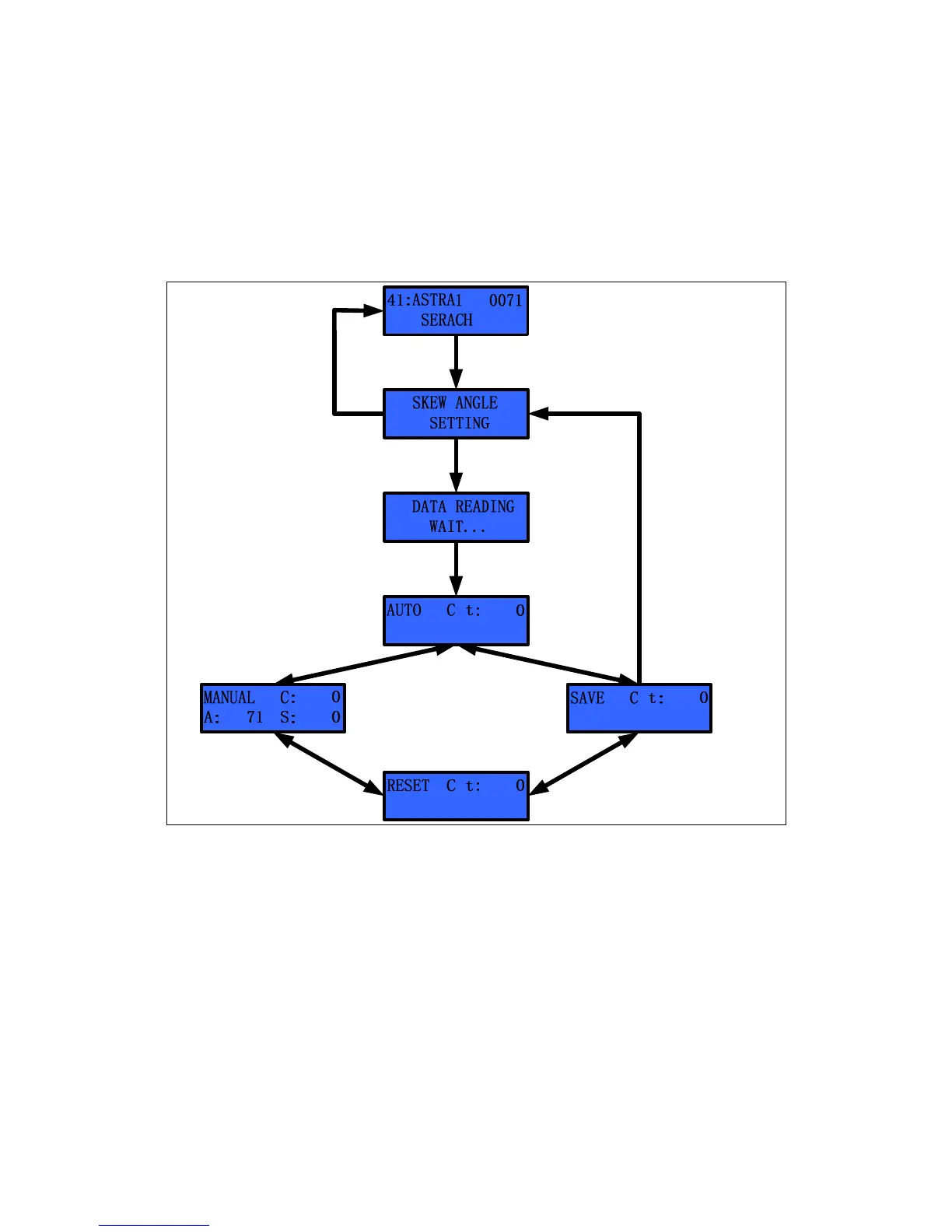
Skew Angle Setting
The S3 calculates the skew angle automatically. However, if the user wants to
change the skew angle, he/she can change the skew angle using the ‘Manual
Mode’. The user can also readjust the skew zero position when replacing the PCU,
skew assembly or potentiometer.
Press MENU’& hold 2~3 seconds
Select the ‘Skew Angle Setting’
by’▲’ or ‘▼’
Press ‘MENU’
Press ‘MENU’
& hold 2~3seconds
Press ‘MENU’
Select Mode
by’▲’ or ‘▼’
Press ‘MENU’
’
’
’
Figure 3-11 Setting the Skew Mode


 To Next Page