42
4.3. Skew Setting
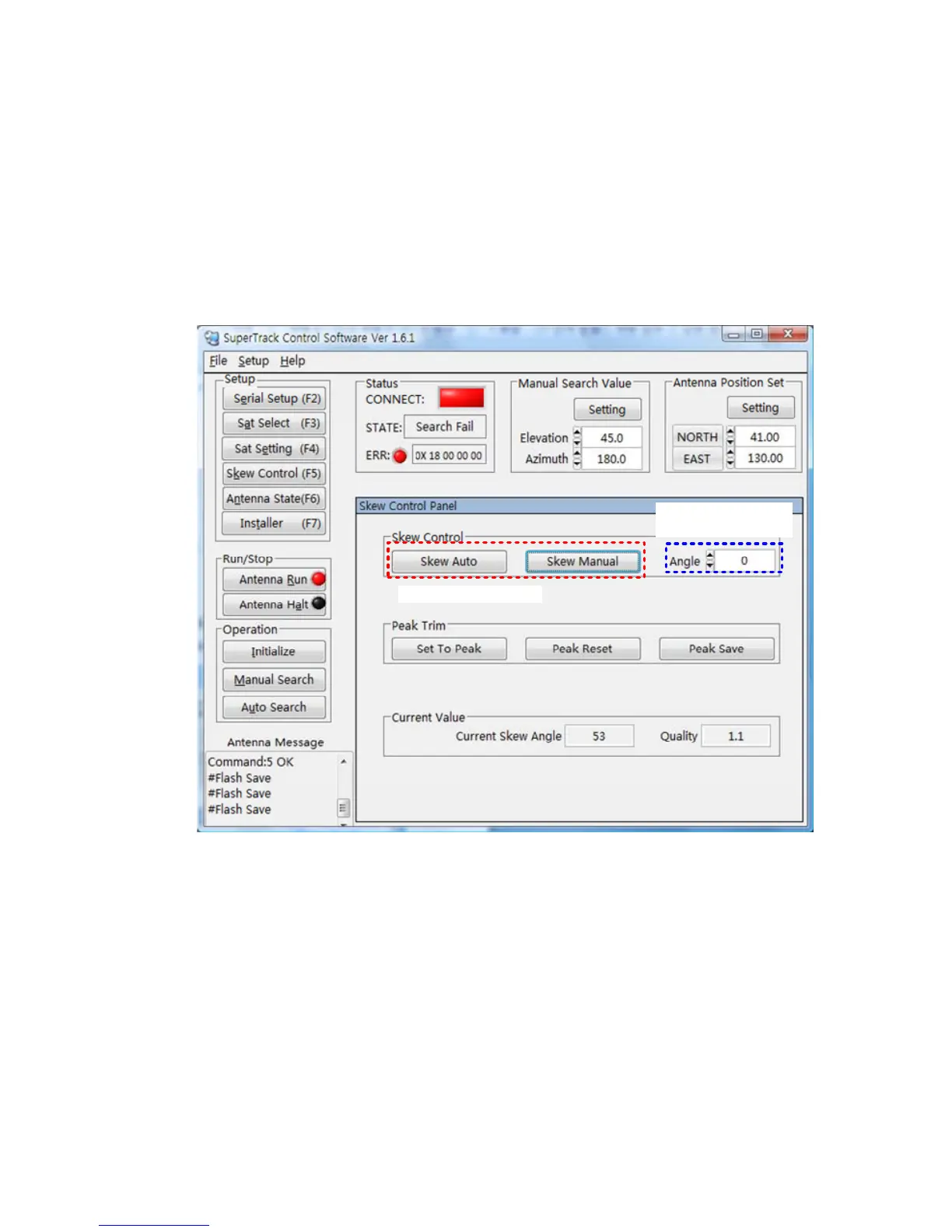
You can select the skew mode (‘Auto’ or ‘Manual’) by SCS. Also, you can change
the skew angle to the desired skew angle.
Change the skew angle by manual mode
a. Input the desired skew angle in ‘Desired Manual Angle’.
b. Click ‘Skew Manual’, then the skew will move to the desired angle.
Skew Mode Setting
Input The Desired
Skew Angle
Figure 4-5 Changing the Skew Angle by Manual Mode
NOTE: If the S3’s skew is in manual mode, the S3’s skew will not be changed
when switching the satellite or changing the ship’s position (longitude, latitude).
The skew mode is automatically changed to ‘Auto’ mode when the ACU power is
turned on.


 To Next Page