52
Skew Setting
After replacing the PCU or skew assembly, you must reset the skew ‘0’ degrees
position. Refer to the steps outlined below.
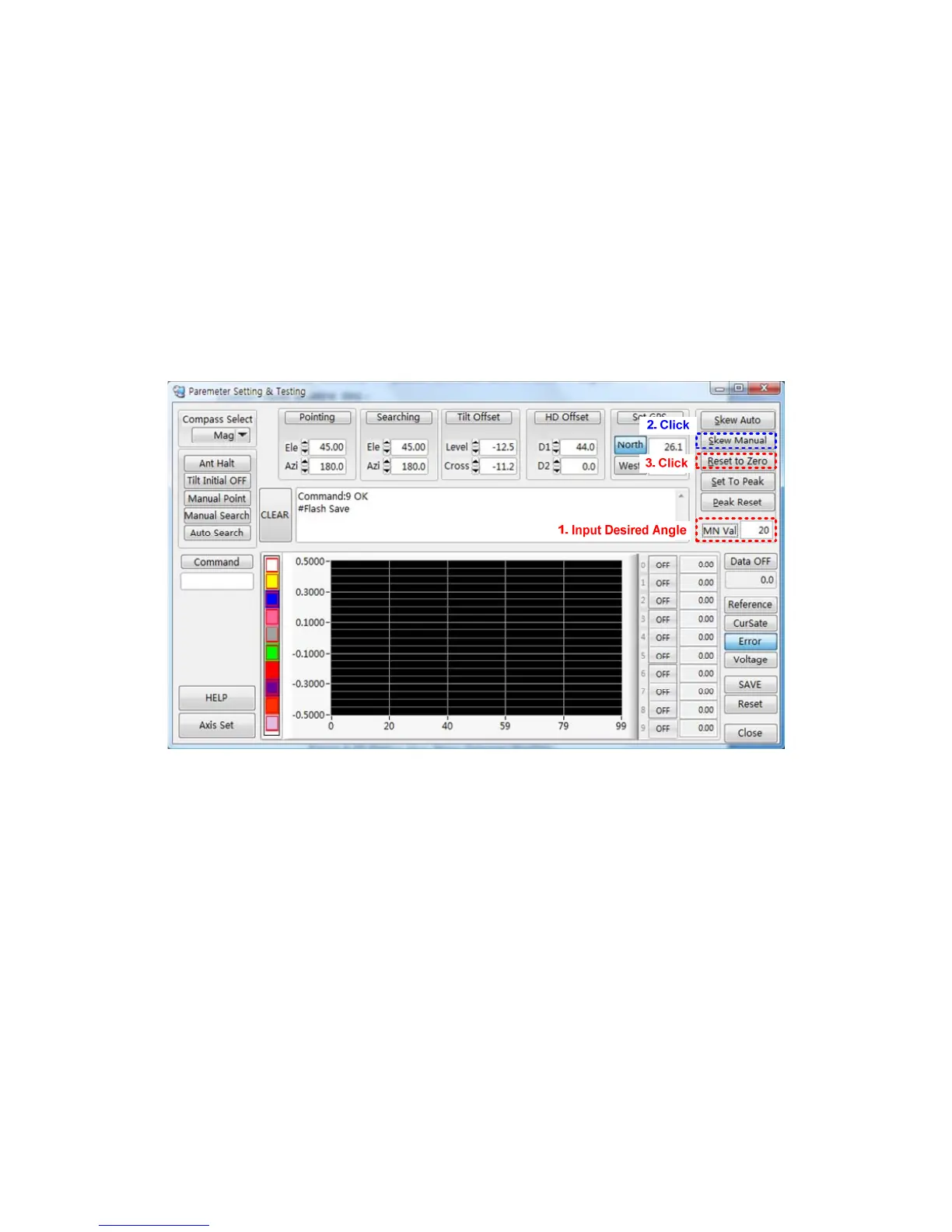
a. Input the desired new skew angle in the manual value box.
b. Click ‘Skew Manual’, whereupon the skew will move to the desired position.
c. Confirm the new skew ‘0’ degrees position.
d. If it is correct, click ‘Reset to Zero’, or, if it is incorrect, re-try the steps outlined
above.
Figure 4-16 Setting the New Skew ‘0’degrees Position
NOTE: The ‘0’ degrees position should be aligned with the top side of the LNB using a
cross pulley.



 To Next Page