36
4. How to Operate the SCS
The installer or operator can change the parameters using SCS (SuperTrack
Control Software) Version 1.6.1. Also, SCS can show the current status of the S3.
4.1. Connect to PC
After connecting to a PC, as shown in Figure 3-5, run the SCS. Press M/C and
hold for 3 seconds or select ‘Upgrade’ in the set-up mode.
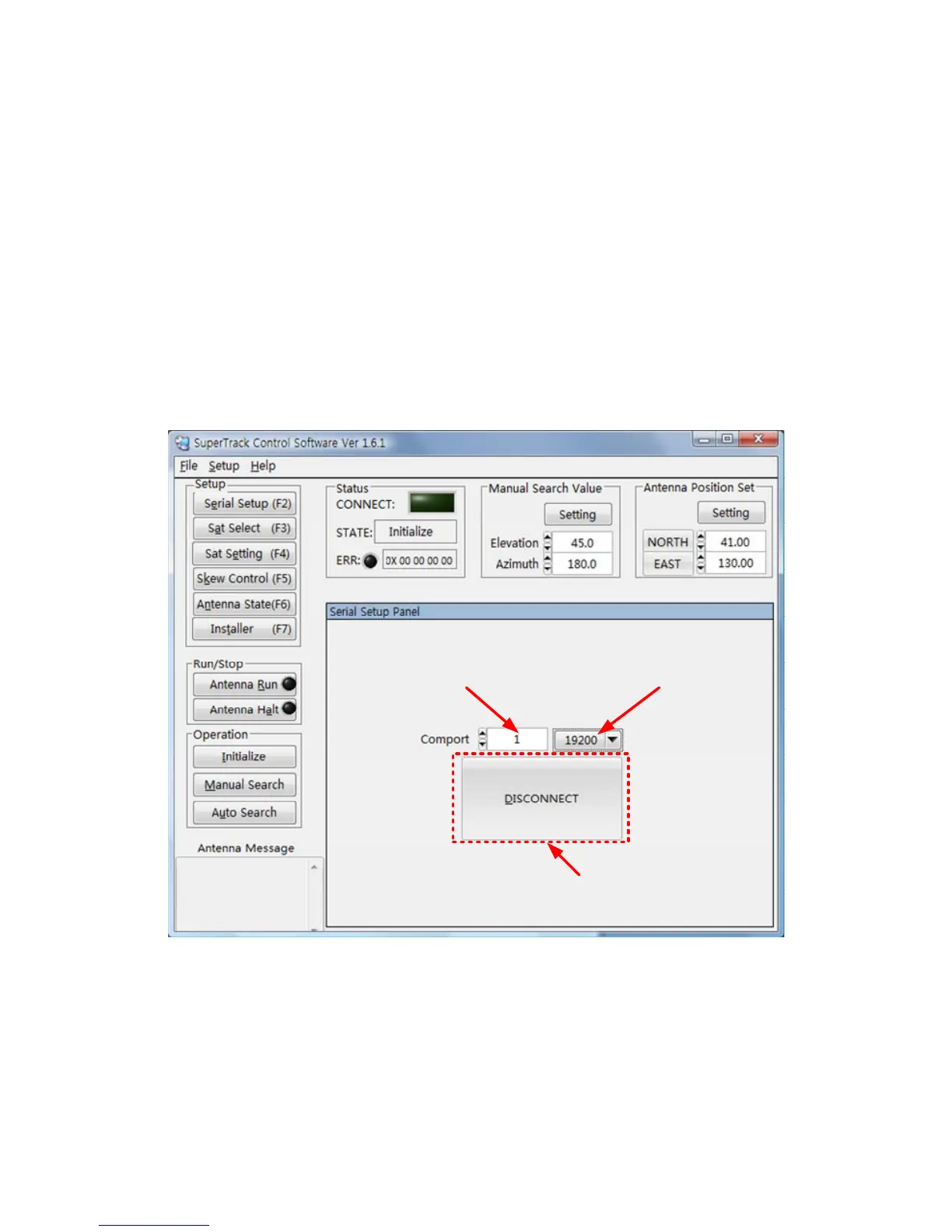
Then, select the COM port of your computer, and select the baud rate of 19200.
Lastly, click ‘DISCONNECT’, whereupon the S3 will be connected with the computer.
1. Select the COM port 2. Select the Baudrate
3. Click the ‘DISCONNECT’
Figure 4-1 Connecting the S3 with a PC


 To Next Page