30
Demo Mode
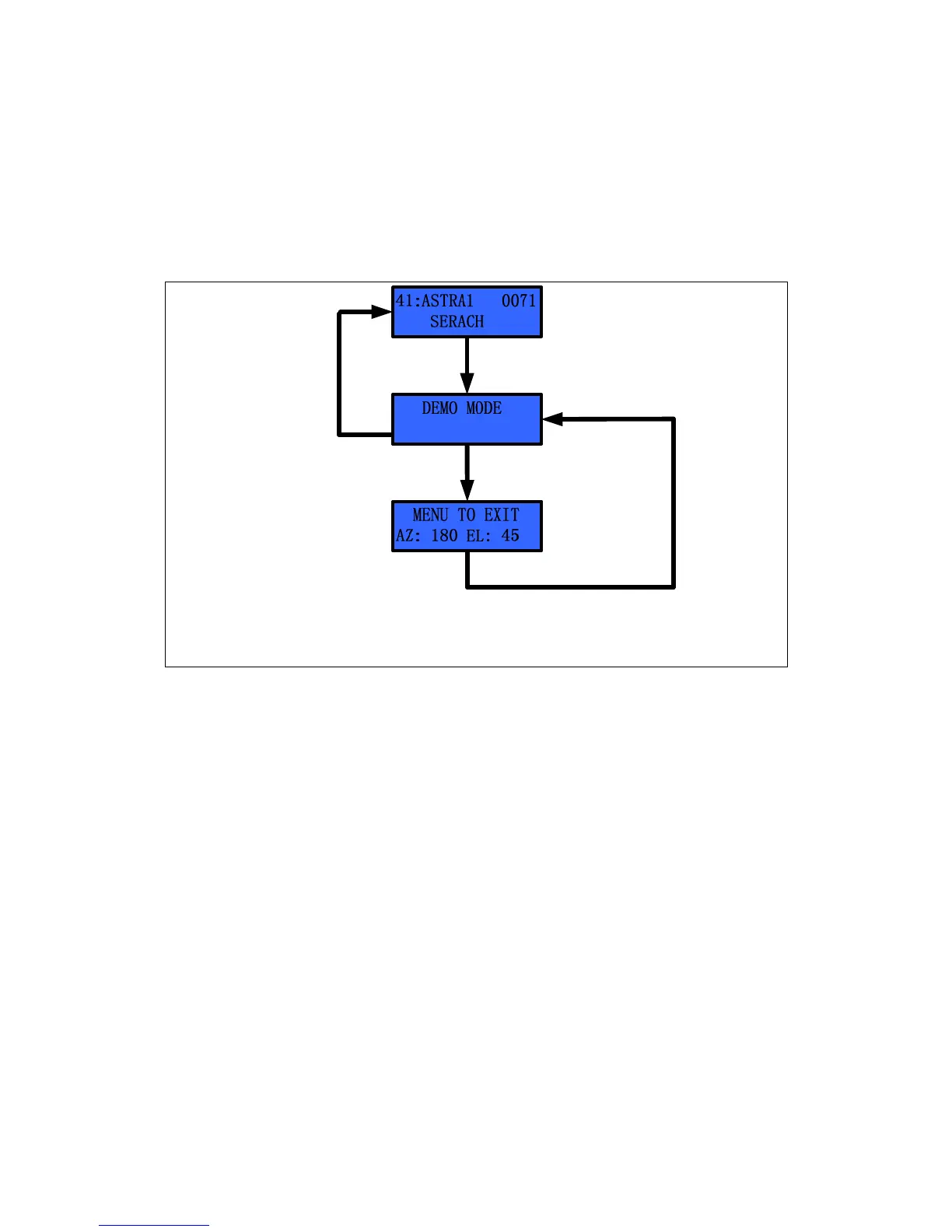
The S3 points toward the desired position when using the ‘Demo Mode’. It is very
useful when the dealer requires a demonstration inside a building. Elevation is
changed every 5° by one click of ‘▲’ or ‘▼’. Azimuth is changed every 10° by one
click of ‘
▶
’ or ‘
◀
’.
Press “MENU’
Press ‘MENU’
& hold 2~3 seconds
Set Azimuth Angle by ‘◀’ or ‘▶’
Set Elevation Angle ‘▼’ or ‘▲’
Press “MENU’ to Escape
Press ‘MENU’& hold 2~3 seconds
Select the ‘Demo Mode’ by ‘◀’ or ‘▶’
Figure 3-14 Setting the Skew Angle in Manual Mode


 To Next Page