60
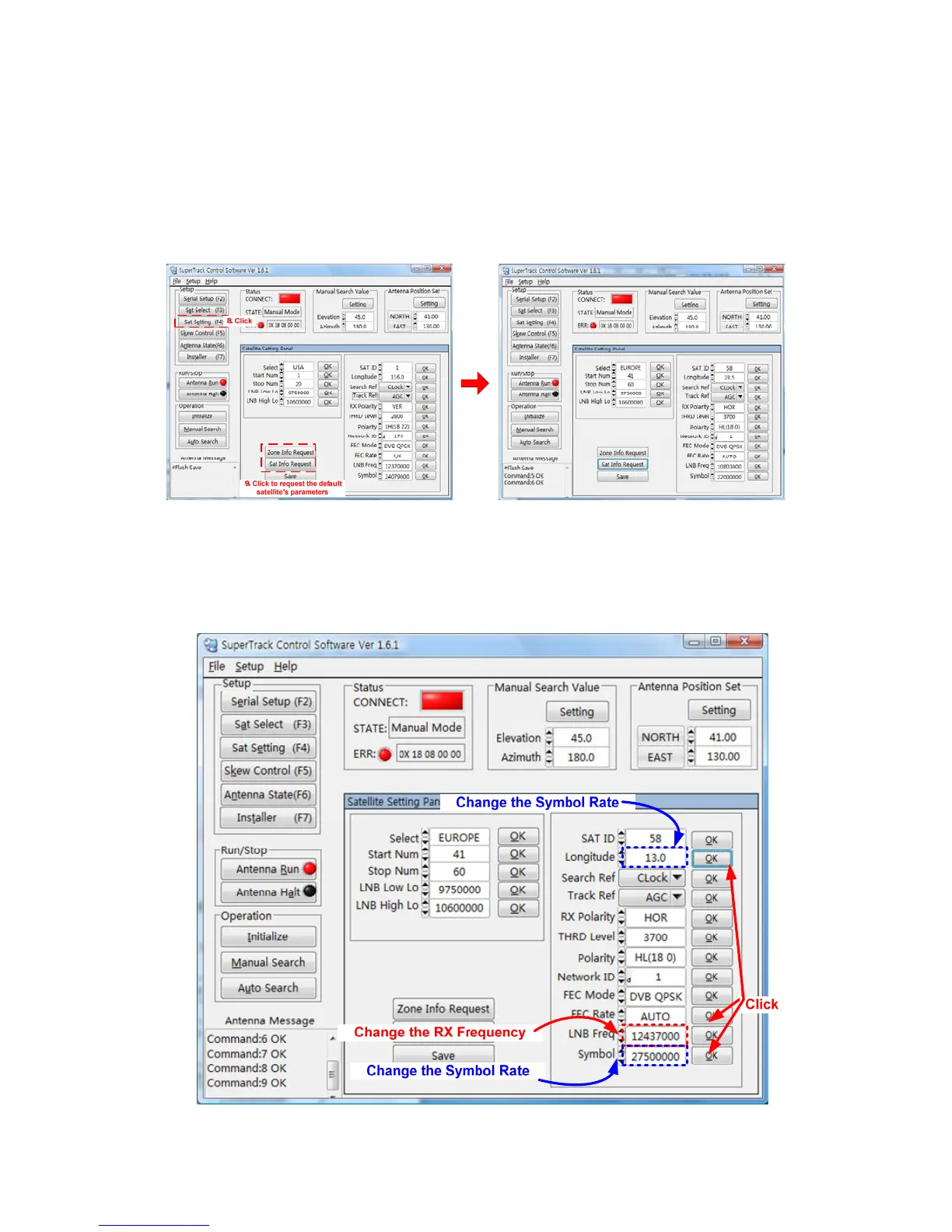
8. Click ‘Sat Setting’ or press F4.
9. Click ‘Zone Info Request’ and ‘Sat Info Request’ to request the default satellite’s
parameters, then the Sat ID 58 satellite parameters can be updated in the
‘Satellite Setting’ panel.
10. Change ‘Longitude’, ‘LNB Freq’ and ‘Symbol’, as shown in the Figure below.
11. Click ‘OK’ on the right-hand side of the changed parameters to upload to the
PCU.


 To Next Page
 Loading...