CVS-128/128B Change the frequency
0093112802-06 xv
5 Press the [MENU] key. Then, the edit is finished.
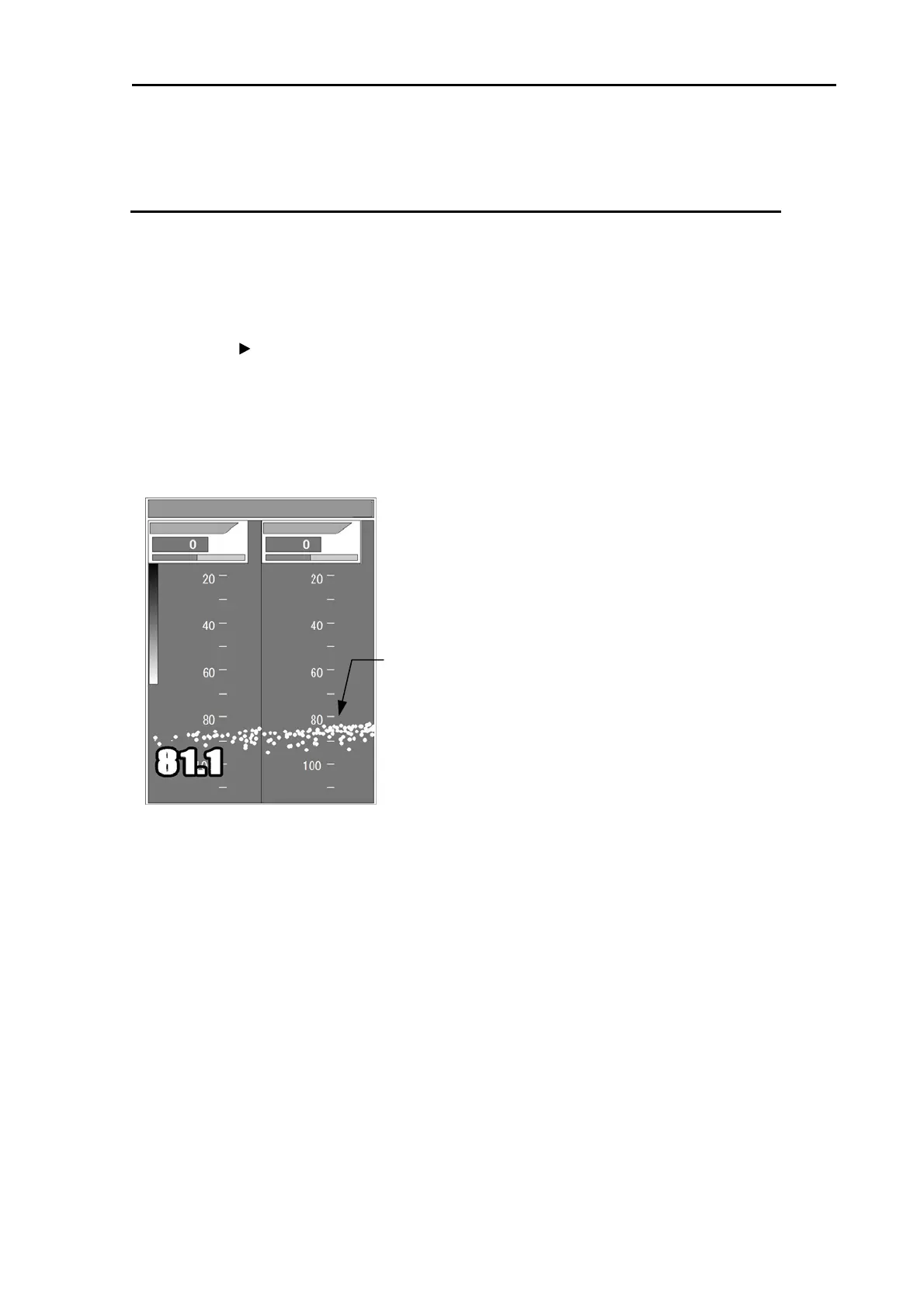
Adjustment of bottom detection
When the bottom can't be detected or when the bottom is of mud pool or seaweed, [Gain (TD)] shall be
turned up. When transfer to fish schools, etc. frequently occurs, [Gain (TD)] shall be turned down.
1 Press the [MENU] key.
2 Select [Adjust] [Gain(TD)]. (See [2.1 How to operate the menu])
3 Press the [ ] key. The image displays bottom only. It may show very strong fish targets.
4 Set a value to display the sea bottom continuously without interruption. For high frequency, turn
[GAIN (HF) knob] and for low frequency, turn [GAIN (LF) knob]
After the alteration of setting, please confirm the condition for some time.
Those adjustments are recommended to be performed at the site of use.
5 Press the [MENU] key. Then, the edit is finished.
Gain (TD)
Bottom
Gain (TD) L
Gain (TD) H
L: 6.0 H: 6.0 R:M 12.0V



 To Next Page