CVS-128/128B Chapter 3 How to use the menu2
0093112802-06 3-5
Color adjust
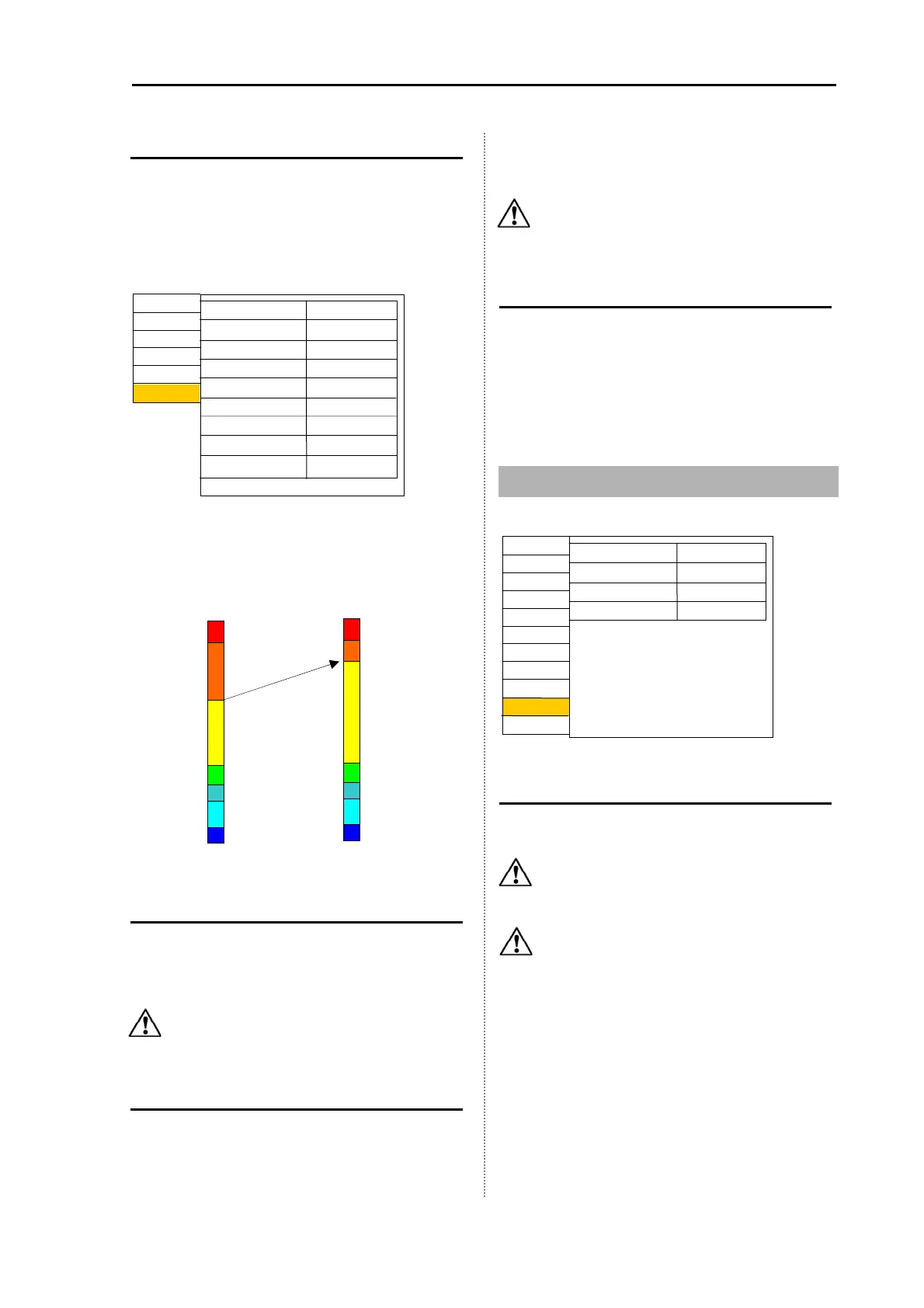
Rainbow pattern of the echo image can be
changed.
Set the value of each color in the range from 0 to
99%. Confirm color distribution by the rainbow
pattern of the left side of the screen.
EXAMPLE:
When the yellow value is change from 60 to 80 in
the setting, the Rainbow pattern becomes as
shown below.
Image speed adjust
The image speed can be adjusted.
The image speed becomes faster in a minus
direction, and slower in a plus direction.
Caution: Image speed cannot set faster
than the maximam speed value.
Bottom limit
The detection of sea bottom can be changed.
Sea bottom can be detected up to the range of
display multiplied by the setting value.
EXAMPLE:
Displayed 20 m, setting value: 2.0, a bottom can
be detected up to approximetery 40m.
Caution: If the setting value is increased,
the image speed becomes slower.
Sounding
Sounding is performed up to the maximum depth
set during auto range is in operation.
The maximum range is 800 m. At the initial setup,
the range is up to 200 m for CVS-128 and up to
500 m for CVS-128B. (Setting: m: 10 to 800, I.fm:
10 to 600, fm: 10 to 400, ft: 10 to 2800)
3.7 Frequency Select
Frequency select (Low / High)
The frequency of the connected transducer (low
frequency and high frequency) is chosen.
Caution: Do not choose a frequency
different from the frequency of the
connected transducer.
Caution: When the frequency out of the
specified range is choosen, the
setting value is displayed in a faded
color.
For CVS-128B
Display1
D.range
Display2
larm1
larm2
NAV
Image
System
Freq select (L)*
Freq select (H)*
Power freq adj*
Return
Next
Freq*
* For CVS-128B
42.0
210.0
107.0
Prev
Correct
In out
Setting
Maintain
Orange
Return
Green
Red
djust2
Prev
Yellow
95
90
60
30
Sea green
Light blue
Marine blue
20
15
5
Before the change
After the change
djust



 To Next Page