Chapter 2 How to use the menu CVS-128/128B
2-12 0093112802-06
8 To stop editing, press [GAIN (HF) Knob] or
[GAIN (LF) Knob].
9 After finishing the edit, press the [MENU]
key.
10 Select the [register] in the confirmation
menu.
11 Press the [MENU] key. Then, the edit is
finished.
2.16 Explanation of Sonar
Switch-over of Sona-Tone
TM
The Sona-Tone
TM
can be output to the built-in
speaker by selection.
The schools of fish and condition of bottom on
the display of echo sounder can be confirmed
by hearing the sonar.
1 Press the [MENU] key.
2 Select the [System] [Sona-tone]. (See
[2.1 How to operate the menu])
3 Press the [ ] key.
4 Select the [ON] or [OFF] of [Sona-tone].
(Press the [
] key or [ ] key)
5 Press the [MENU] key to close the menu.
Connection of External Speaker
Connect the external speaker with amplifier
(option) so that you can hear the sonar easily.
Caution: The Sona-Tone
TM
is always
output. Adjust the speaker volume
with the volume provided on the
speaker.
Caution: The external speaker is an
option.
2.17 Explanation of Menu Item
The various items in the menu are explained.
Inner-hull
The reduction in sensitivity due to signal
attenuation in inner-hull use can be corrected.
(Setting: - 50 ~ 50: through-hull: 0)
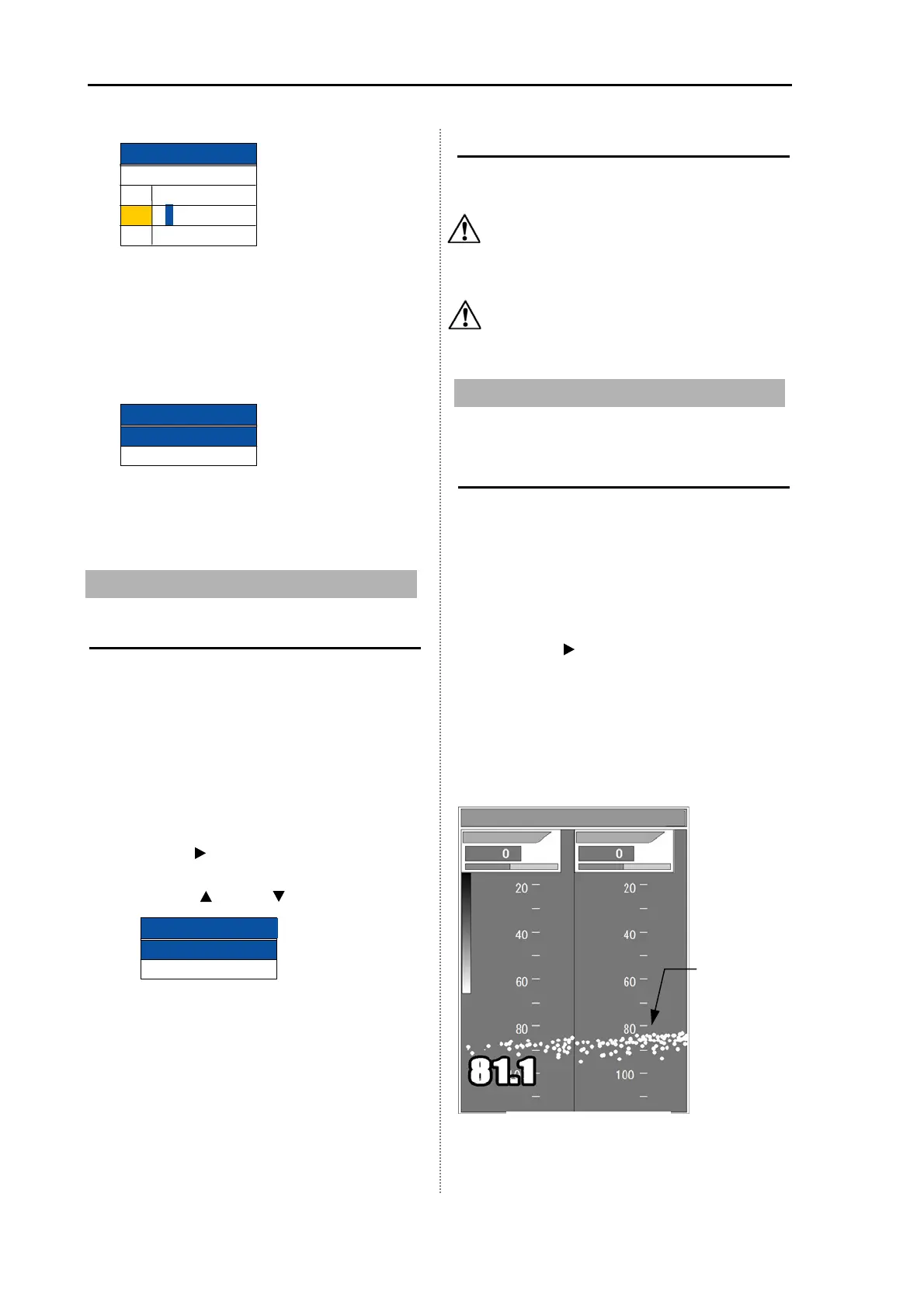
1 Press the [MENU] key.
2 Select the [Adjust] [Gain (TD)]. (See
[2.1 How to operate the menu])
3 Press the [ ] key. The image displays
bottom only. It may show very strong fish
targets.
4 Set a value to display the sea bottom
continuously without interruption. For high
frequency, turn [GAIN (HF) knob] and for
low frequency, turn [GAIN (LF) knob].
5 Press the [MENU] key to close the menu.
Edit end
Registered
Not registered
1
2
3
P I C0 0 0 0 1
P I C0 0 0 02
P
I C0 0 0 03
No.
Comment
Bottom
Gain (TD)
Gain (TD) L
Gain (TD) H
Sonar tone
OFF
ON
Sona-tone
Image comment



 To Next Page