CVS-128/128B Chapter 2 How to use the menu
0093112802-06 2-9
key. (Character: A ~ Z, blank, 0 ~ 9, +, -./
Lat/Lon: 0~9,N,S,E,W)
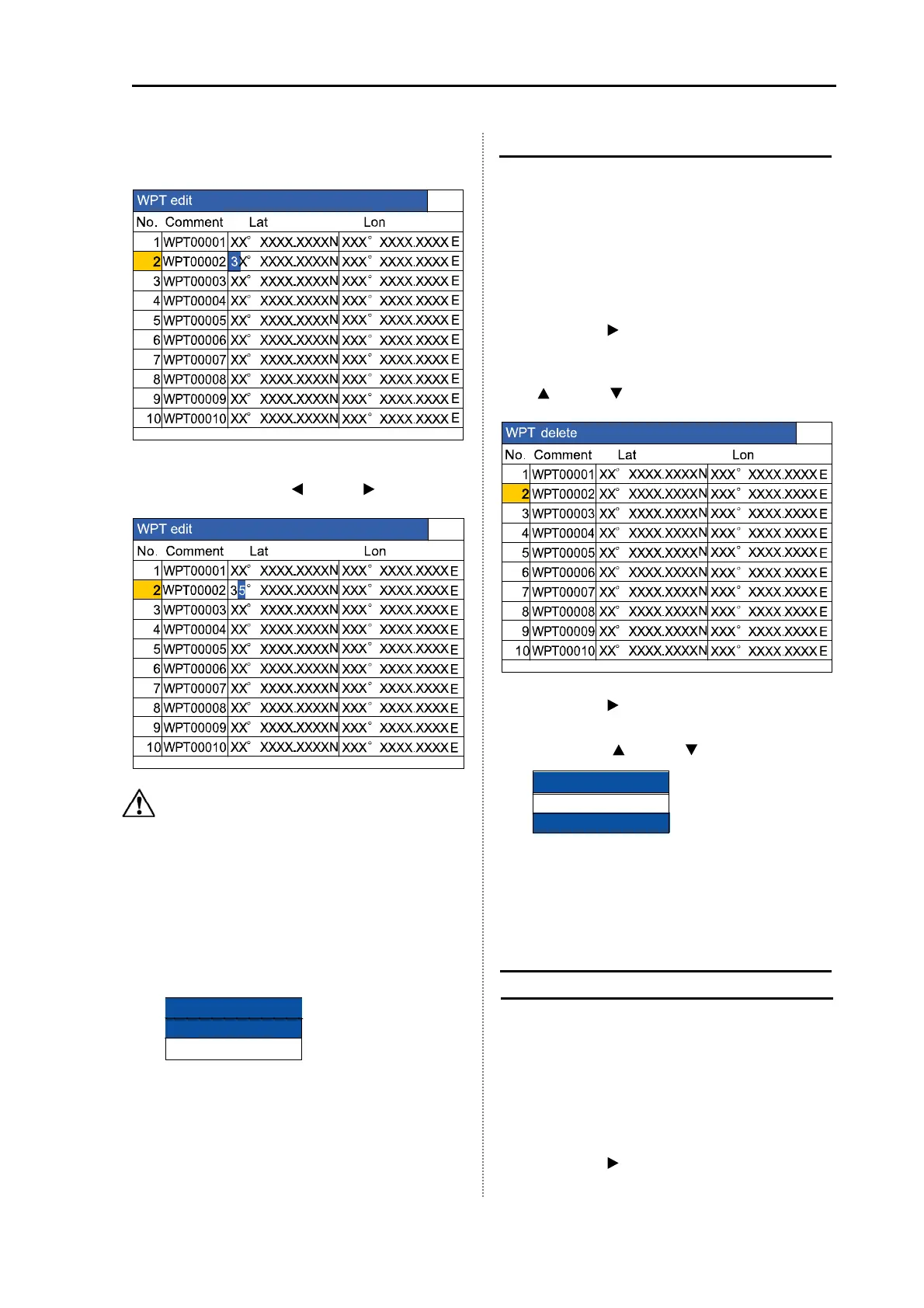
7 Move the position of characters to be
reversed with the [
] key or [ ] key.
Caution: If the values of latitude and
longitude are not entered, they are
registered as 0.
8 To end editing, press [GAIN (HF) Knob] or
[GAIN (LF) Knob].
9 After finishing the edit work, press the
[MENU] key.
10 Select the [registered] in the confirmation
menu.
11 Press the [MENU] key. Then, the edit is
finished.
Delete the waypoint
The destination list preset in the past can be
deleted.
The deletion takes some time.
1 Press the [MENU] key.
2 Select [NAV] [WPT delete]. (See [2.1
How to operate the menu])
3 Press the [ ] key.
4 Select the list number of destination to be
deleted from the [WPT delete]. (Press the
[
] key or [ ] key)
5 Press the [ ] key.
6 Select the [Yes] in the confirmation menu.
(Press the [
] key or [ ] key)
7 Press the [MENU] key. Then, the
destination is deleted and the menu
closes.
Recall the stored image and preset it
as a destination
Recall the stored image in the past and it can
be preset as a destination.
(See [1.9 Use of
[EVENT] key]
)
1 Press the [MENU] key.
2 Select [Image] [Image recall]. (See [2.1
How to operate the menu].)
3 Press the [ ] key.
4 Select the image No. from the [Image
WPT delete
Yes
No
Registered
Edit end
Not registered



 To Next Page