Chapter 2 How to use the menu CVS-128/128B
2-8 0093112802-06
2.14 Preset/WPT edit/WPT
delete of Waypoint
NAV Start
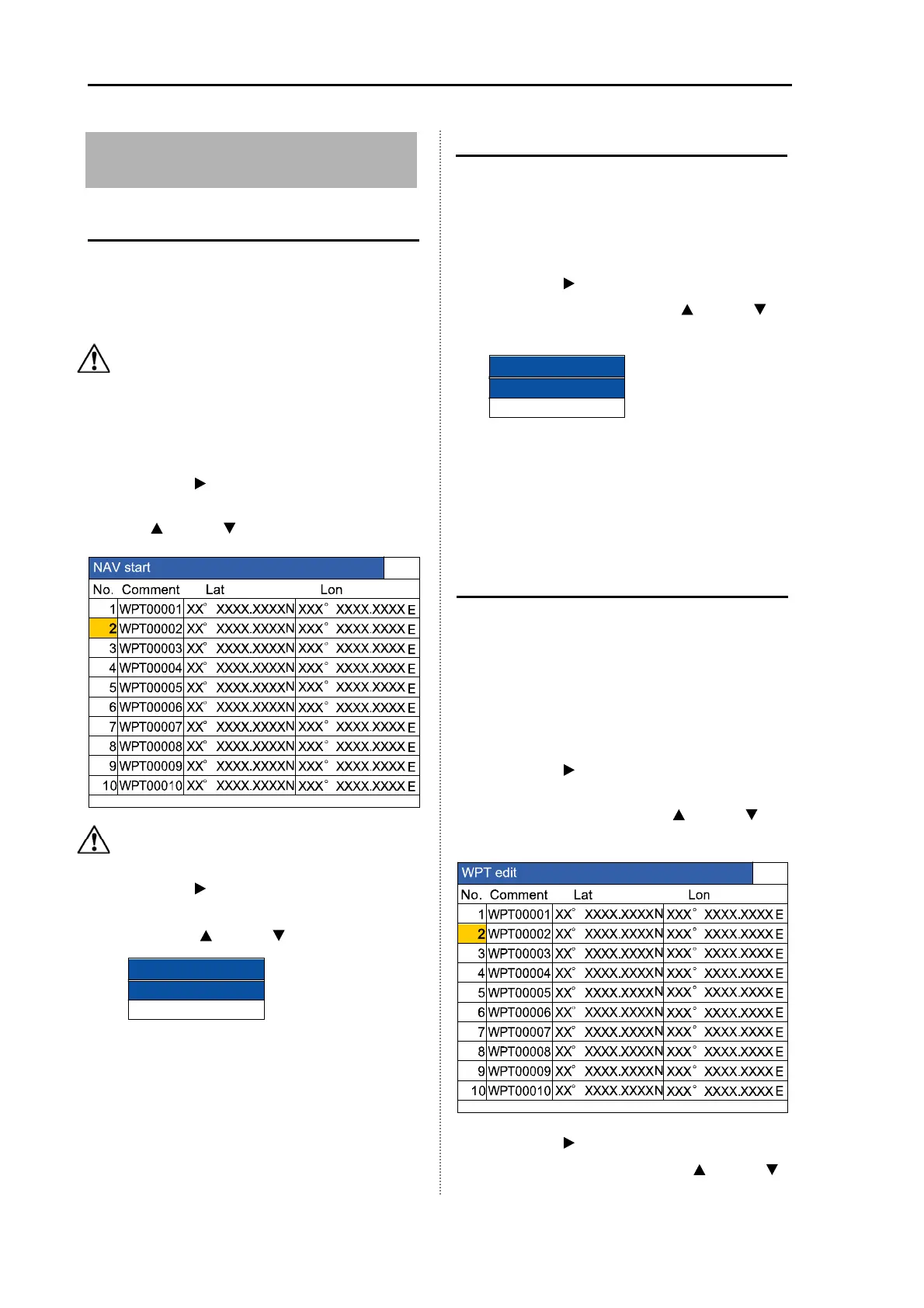
The NAV can be started by selecting the
destination from the destination list.
To perform the NAV start, the destination must
be preset. (See [1.9 Use of [EVENT] key]
)
Caution: Requires position data from
GPS sensor.
1 Press the [MENU] key.
2 Select [NAV] [NAV start]. (See [2.1 How
to operate the menu])
3 Press the [ ] key.
4 Select the [Destination list] preset. (Press
the [
] key or [ ] key)
Caution: The list No. selected is reversed
in yellow.
5 Press the [ ] key.
6 Select the [Yes] in the confirmation menu.
(Press the [
] key or [ ] key)
7 Press the [MENU] key.
Then, the NAV starts.
Cancel the NAV
The NAV started can be cancelled halfway.
1 Press the[MENU] key
2 Select [NAV] [NAV cancel]. (See [2.1
How to operate the menu])
3 Press the [ ] key.
4 Press the [Yes]. (Press the [ ] key or [ ]
key)
NAV cancel
Yes
No
5 Press the [MENU] key. Then, the NAV is
released.
6 To return the display to the original one,
the display mode shall be switched over.
(See: [1.4 Switch-over of Display mode])
Edit the destination
By entering the latitude and longitude, the
destination can be preset.
The list preset in the past can be edit.
1 Press the [MENU] key.
2 Select [NAV] [WPT edit]. (See [2.1 How
to operate the menu])
3 Press the [ ] key.
4 Select the list No. to be edited from the
[WPT edit] list. (Press the [
] key or [ ]
key)
5 Press the [
]
key.
6 Select the character with the [ ] key or [ ]
NAV starts
Yes
No



 To Next Page