CVS-128/128B Chapter 3 How to use the menu2
0093112802-06 3-1
Chapter 3 How to use the menu2
3.1 Display of Menu
After powering on, besides the menu displayed
first with the [MENU] key, there are the other
menus as follows, of which setting does not need
to be frequently changed.
[In out], [Correct], [Setting], [Maintain]
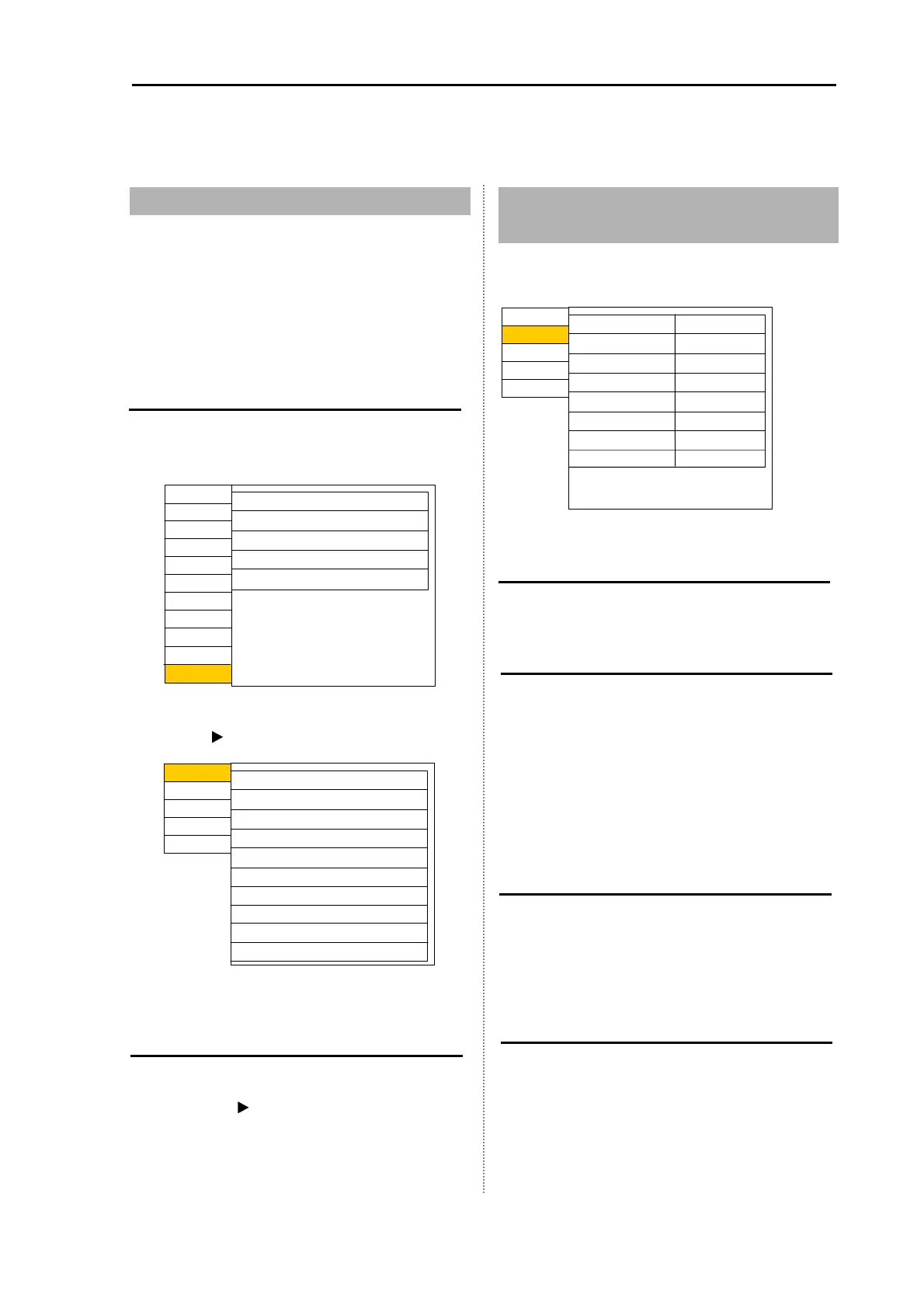
Display the menu
1 Press the [MENU] key.
2 Select the [Next].
3 Press [ ] key to display the system menu.
Return to the normal menu
1
Select the [Prev].
2 Press the [ ] key to display the normal
menu.
3.2 Setting of External Input /
Output
Set the setting related to the input/output.
Buzzer Setting
Set the buzzer sound to ON/OFF.
Temp Source
Switch the Sensor/NMEA.
For setting of [SENSOR], use an internal water
thermometer connected to the water temperature
sensor with J6 connector.
For setting of [NMEA], use the input value from
outside connected with NMEA of power
connector.
Speed Source
Switch the Sensor/NMEA.
Use the built-in speed meter for sensor.
Use the external input value for NMEA.
Baud Rate
Change the transmission speed of external
input/output.
Match the transmission speed with that of
external equipment connected. (Setting: 4800,
9600, 19200, 38400)
Correct
In out
Setting
Maintain
Buzzer setting
Temp source
Speed source
Baud rate
NMEA monitor
OFF
InsideSensor
InsideSensor
4800
OFF
NMEA output data
NMEA output data
Return
Correct
In out
Setting
Maintain
djust
D.range
Display1
Display2
larm1
larm2
NAV
Image
Freq*
System
* For CVS-128B
Display1
D.range
Display2
larm1
larm2
NAV
Image
System
In out
Correct
Setting
Maintain
Next
djust2
Freq*
* For CVS-128B
djust
Prev
Prev



 To Next Page