Chapter 2 How to use the menu CVS-128/128B
2-10 0093112802-06
recall] list. (Press the [
] key or [ ] key)
Caution: Chosen list NO. becomes
yellow.
5 Press the [ ]key.
6 Move the cursor to the location preset as a
destination with the[
]
key or [
] key and
select it.
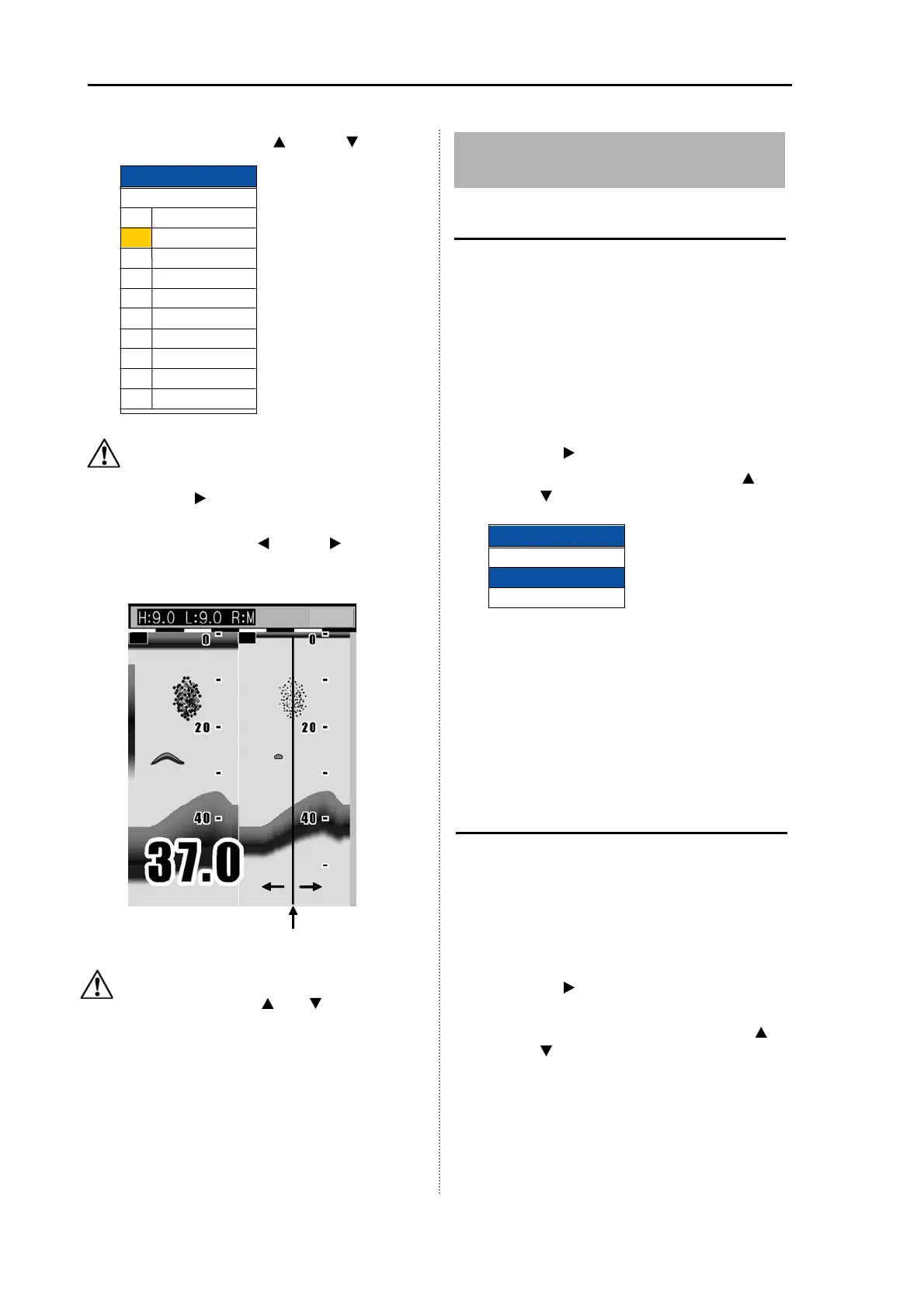
Caution: You can switch to other stored
image with the [
] or [ ] key.
7 When starting the NAV, press the [EVENT]
key. When not starting the NAV, press the
[MENU] key.
2.15 Store / Recall / Deletion of
Image
Store the image
The present image of echo sounder can be
stored.
To memorize, it takes some time.
To memorize the image, the [EVENT] key must
be switched to the [Store image].
1 Press the [MENU] key.
2 Select [System] [EVENT key set]. (See
[2.1 How to operate the menu])
3 Press the [ ] key.
4 Select the [Store image]. (Press the [ ]
key or [
] key)
5 Press the [MENU] key to close the menu.
6 When the echo sounder image to be
stored appears, press the [EVENT] key.
7 When the stored image is fully filled, it
shows that the [Store image] is fully filled.
After deleting the unnecessary image, try it
again.
Recall the stored image
The stored image in the past can be recalled.
During recalling, the image cannot be stored.
1 Press the [MENU] key.
2 Select [Image] [Image recall]. (See [2.1
How to operate the menu])
3 Press the [ ] key.
4 Select the number of image to be recalled
from the [Image recall] list. (Press the [
]
key or [
] key)
Cursor
red line
H
L
EVENT key set
Store pos
Store image
Fishing hot spot
Image recall
No.
Comment
1
2
3
4
5
6
7
8
9
10
P IC 0 0 0 0 1
P IC 0 0 0 02
P IC 0 0 0 03
P IC 0 0 0 04
P IC 0 0 0 05
P IC 0 0 0 06
P IC 0 0 0 07
P IC 0 0 0 08
P IC 0 0 0 09
P IC 0 0
010



 To Next Page