CVS-128/128B Chapter 1 Basic Operation
0093112802-06 1-13
4 After a certain time passes, the message
disappears and presetting the waypoint is
finished.
Caution: When pressing the [EVENT] key,
if [In out] [NMEA output data]
[TLL] is set to ON, the latitude and
longitude of location above-designated
is output to the navigation system
connected.
Caution: If the waypoint list is full, the
preset destination list is not deleted,
showing the message that the list is
fully filled.
After a certain time passes, the
message disappears.
Caution: If the waypoint list is full, delete
an unnecessary waypoint from the
waypoint list.
Store the image
When you find the schools of fish, its location can
be stored as a waypoint.
(10 locations at maximum)
When storing the image, switch [NAV]
[EVENT Key set] [Store pos]. (See [1.9 Use of
[EVENT] key Selecting the event key function].)
1 Press the [EVENT] key.
2 After a certain time passes, the image of
echo sounder presently displayed is stored
and the list number of stored image is
displayed.
3 After a certain time passes, the message
disappears and storing the image is finished.
Caution: If the
waypoint list is fully filled,
the preset destination list is not deleted,
showing the message that the image is
fully filled. After a certain time passes,
the message disappears.
As for deletion and recall of images, see
[2.15 Store/Recall/Deletion of image].
Fishing hot spot
Leads you back to your favorite fishing hot spots
or other previously stored positions in memory
with input from optional GPS sensor. (See [2.14
Preset/ WPT edit/ WPT delete of Waypoint])
To perform the fishing hot spot, it is necessary to
select [System] [EVENT key set] [Fishing
hot spot]. (See [1.9 Use of [EVENT] key
Selecting the event key function].)
1 In the state that no other key is pressed,
press the [
] key or the [ ] key.
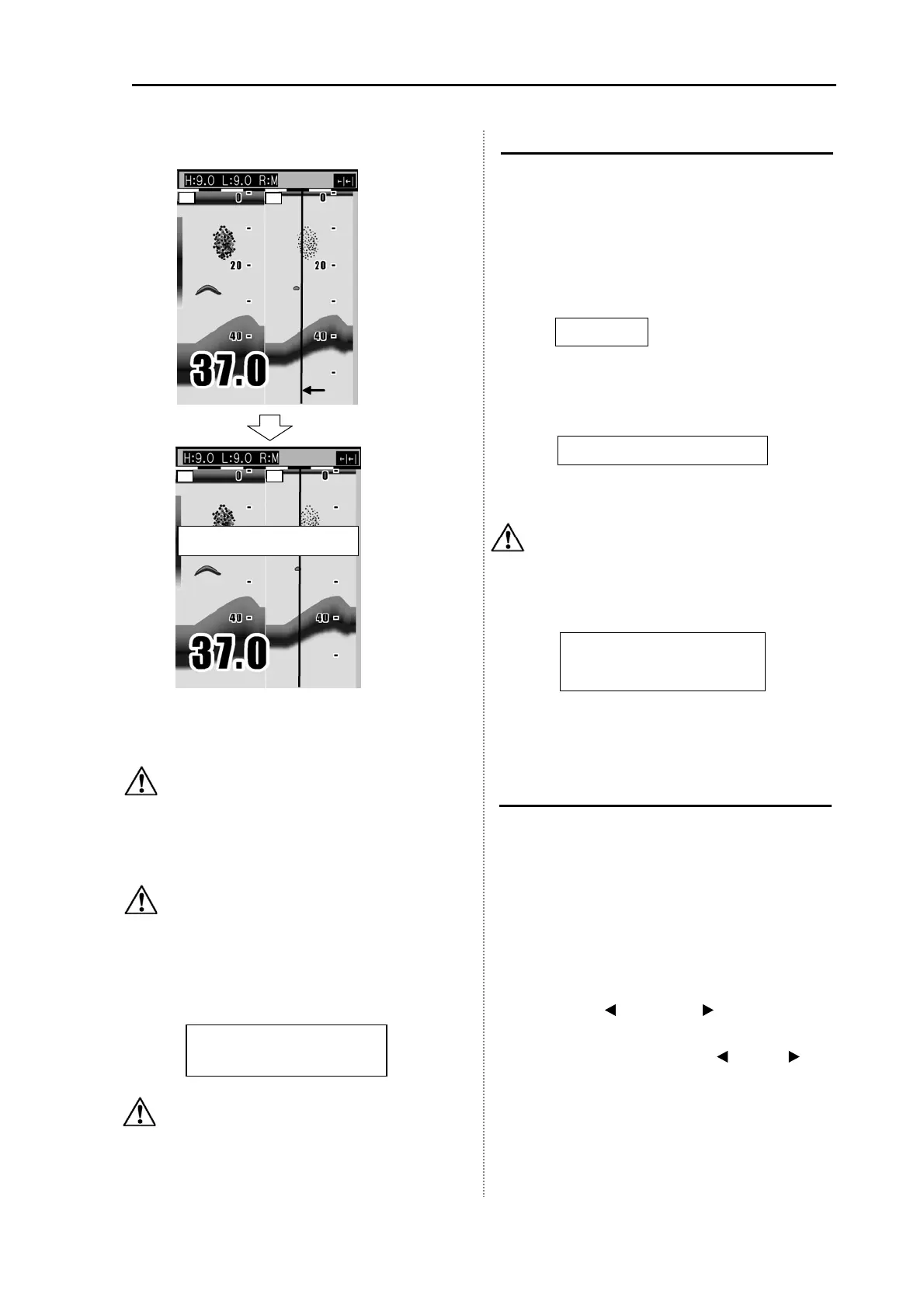
2 Move the cursor (red line) to a point you
desire to go back with the [
] key or [ ] key.
Waypoint list # 1 is registered
Cursor
(Red line)
L
H
L
H
A waypoint list is full.
Registration is not completed
list of Pic is full.
Registration is not completed.
Image data list # 1 is registered
Processing is displayed.



 To Next Page