CVS-128/128B Chapter 4 Maintenance and Inspection
0093112802-06 4-3
4.5 Diagnostic Test
Perform the operation diagnosis.
To check the operation diagnosis of panel key,
the state of sensor inside and the version of
software.
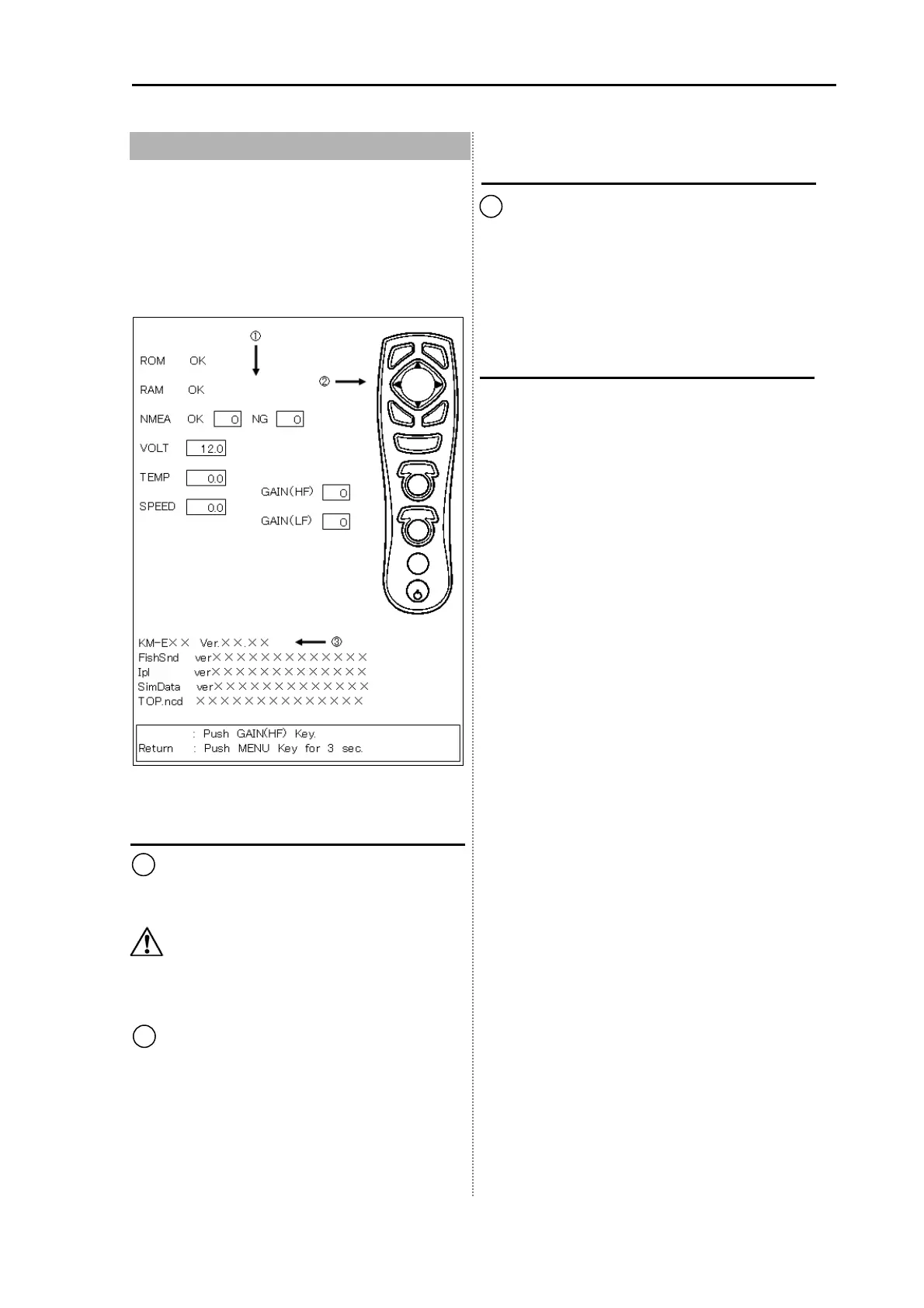
Diagnose
1 displays the diagnostic result.
The result of ROM and RAM check displays
OK when normal and NG when abnormal.
Caution: To test the NMEA, TEMP and
SPEED, the special checker is
necessary.
2 implements the key input test. When
pressing the key, the color of a part
corresponding to the pressed key changes.
When pressing the [GAIN (HF)], the LCD test
is performed.
Confirm the version
3 displays the information on the version of
software.
When inquiring, inform us of Ver XX.XX.
KM-E79 Ver.xx.xx in case of CVS-128
KM-F22 Ver.xx.xx in case of CVS-128B
Return to the menu
Press the [MENU] key for more than 3
seconds.
LCD Test



 To Next Page