CVS-128/128B Chapter 1 Basic Operation
0093112802-06 1-1
[DISP]
Chapter 1 Basic Operation
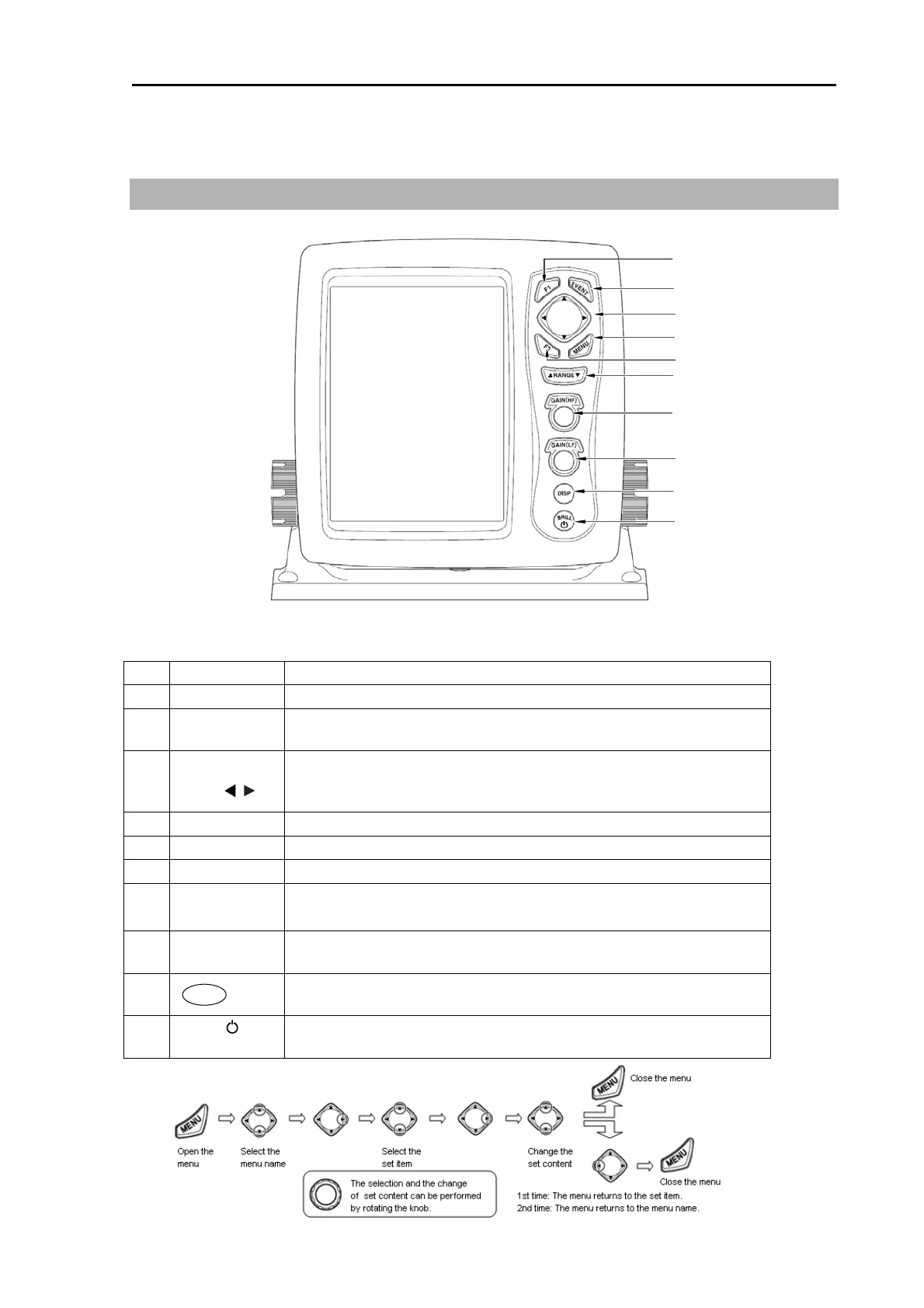
1.1 How to use the key
CVS-128/128B Display unit
Various setting can be done directly. The menu list closes automatically after the key operation of the
other keys than [menu].
No. Key Name Explanation
1 [F1] Recalls directly the item preset.
2 [EVENT]
Notifies the external equipment of the present position. Presets the
menu. It begins a fishing hot spot.
3
[Cursor]
▲ ▼
Selects the menu item. Changes the set value.
Moves the VRM marker. Moves the marker for notifying the
event.Changes the shift.
4 [MENU] Opens or closes the menu.
5 [F2] Recalls directly the item preset.
6 [▲RANGE▼] Changes the range setting.
7
[GAIN(HF)
Knob]
Rotate: Changes the gain value.
Press: Recalls the gain select.
8
[GAIN(LF)
Knob]
Rotate: Changes the gain value.
Press: Recalls the gain select.
9
Switches to the High frequency or Low frequency of echo sounder
image, zoom and navigation menu.
10
[BRILL
]/
Power
Press: Power on. Adjusts the brilliance and brightness of panel.
Long-press: Power off.
1
2
4
5
6
7
8
9
10
3



 To Next Page