CVS-128/128B Chapter 2 How to use the menu
0093112802-06 2-5
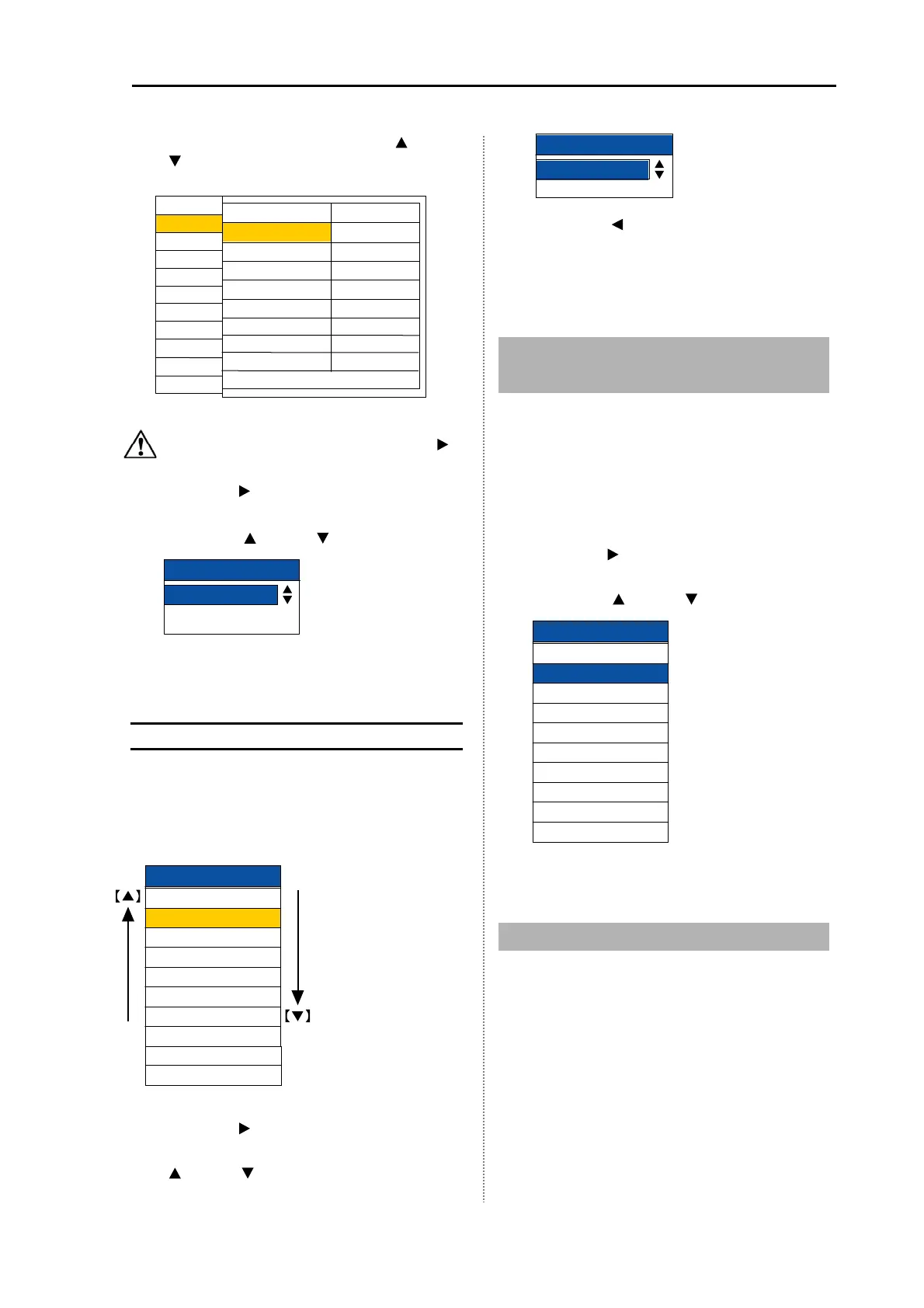
4 Select [Range 1 to 8]. (Press the [ ] key or
[
] key)
Caution: Select [Forward], and press [
]
key to return to the previous menu.
5 Press the [ ] key.
6 Select the set value of [Range 1 to 8].
(Press the [
]
key or [
]
key)
Range1
20.0
m
7 Press the [MENU] key to close the menu.
Easy registration method of the
range
1 Press [▲] or [▼] key of [▲RANGE▼].
2 Change the range you desire to set. (Press
[▲] or [▼] key of [▲RANGE▼])
3 Press the [ ] key.
4 Select the set value of Range. (Press the
[
]
key or [
]
key)
5 When the [ ] key is pressed, it returns to
the [range]. Other detecting range can be
continuously changed.
6 Press the [MENU] key to close the menu.
2.11 Setting of Background
Color
Responding to the ambient brightness, the
background color of display can be changed.
1 Press the [MENU] key.
2 Select [Display1] [Background color].
(See [2.1 How to operate the menu])
3 Press the [ ] key.
4 Change the setting of [Background color].
(Press the [
] key or [ ] key)
5 Press the [MENU] to close the menu.
2.12 Setting of White Line
As the surface of bottom is marked with the
white line of constant width, the school of fish at
the bottom can be easily identified.
Background color
Pale blue
Marine blue
Blue
Dark blue
Black
Darkkhaki
Mediumseagreen
Light grey
White
Night mode
Disp1
D.range
Disp2
larm1
larm2
NAV
Image
System
Prev
5.0 m
Next
Range 1
Range 2
Range 3
Range 4
Range 5
Range 6
Range 7
Range 8
Return
10.0 m
20.0 m
50.0 m
100 m
160 m
300 m
500 m
Freq*
* For CVS-128B
djust
5.0
10.0
20.0
50.0
100
160
300
500
uto range
uto shift
Range1
.
0
m
Range



 To Next Page