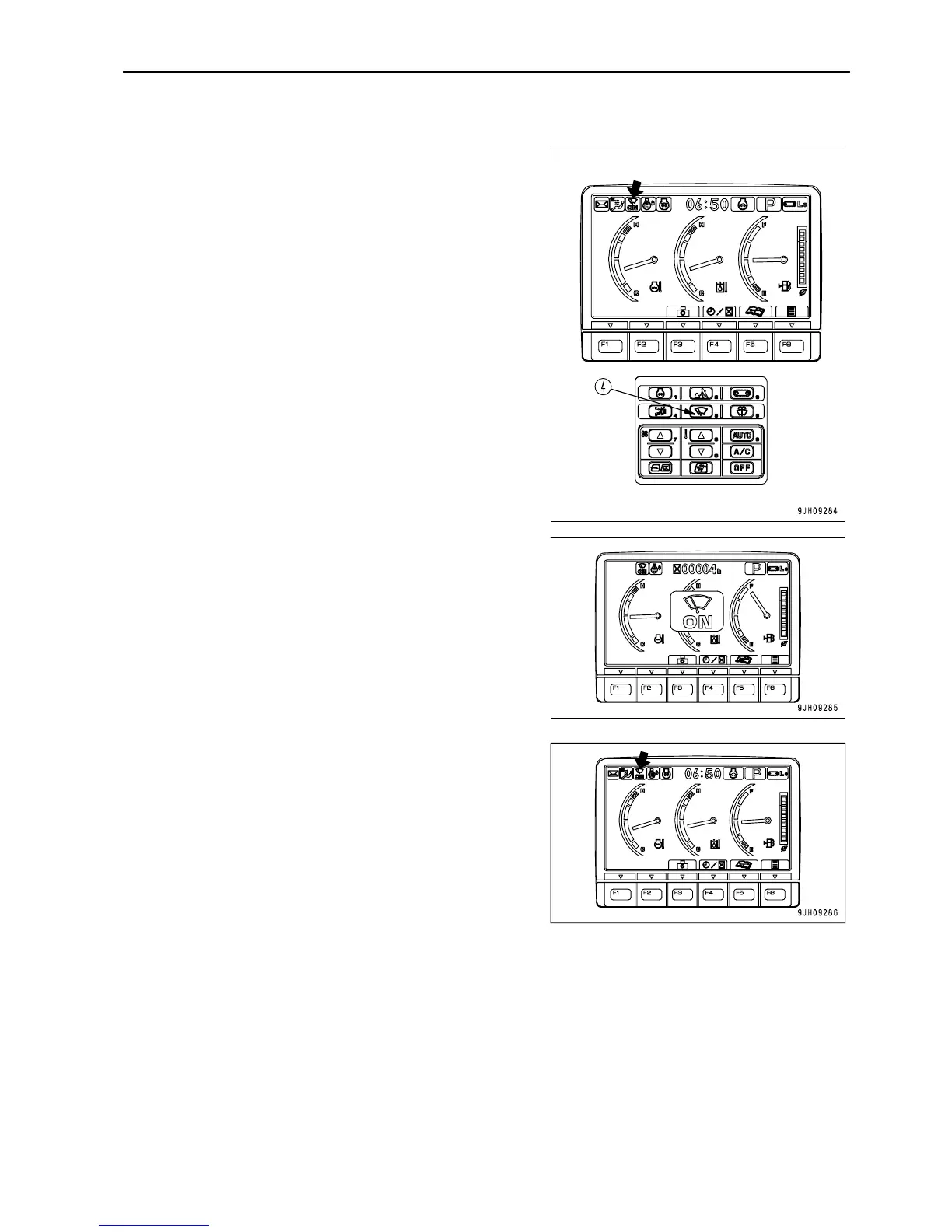
.
OPERATION
DETAILED CONTROLS AND GAUGES
Wiper Switch
This switch (4) actuates the front window wiper.
Each time the switch is pressed, it changes ON → INT → stop
(OFF).
Wiper monitor INT lighted up: Wiper operates intermittently
Wiper monitor ON lighted up: Wiper operates continuously
Wiper monitor OFF: Wiper stops
REMARK
Each time wiper switch (4) is pressed, the mode is displayed in the
center of the monitor display, and after two seconds, the screen
returns to the standard screen.
3 - 29



 To Next Page