.
OPERATION
DETAILED CONTROLS AND GAUGES
OPERATION
DETAILED CONTROLS AND GAUGES
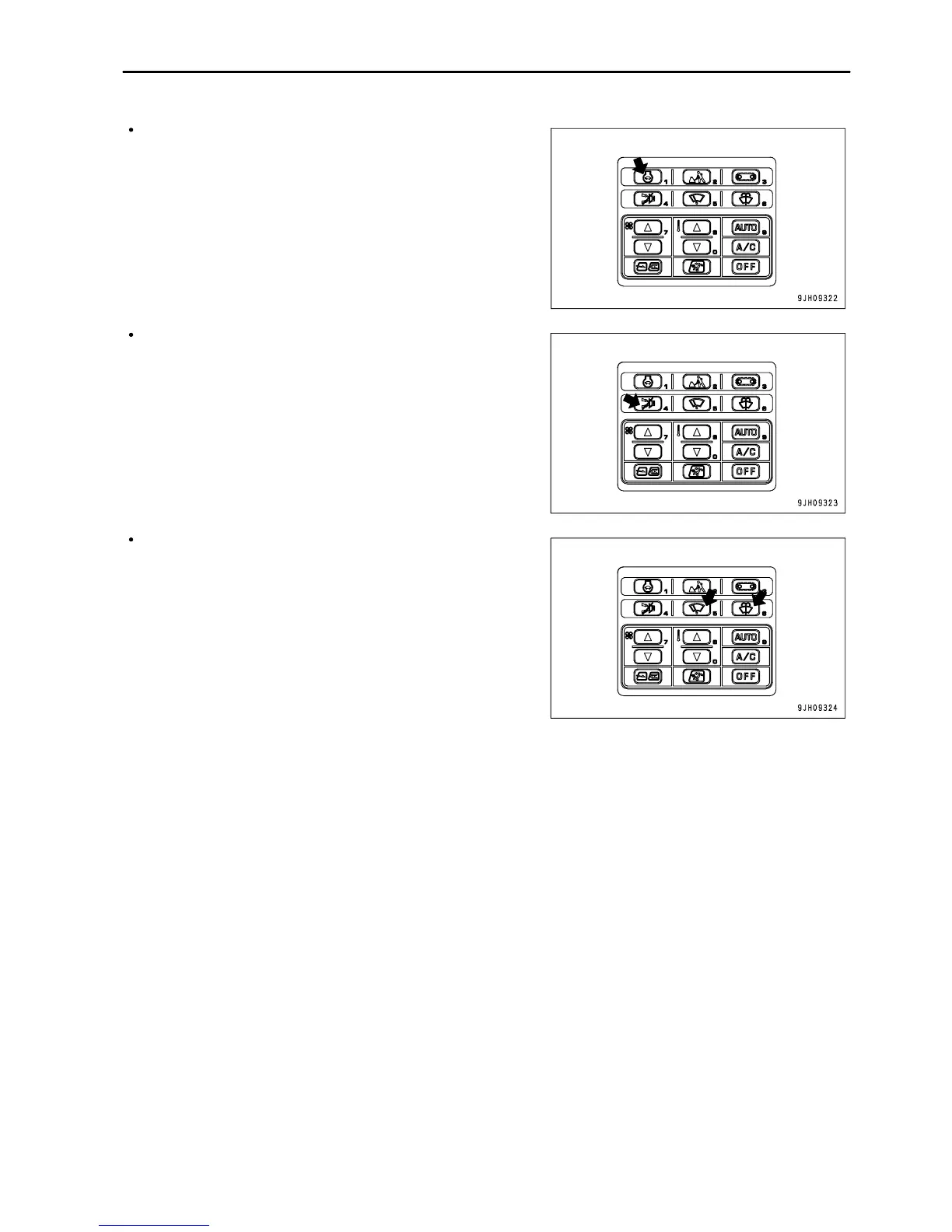
Press the auto-deceleration switch to turn the auto-deceleration
function ON/OFF.
Even if the auto-deceleration switch is pressed, the camera
image display screen does not switch to another screen or
return to the standard screen display.
It is possible to press the buzzer cancel switch to stop the alarm
buzzer for the warning item where there is an abnormality.
Even if the buzzer cancel switch is pressed, the camera image
display screen does not switch to another screen or return to the
standard screen display.
Press the wiper switch and washer switch to operate the wipers
and washer.
Even if the wiper switch or washer switch is pressed, the camera
image display screen does not switch to another screen or
return to the standard screen display.
3 - 35



 To Next Page