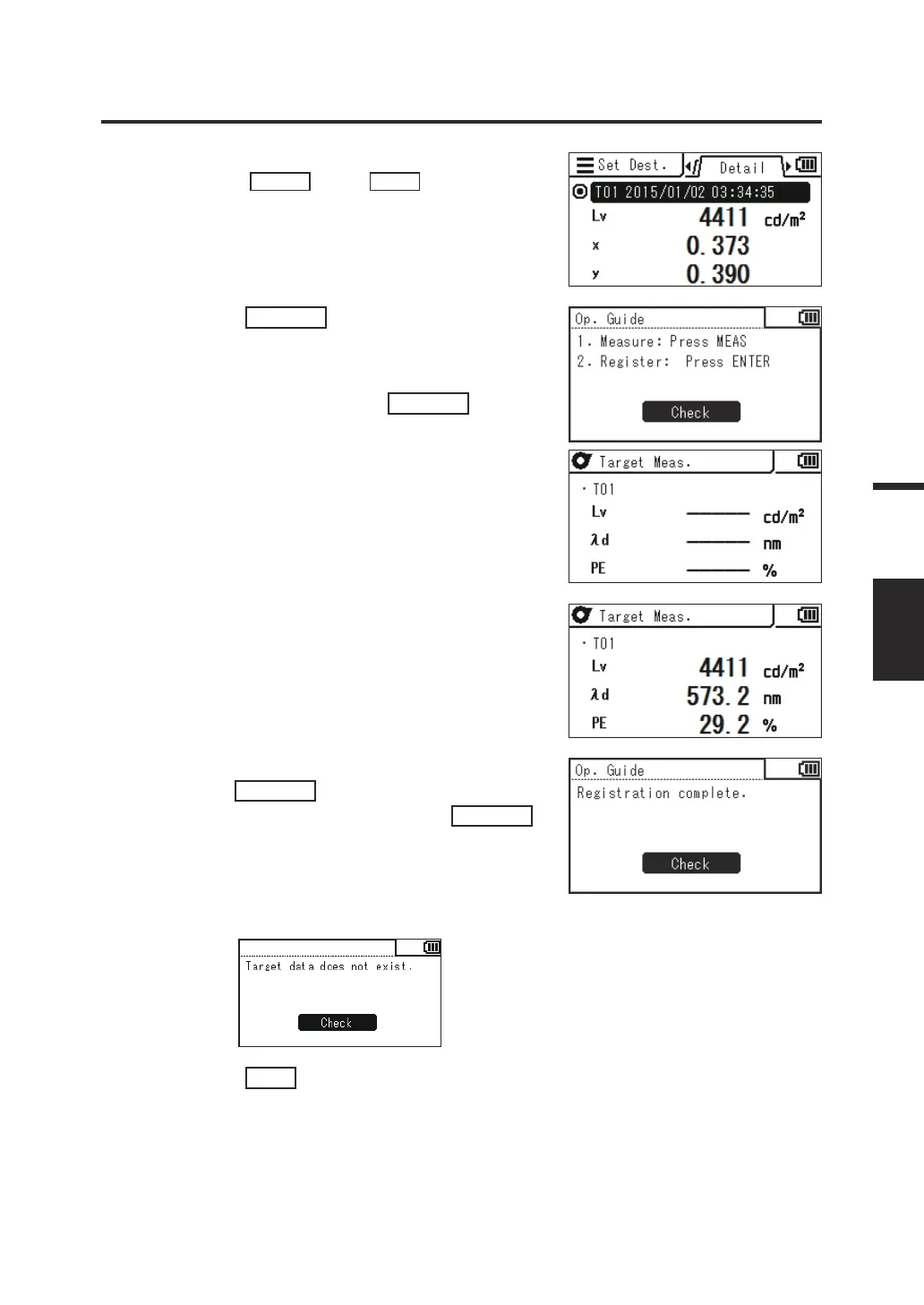
You can check the details of the current data by
pressing the
RIGHT
key or
LEFT
key.
5. Press the
ENTER
key.
When "1. Measure: Press MEAS, 2.
Register: Press ENTER" and "Check"
are displayed, press the
ENTER
key
again.
6. Every time you press the Measuring
button and perform measurement, the
measured value is displayed as a
target.
7.
When an appropriate target is obtained,
press the
ENTER
key. When "Registration
complete." is displayed, press the
ENTER
key to return to the menu screen.
When no measured value has been obtained yet
and you attempt to register a value, an alert screen
is displayed. You need to perform measurement rst.
8. Press the
ESC
key.
The measurement screen is displayed on the
LCD screen.
The specied values are stored even when the
power switch is set to OFF ().
73
Measurement
Preparation
TARGET















 To Next Page