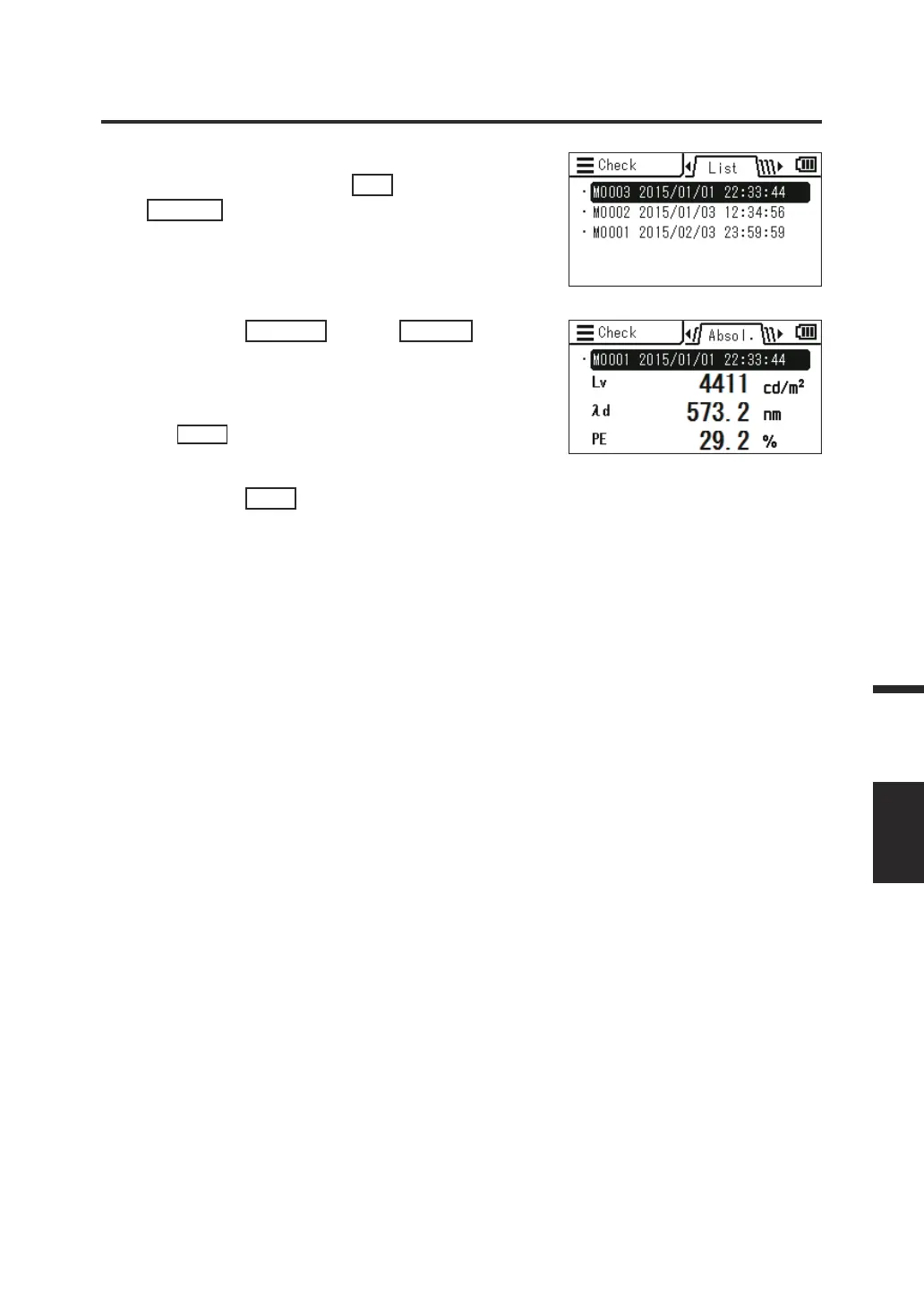
4. The list of measurement results is
displayed. Press the
UP
key or
DOWN
key to select the item you want
to check.
5. Press the
ENTER
key or
RIGHT
key.
The details of the item are displayed.
You can check the measurement condition,
target, user calibration value, etc. by pressing
the
INFO
key.
6. Press the
ESC
key twice.
The measurement screen is displayed on the
LCD screen.
87
Measurement
MEMORY




 To Next Page