VIII - 15
Control unit Comfort
8.13 Language Setting for the
Control unit Comfort
The display can be used in different language versions.
Setting the Language
1) Switch off the control unit comfort
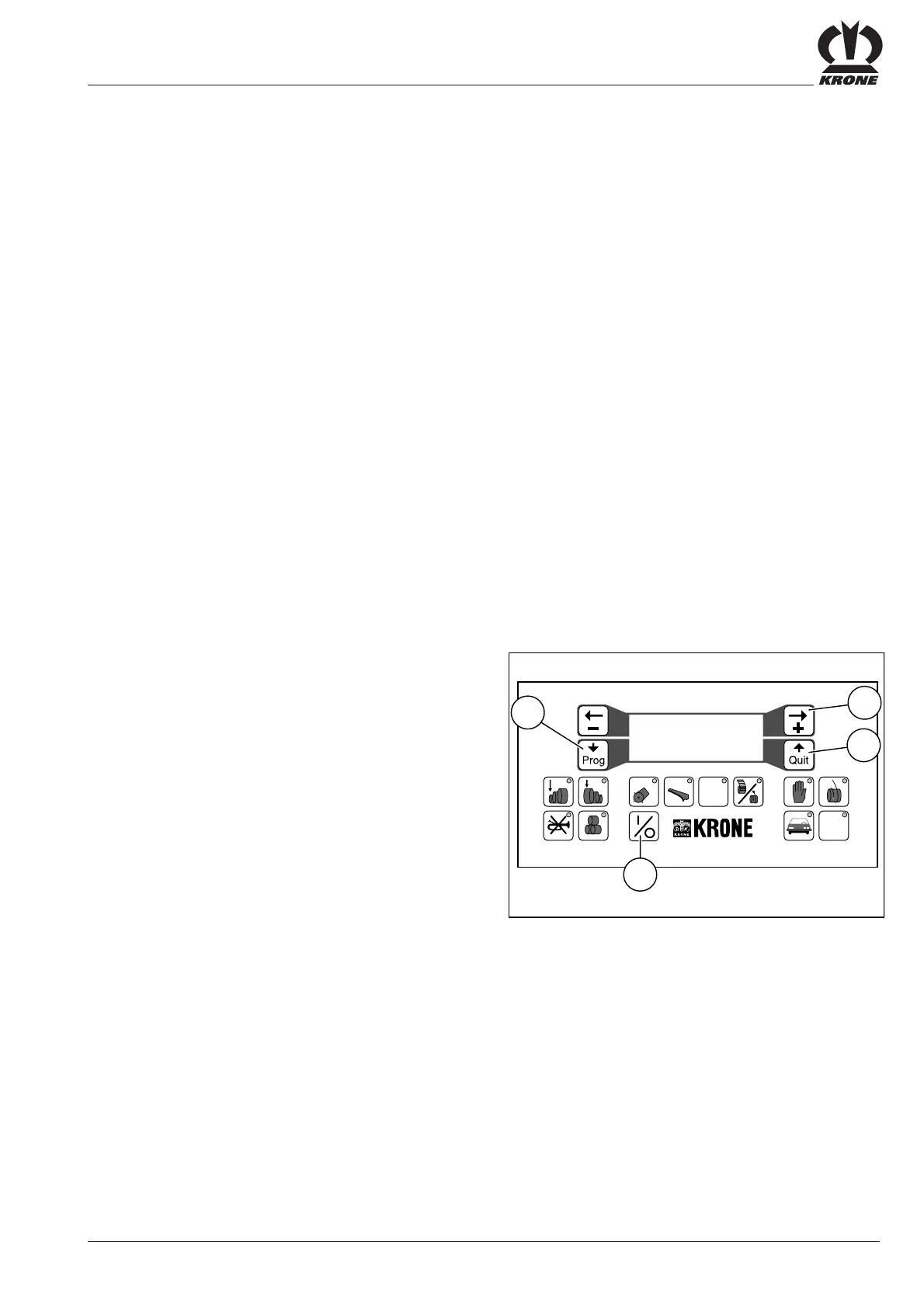
• Press the ON/OFF key (11)
2) Call up the sensor test program
• Press the program key (13) and hold it down
• Press the ON/OFF key (11)
The following appears on the display screen:
Sensortest Twine:.0
Power:00V Knives:.0
Net :.00 chamber:00
proceed.....yes=quit
• Release the program key (13)
3) Call up the language setting menu
• Press the program key (13)
The following appears on the display screen:
- Language Setting -
Is :...german......
Req.:...english.....
ok?If yes press Quit
4) Select language
• Press the “+” key (23)
• Confirm language setting by pressing quit (15)
Switch off the control unit comfort
• Press the ON/OFF key (11)
When the control controls are reactivated, the display will
appear in the language selected.
#
12 5678 90
34
VP-1-030
11
15
23
STOP
13
- Language Setting -
Is :...german......
Req.:...english.....
ok?If yes press Quit







 To Next Page