VIII - 7
Control unit Comfort
8.6 Operation
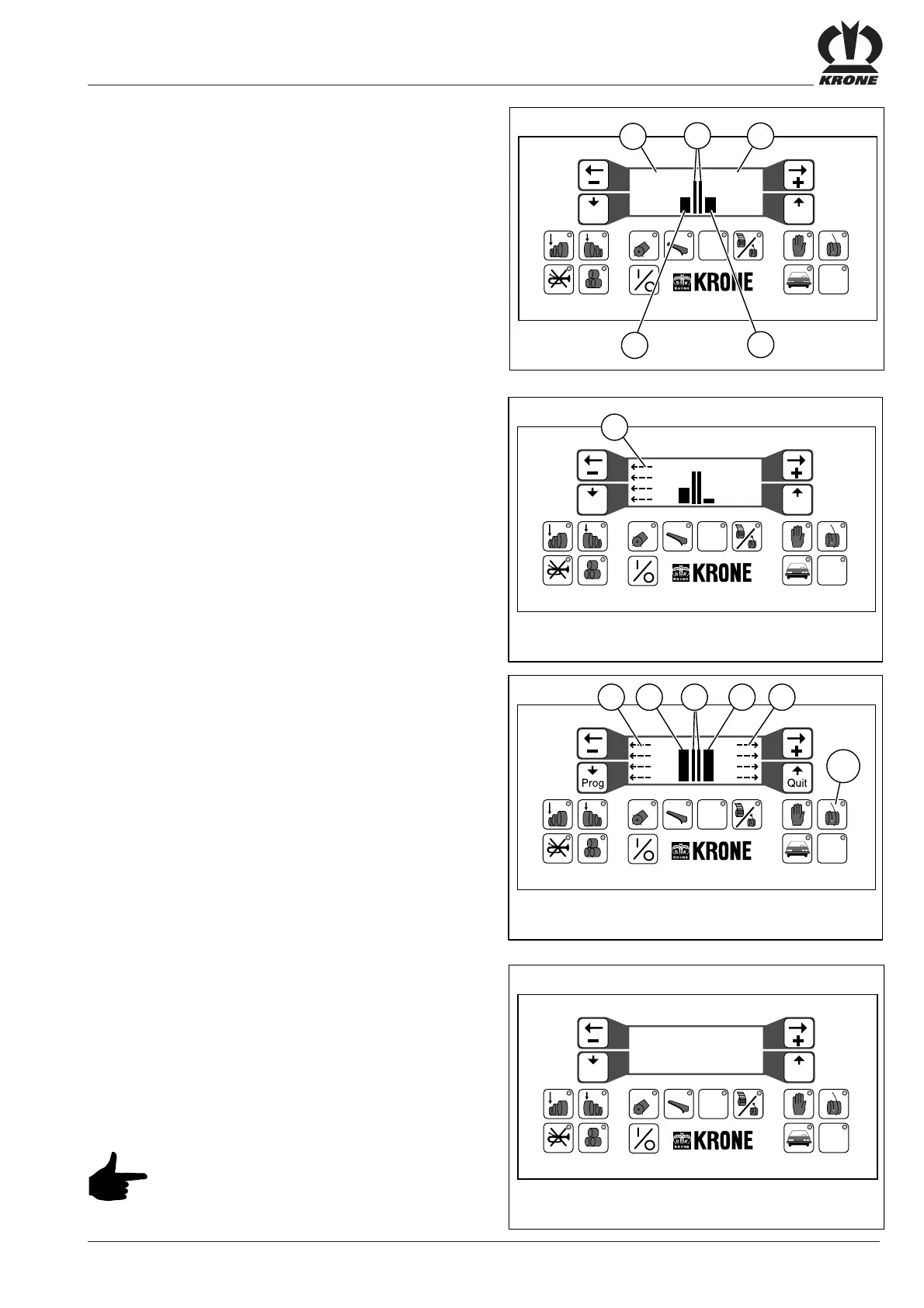
During baling material pick-up, the current bale density is
shown separately for the right-hand (d) and left-hand (c)
bale sides.
If pick-up is uneven arrows (a) appears on the display
screen.
The arrows (a) points to the side to which the round baler
should be steered to ensure that it is filled evenly.
If the difference between the two densities is too great,
a warning signal will also sound.
Starting the binding / wrapping process manually
If the left-hand or right-hand bale side reaches the
preselected bale density, the arrow (a) or (e) will start
flashing on the effected side.
When both bale sides attain the preset bale density,
the arrows (a) and (e) will flash on both sides of the display
and a signal tone will sound for approximately three
seconds. The binding or wrapping process must
be initiated.
• Press key (0) = “start wrapping”
The start procedure is indicated by an interval buzzing
signal. The binding or wrapping process runs
automatically.
The following message appears on the display screen:
-- Baler binding ---
---- please wait ---
----- Net ! -----
(depending on the selected wrapping mode - Net, twine
only or twine/net -)
Continue pick-up of baling material until
the twine or net wrapping material is fed
by the baling material into the bale.
chamber and collected by the round
bale.
Prog Quit
#
12 5678 90
34
VP-1-032
STOP
-- Baler binding ---
---- please wait ---
#
12 5678 90
34
VP-1-015
a
STOP
90 90
a
b
Prog Quit
d
c
Prog Quit
#
12 5 67 8 90
34
VP-3-007
STOP
90 90
a
#
12 5678 90
34
VP-3-006
STOP
90 90
0
c
b
d
ea







 To Next Page