Machine use
Control box
Quantron S
29
Tramlining rhythm
Setting the tramlining rhythm according to the wheel
track and the treatment width.
- Starting from the "main menu", select "hopper
configuration".
- Press Enter key.
- Selecting the "tramlining" sub-menu.
- Press Enter key.
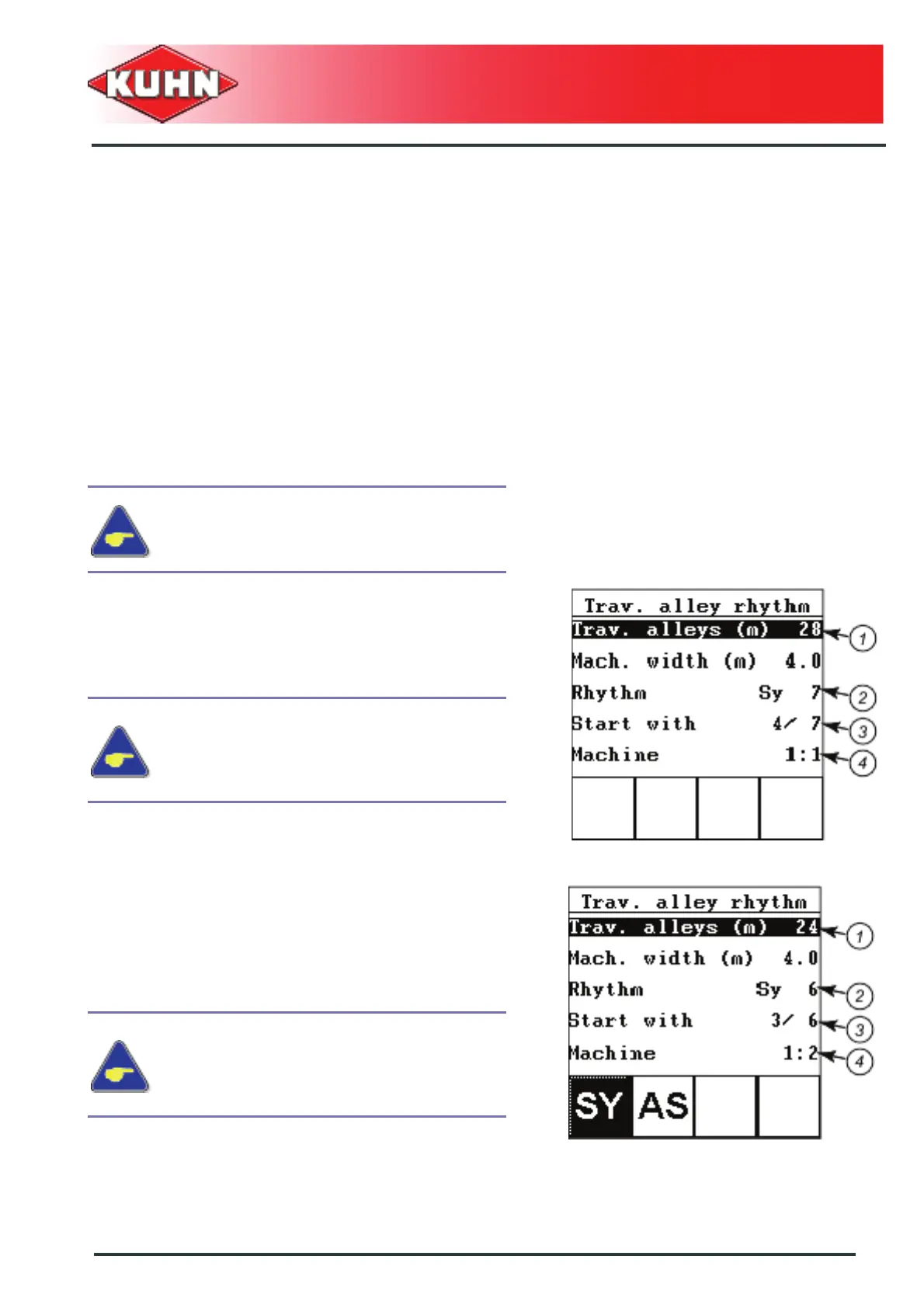
- Select the "Trav.alley rhythm" submenu (1).
- Enter the treatment width.
- Validate using Enter key.
The screen displays the previous menu.
The control box displays the various rhythm possibilities.
Example 1
With a treatment width of 28 m, the control box
calculates the SY 7 rhythm (2).
Drilling starts with the rhythm in position 4 (3).
- Drilling start with the total seed drill width (4).
Example 2: Symmetrical rhythm
With a treatment width of 24 m, the control box
calculates the SY 6 rhythm (2).
Drilling starts with the rhythm in position 3 (3).
- Shut-off the left half-width at the beginning of the
field (4).
If the machine is only fitted with one
tramlining control cylinder: only symmetrical
rhythms are possible.
The field edge can be to the right or left
when using odd symmetrical rythms
(SY3,SY5,SY7,SY9,SY11).
If the drilling start is made with the total seed drill
width, the field edge can be to the right or left.
The field edge can be to the right or left
when using odd symmetrical rythms
(SY3,SY5,SY7,SY9,SY11).
If the drilling start is made with the total seed drill
width, the field edge can be to the right or left.


 To Next Page