Troubleshooting
8-40
Conveyor Section
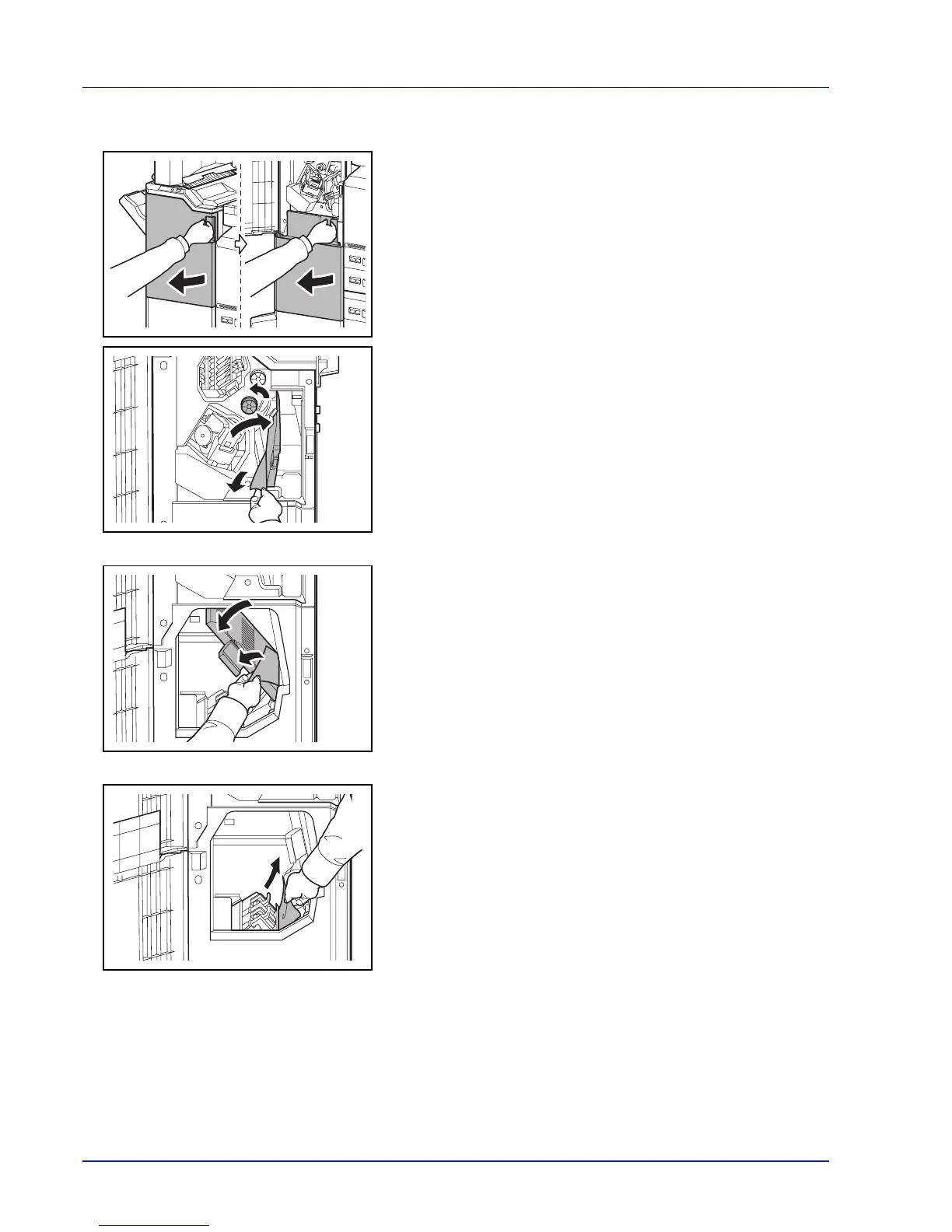
1 Open the front cover 1 and 2.
2 Open the conveyor guide (D7) and remove the jammed paper.
3 Turn feed knob D5 until the jammed paper is in a location where it is
easy to remove.
If there is no paper jam in the conveyor guide (D7), proceed to the
following step.
4 Close the conveyor guide (D7).
5 Open the conveyor guide (D8) and remove the jammed paper.
6 Close the conveyor guide (D8).
7 Remove the paper jammed in the center folding unit.
8 Close the front cover 1 and 2.


 To Next Page
 Loading...











