2NJ/2RK
2-108
Installing of cassette 3,4
1. Turn the power switch off and disconnect the power plug.
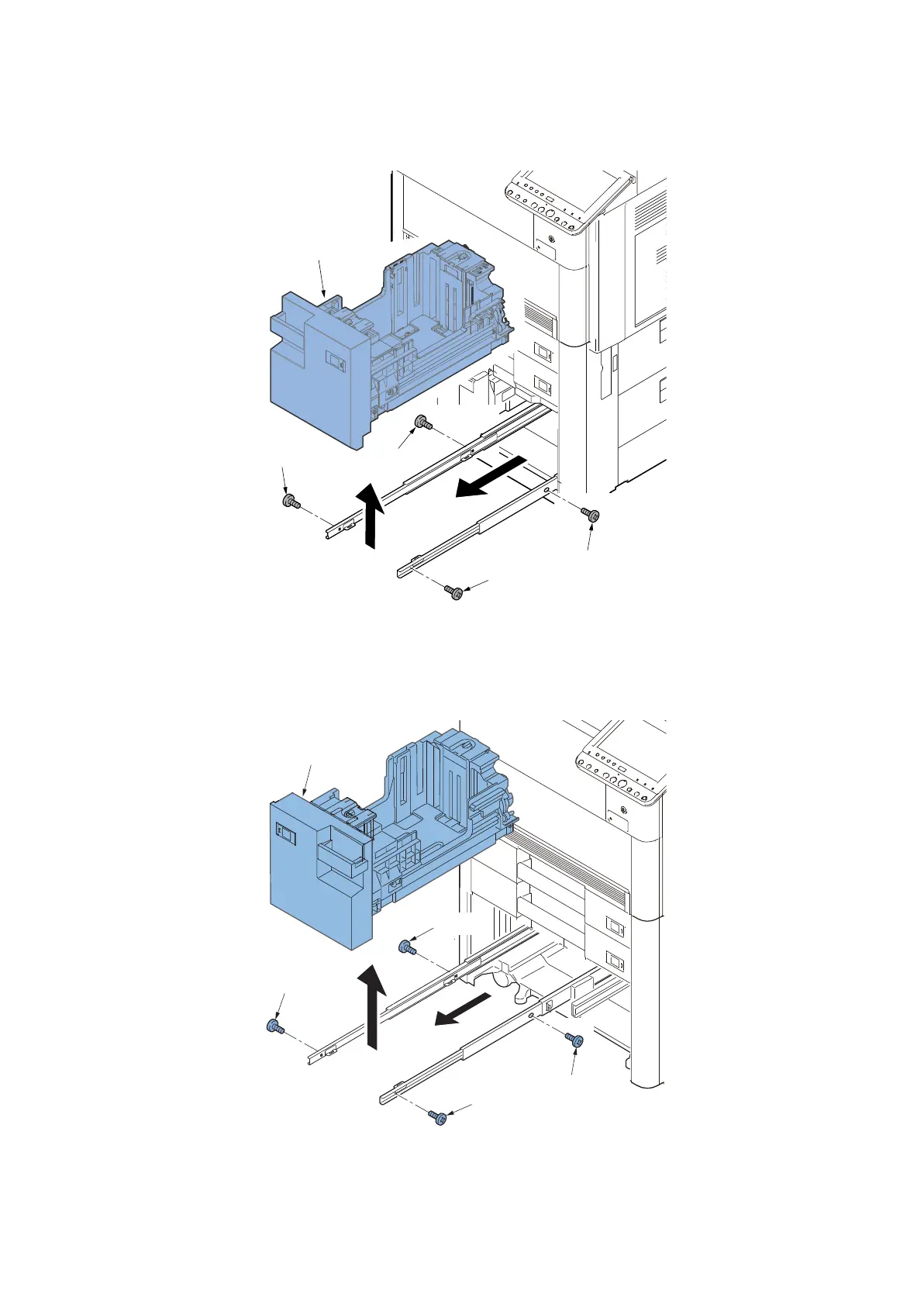
2. Pull out the right paper deck (a).
3. Remove the four screws(b)(M4×8) and detach the right paper deck (a).
Figure 2-208
4. Pull out the left paper deck (a).
5. Remove the four screws(b)(M4×8) and detach the left paper deck (a).
Figure 2-209
a
b
b
b
b


 To Next Page
 Loading...










