2NJ/2RK
2-110
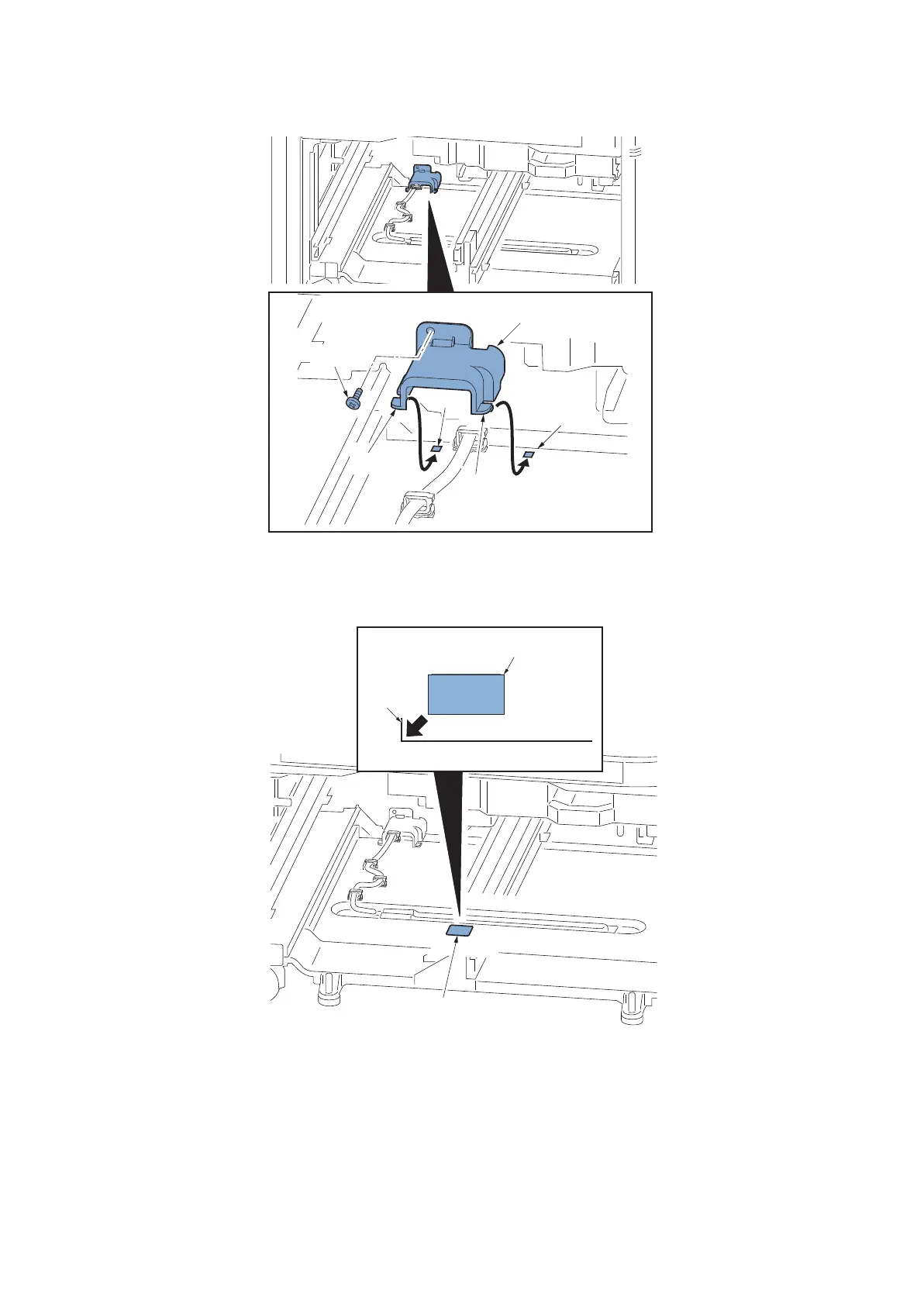
10. Insert two hooks (b) of the connector cover (a) into the hole (c).
11. Reattach the connector cover (a) with one screw (d) (M4x8).
Figure 2-212
12. Clean the bottom frame (a) in front of the cassette heater with an alcohol.
13. Match the corner of the bottom frame marking (a) and attach the high temperature caution label (b).
Figure 2-213
14. Reattach the parts in the original position.
15. Turn the power on and set to [mode1/mode2] In maintenance mode U327 [Cassette heater control setting].
*: When reflecting the setting, skip the maintenance mode, operate the shut-down from the normal screen and turn
the power switch ON/OFF.
IMPORTANT
When connecting the cassette heater, do not unplug the power cord. (Power is supplied when the power is switched off)
b
b
a


 To Next Page
 Loading...










