2WA/2NJ/2RK
4-185
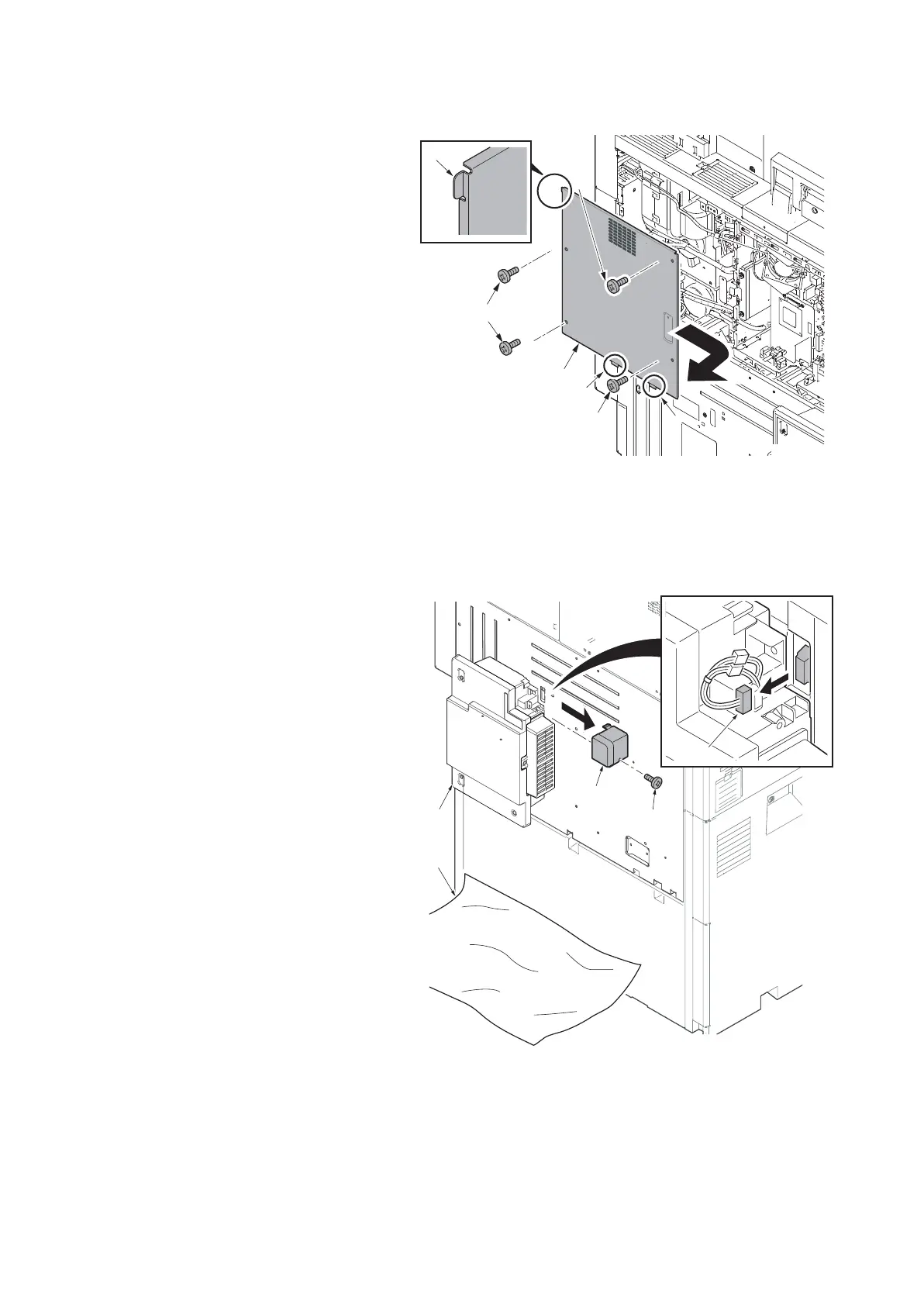
2. Remove four screws (a)(M3x8) and
remove the rear right cover (b) in the
direction of the arrow.
*: When reattaching the cover, latch two
lower hooks (c) and then latch the hook
(d) at the upper left.
Figure 4-271
3. Cover the area under the waste toner
box (a) to prevent contamination due to
the scattered toner with the sheet (b).
4. Remove the screw (c)(M3x8) and
remove the cable cover (d).
5. Disconnect the connector (e).
Figure 4-272
a
b
a
a
d
c
c
14j0203
a
b
c
d
e
14j0204












 To Next Page