2WA/2NJ/2RK
4-186
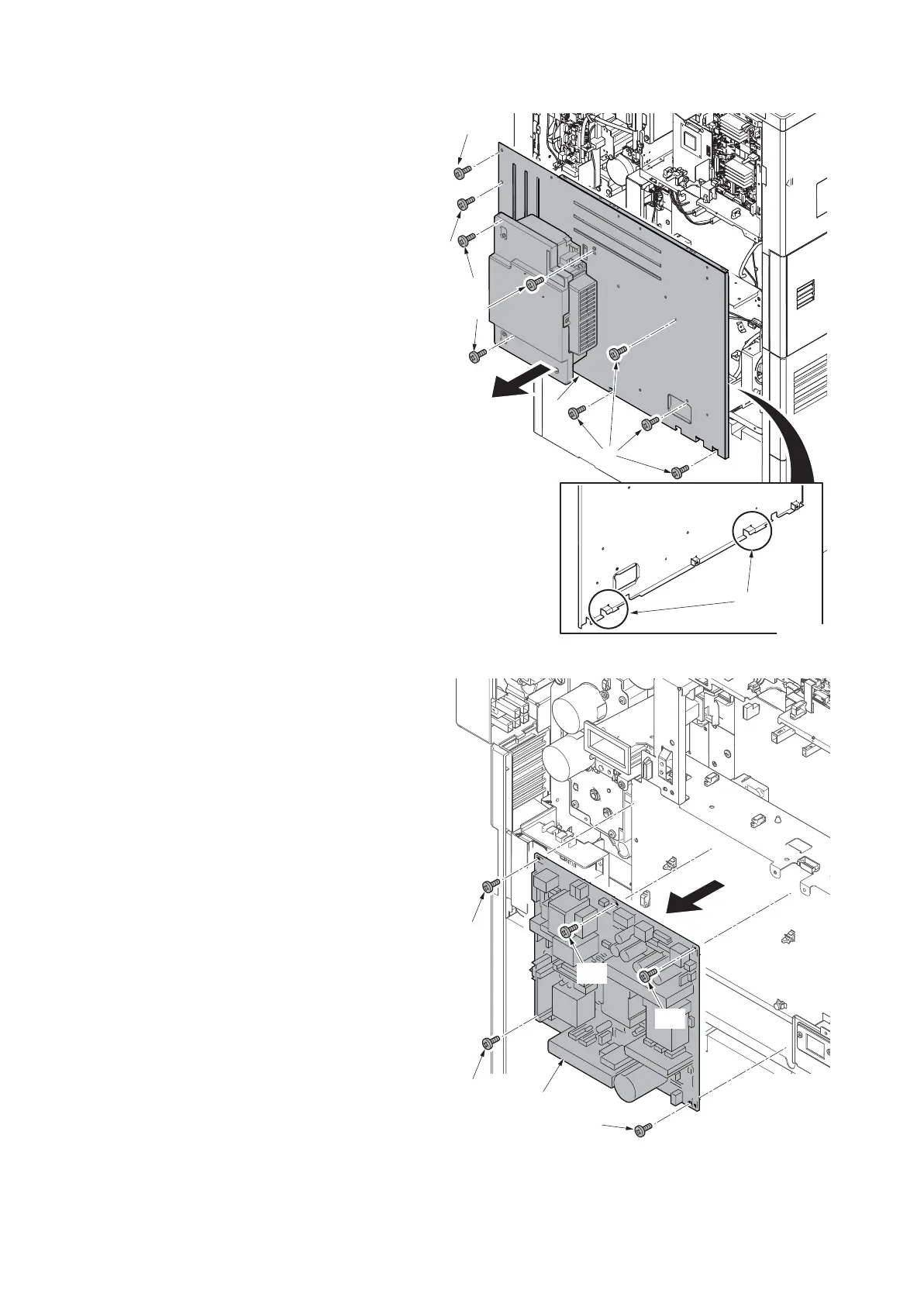
6. Remove eight screws (a)(M3x8).
7. Release two lower hooks (b) and
remove the rear lower cover (c).
Figure 4-273
8. Disconnect all the connectors and tab
from the power source PWB.
9. Remove five screws (a)(M3x8).
10. Release two board supports (b) and
remove the power source PWB (c).
11. Check or replace the power source
PWB (c) and then reattach the parts in
the original position.
Figure 4-274
b
a
a
a
c
14j0205
a
a
a
c
a
a
a
a
14j0418












 To Next Page