2WA/2NJ/2RK
6-139
Setting: Staple HP
1.Select [Staple HP].
2.By using the [+] [-] keys or the numeric keys, change the setting value.
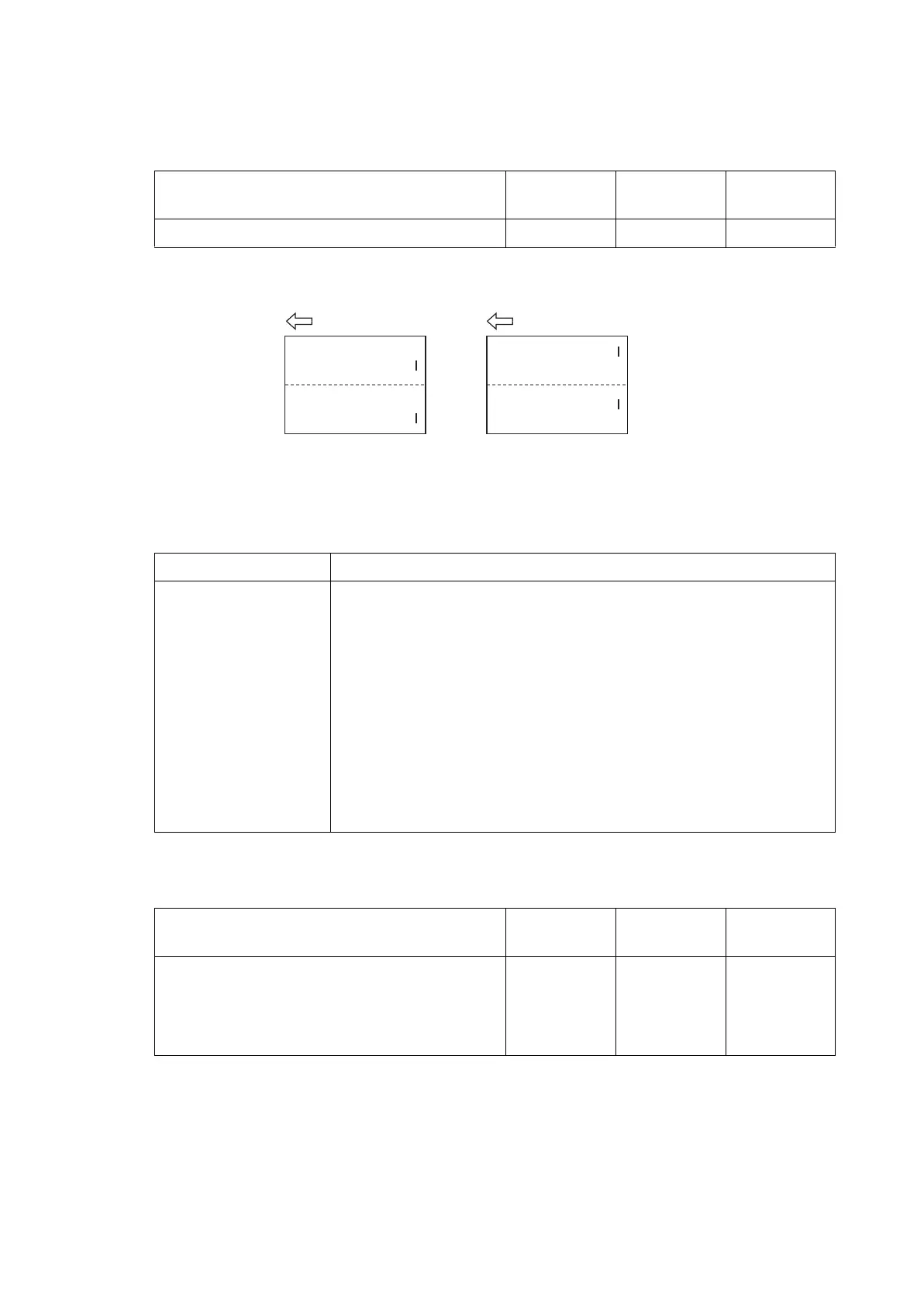
* :Increase the set value if the staple position is shifted to the machine front side (sample1).
Lower the set value if the staple position is shifted to the machine rear side (sample2).
3.Press the [Start] key to set the setting value.
Method: Booklet
1. Select the item to set.
Setting: Width Up HP/Width Down HP
1.Select [Width Up HP] or [Width Down HP].
2.Change the setting value by using [+] [-] key or the numeric keypad.
3. Press the [Start] key to set the setting value.
4. Press the [Stop] key to return to the screen to select the maintenance item No.
5. Enter U240 and select [Booklet] and then [Width Test(A3)].
*: The width guides of the center-folding unit will move to A3-size position.
6. Insert paper into the side registration guides to check the consistence.
7. Repeat the above adjustment until paper is properly in position.
Content to adjust Setting
range
Data varia-
tion
Initial setting
Front/rear staple home position adjustment -30 to 30 0.97mm 0
Items Contents
Width Up HP Adjustment of upper side registration home position
Width Down HP Adjustment of lower side registration home position
Staple Pos 1 Adjustment of booklet stapling position for A4/Letter size
Staple Pos 2 Adjustment of booklet stapling position for B4/Letter size
Staple Pos 3 Adjustment of booklet stapling position for A3/Ledger/8K size
Booklet Pos 1 Adjustment of center folding position for A4/Letter size
Booklet Pos 2 Adjustment of center folding position for B4/Letter size
Booklet Pos 3 Adjustment of center folding position for A3/Ledger/8K size
Three Fold Adjustment of tri- folding position
Content to adjust Setting
range
Data varia-
tion
Initial setting
Adjustment of upper side registration home posi-
tion
-15 to 15 0.34mm 0
Adjustment of lower side registration home posi-
tion
-15 to 15 0.34mm 0
Sample 2
Sample 1




 To Next Page