2WA/2NJ/2RK-1
6-140
Setting: Staple Pos
1.Select [Staple Pos 1], [Staple Pos 2] or [Staple Pos 3].
2.Change the setting value by using [+] [-] key or the numeric keypad.
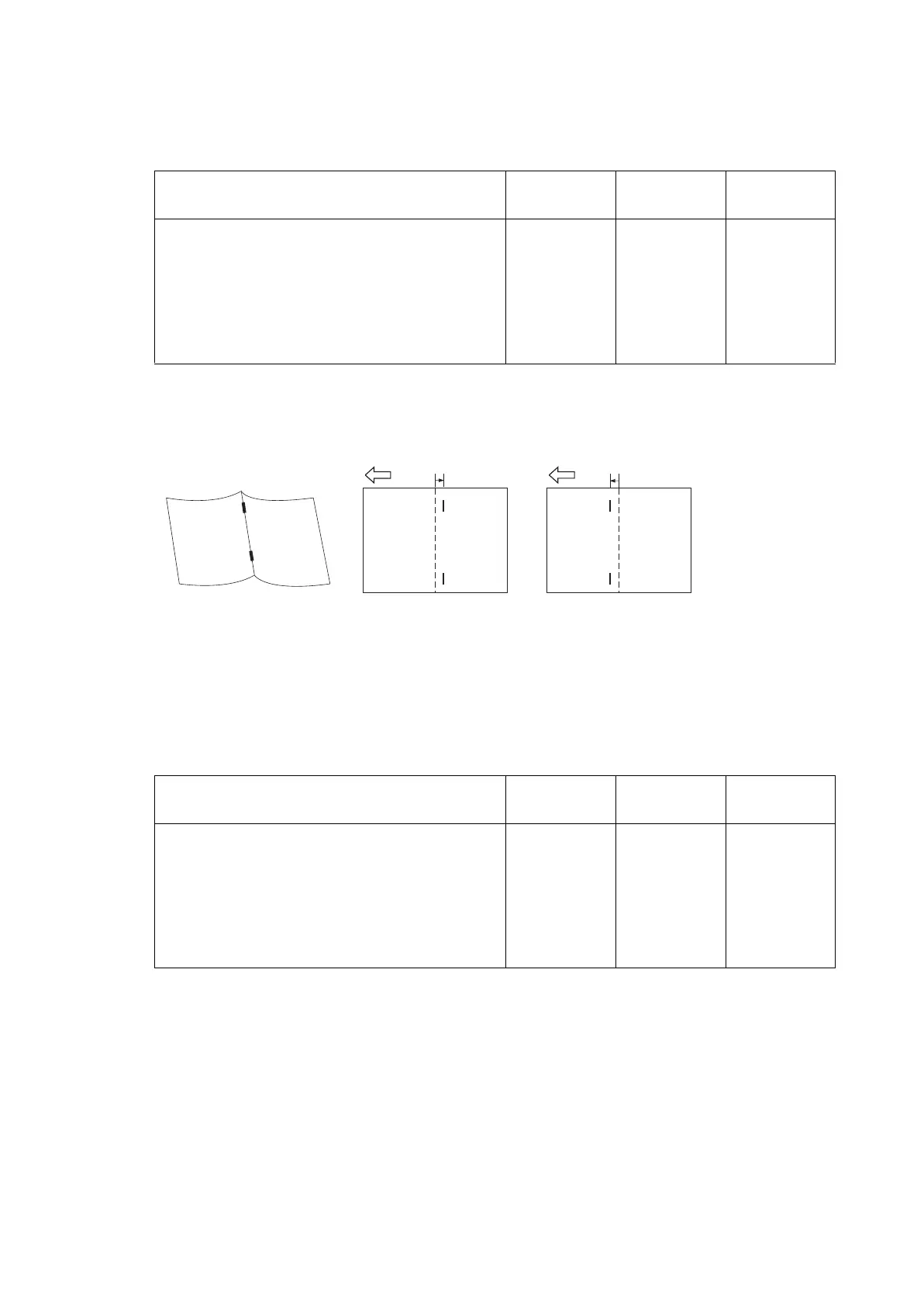
* :Increase the set value if the staple position is shifted to the right side (sample 1).
Decrease the set value if the staple position is shifted to the left side (sample 2).
Refer ence value A: A4, Letter: Length of paper × 1/2 ± 2 mmA3, Ledger, B4: Length of
paper × 1/2 ± 3 mm
Figure 6-17
3.Press the [Start] key to set the setting value.
Setting: Booklet Pos
1.Select [Booklet Pos 1], [Booklet Pos 2] or [Booklet Pos 3].
2.Change the setting value by using [+] [-] key or the numeric keypad.
* :Increase the set value if the center folding position is shifted to the right side (sample 1).
Decrease the set value if the center folding position is shifted to the left side (sample 2).
Content to adjust Setting
range
Data varia-
tion
Initial setting
Adjustment of booklet stapling position for
A4/Letter size
-15 to 15 0.32mm 0
Adjustment of booklet stapling position for
B4/Letter size
-15 to 15 0.32mm 0
Adjustment of booklet stapling position for
A3/Ledger/8K size
-15 to 15 0.32mm 0
Content to adjust Setting
range
Data varia-
tion
Initial setting
Adjustment of center folding position for A4/
Letter size
-15 to 15 0.32mm 0
Adjustment of center folding position for B4/
Letter size
-15 to 15 0.32mm 0
Adjustment of center folding position for A3/
Ledger/8K size
-15 to 15 0.32mm 0
Sample 2
Sample 1
2 mm2 mm




 To Next Page