USER’S MANUAL OF LK-330E
LABEL & MARK INDUSTRIES COMPANY
13
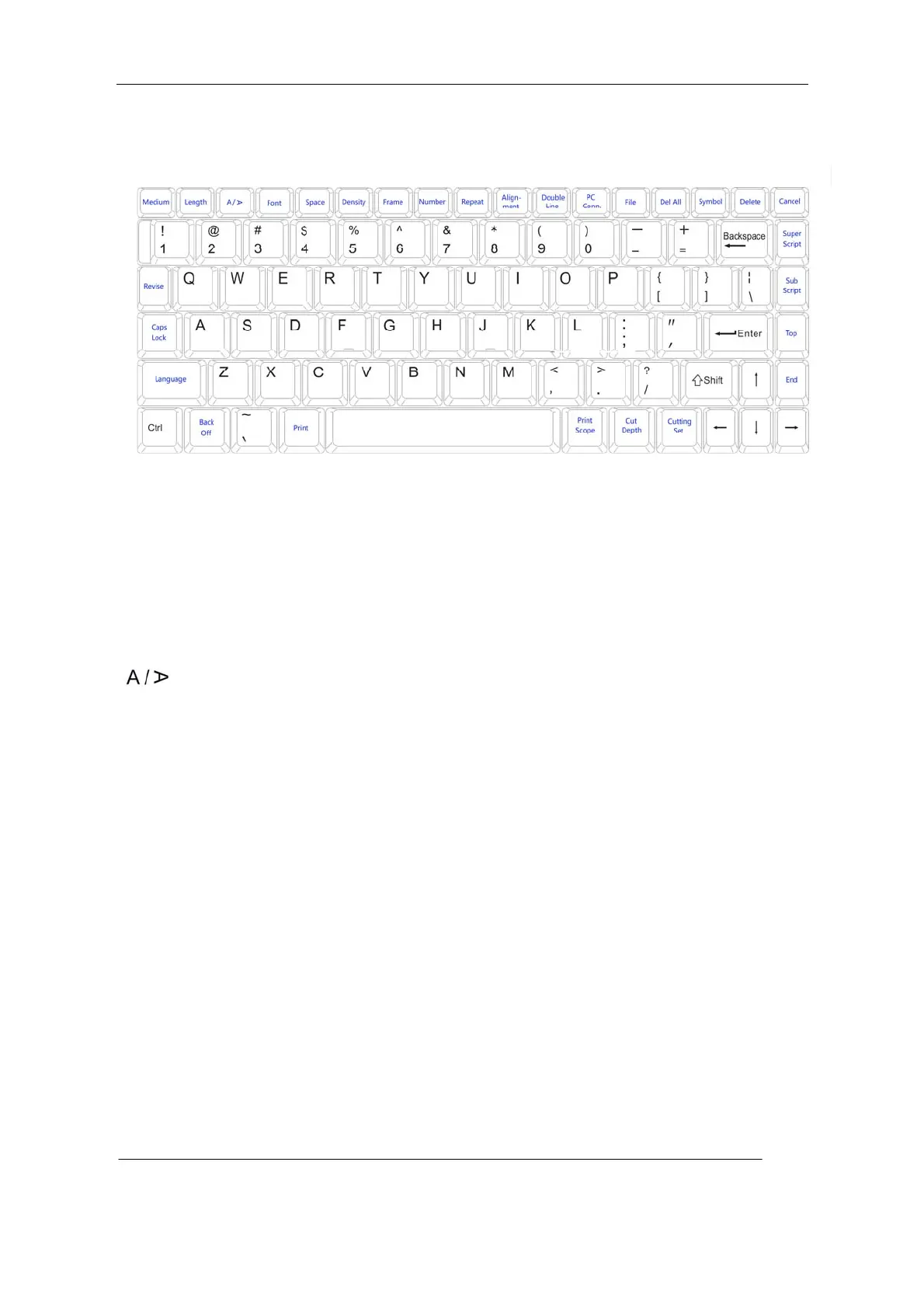
2.2.3 Keyboard
[Medium] ( page 30 )
This key is used to selecting the print medium; available in label tape, PVC tube, and heat
shrink tube
[Length] ( page 30 )
This key is used to change the length of the page
[ ]—(Orientation) ( page 32 )
This key is used to change the printing orientation
[Font ] (Font Size) ( page 33 )
This key is used to change character size
[Space] (Character Space) ( page 34 )
This key is used to change the spacing between character
[Density] ( page 35 )
This key is used to adjust printing density
[Frame] ( page 35 )
This key is used to put frame around the text or to underline it.
[Number] (Numbering) ( page 36 )
This key is used to set seril number input
[Repeat] (Repeat Printing ) ( page 38 )
This key is used to set the repeated printing times of certain pages
[Alignment] ( page 39 )



 To Next Page