USER’S MANUAL OF LK-330E
LABEL & MARK INDUSTRIES COMPANY
19
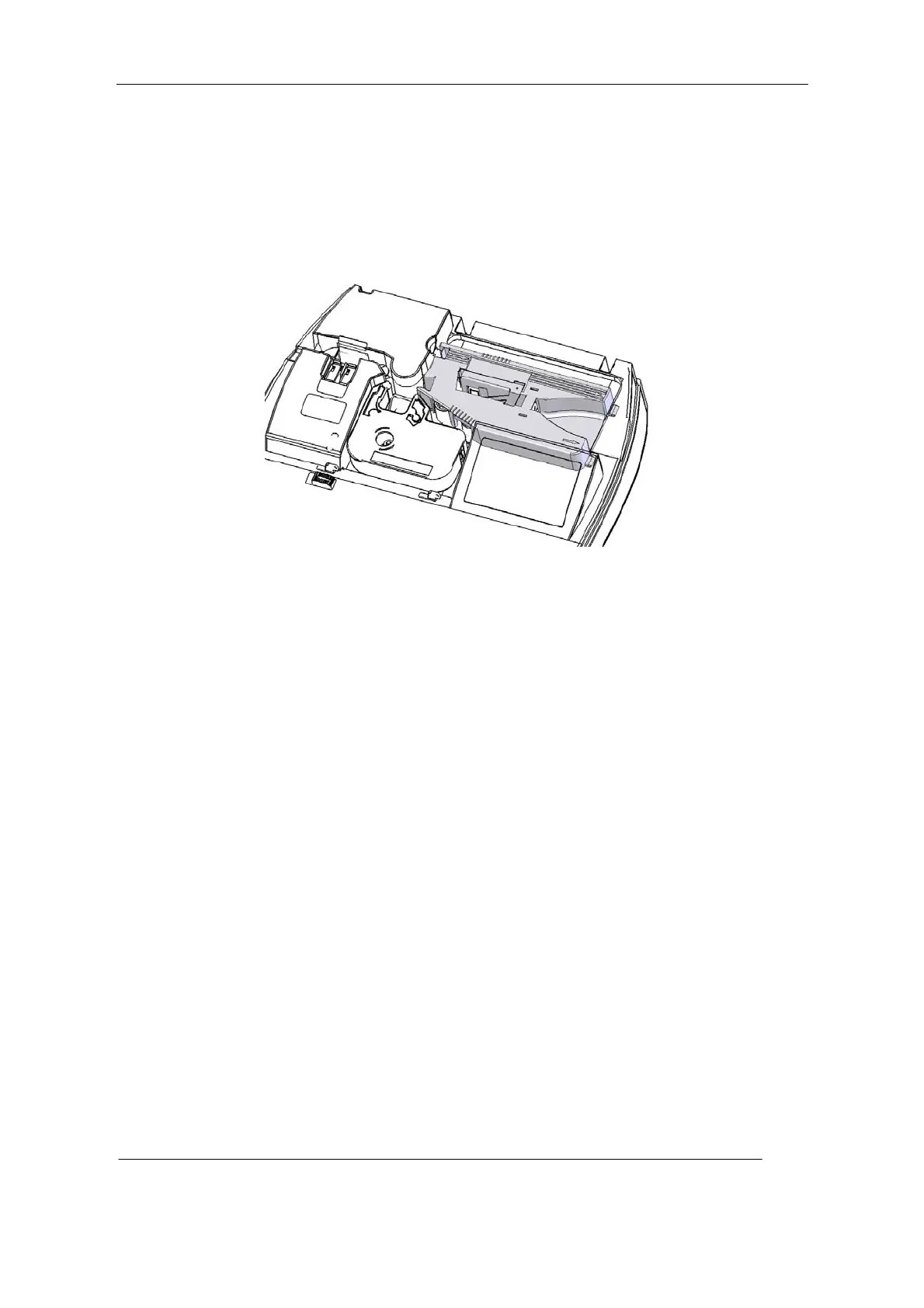
Make sure the printer is installed with an Ribbon.
2. Put the tongue on the right side of the guide into the trough of printing material cassette
holder on the printer.
3. Press the guide until you hear a “crack” sound, which indicates the sleeve tube guide
has been installed to its position. Make sure the tongue has returned.
Installation of Sleeve Tube Guide
4. Close the protective cover
2.3.4 Installation of sleeve tube
1. Open the protective cover.
Make sure that the Ribbon and sleeve tube guide have been properly installed.
2. Feed the sleeve tube from the feeding opening on the sleeve tube guide until its front
end reaches the print rubber roll.
[Attention]
The sleeve tube to be fed shall be at least 30cm long.
Be sure to feed the front end of the sleeve tube that is soft or has an excessive deformation
between the Ribbon and the print rubber roll.
See that the sleeve tube is properly fed. The pulling stress exerted by the machine shall not
exceed 500G, otherwise the machine may not work properly.
3. Close the protective cover.



 To Next Page