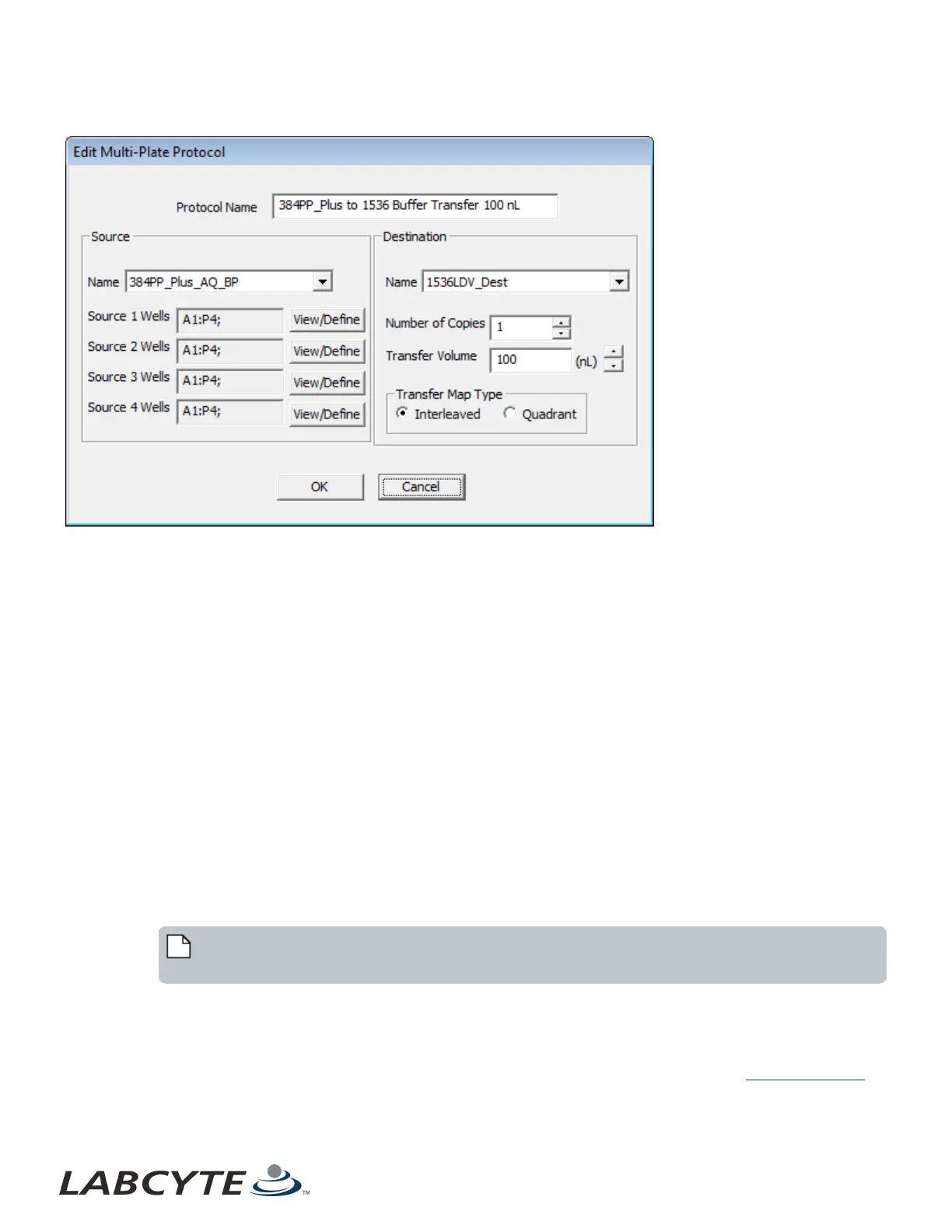
Figure 64: Edit 384:1536 protocol dialog box
Any parameter of a user-defined protocol can be edited; however, the destination plate type cannot be changed from 384-well to
1536-well or vice versa.
Remove an Existing Protocol Definition
If a protocol must be deleted, select the protocol name and click the Remove button. Confirmation of the removal is required. The
protocol definition is deleted from the Echo database and from the Echo Liquid Handler software Protocol List.
Prepare the Microplates
Prepare the microplates as follows:
1. Prepare the source microplates. Consider the following factors:
l Fluid height for a given fluid volume can vary, depending on the surface interaction of the fluid with the well walls.
l Fluids that cling to microplate plastics will form steep menisci, pulling fluid away from the center of the wells,
causing lower fluid height.
l Fluids that interact less with the well walls will form shallow menisci, leaving more fluid in the center and
greater fluid height.
l Fluids that contain higher concentrations of protein, or higher concentrations of detergents, may also form
steeper menisci. Since there is a wide variety of fluid compositions, you may find that the Echo Liquid
Handler reads a different volume than what you pipetted into the source well.
l Bubbles in the fluid prevent the formation of a fluid meniscus. For optimal results, remove any bubbles in the wells
and check for well-defined menisci.
Note: Spinning down the microplate can remove bubbles and even out variations in menisci. Use 1500 x g
for aqueous samples.
l If the source microplates were made earlier and stored refrigerated or frozen, allow them to equilibrate or thaw to
room temperature.
l Aqueous solutions evaporate at low volumes. For longer runs, fill wells to the maximum volume specified for the
source plate type used. Volume ranges may differ for different aqueous solutions.
2. Place the plate insert onto the plate gripper (if it is not already in position). For more information, see Source Plate Insert.
Echo Liquid Handler Software CHAPTER 5 | Software
104



 To Next Page