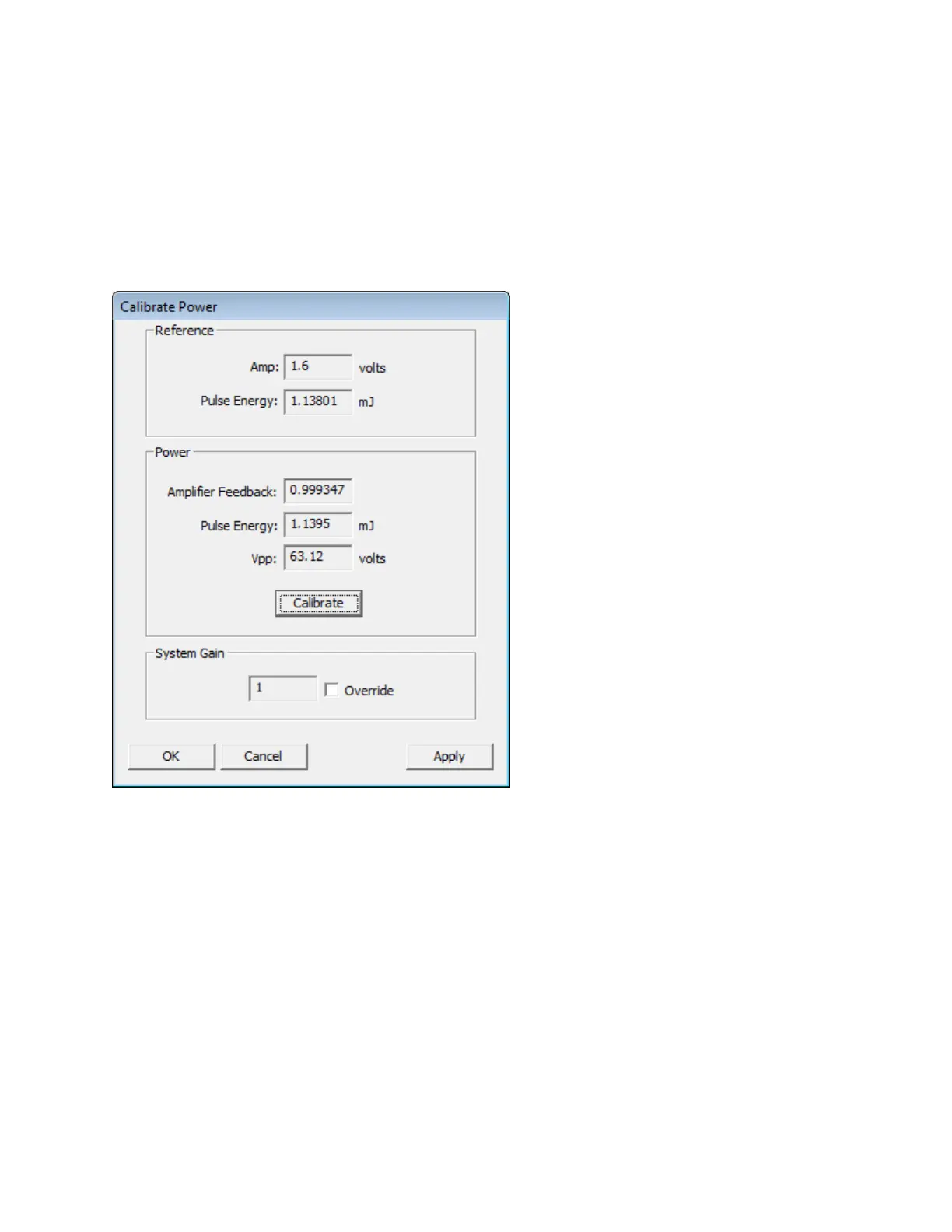
l The most recent power calibration record stored in the Echo database is read. This data will be used in the next
step.
l An RF pulse is generated.
l Several RF measurements are taken.
l A new amplifier feedback value is calculated and displayed as Power— Amplifier Feedback.
l A new pulse energy value is measured and displayed as Power—Pulse Energy.
l A new Vpp value is measured and displayed as Power—Vpp.
l The new power calibration record is stored in the Echo database.
Figure 93: Calibrate Power dialog box after power calibration
3. System Gain: During normal operation, the System Gain value should not be changed by the user. However, the user can
override the automated power calibration by adjusting the System Gain scalar multiplier value. The default System Gain
value is 1.0. Select the Override checkbox and enter a multiplier value manually.
4. After power calibration has been performed and/or the System Gain parameter has been modified, there are three actions
to choose from.
OK: The OK button applies the new Amplifier Feedback value and/or the new System Gain value and closes the Calibrate
Power dialog box. Change confirmation is not requested.
Apply: The Apply button displays a dialog box asking for confirmation of the Amplifier Feedback and/or System Gain
change(s). Answering Yes applies the changes. Answering No closes the confirmation dialog box without applying the
change(s) and returns to the Calibrate Power dialog box.
Cancel: The Cancel button closes the Calibrate Power dialog box without taking any further action.
137 PN | 001-11665
USER GUIDE | Echo® 525 Liquid Handler User Guide Echo Liquid Handler Software



 To Next Page