6.
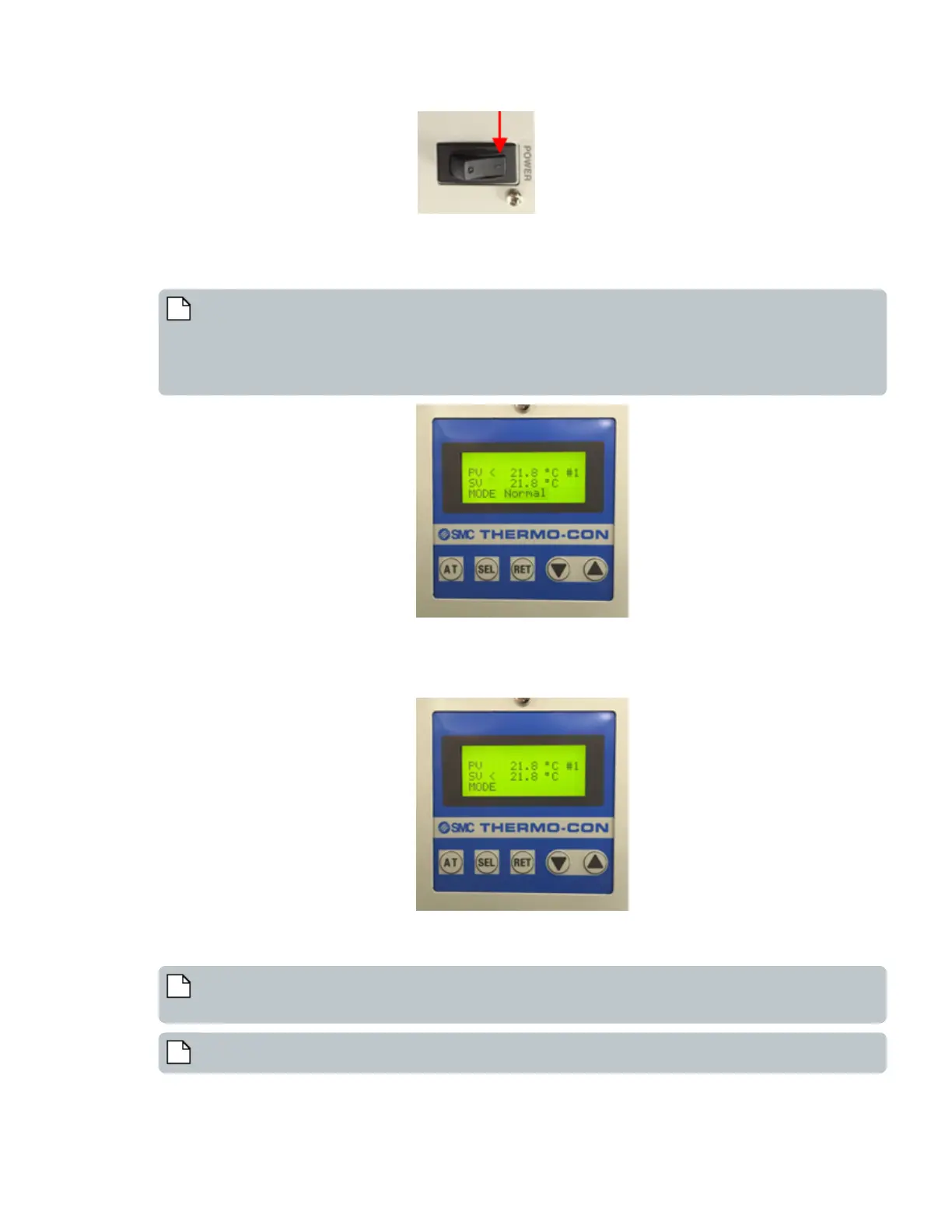
Toggle the power switch to the | or on position.
l The chiller control panel lights up and displays the firmware version for about a second.
l It displays the normal operation screen.
l The chiller starts controlling temperature immediately.
Note: The parameters in the control panel are explained below:
PV - Current or Present Value for temperature
SV - Target or Setpoint Value for temperature
If an alarm arises, the error code is indicated in the top line.
Mode - Indicates operation mode.
7. If necessary, press SEL button to change the setpoint value.
1. The MODE parameter on the control panel will change from Normal to blank.
2. The < indivatoron the control panel switches from PVto SV.
3. Press the Up Arrow or Down Arrow buttons to change the temperature setpoint value(SV) to the desired number.
4. Press the RET button to confirm the change.
Note: If the RET button is not pressed within 1 minute from the last button press, the unit will revert to the
initial settings.
Note: Settings are permanent even if the chiller is powered down.
51 PN | 001-11665
USER GUIDE | Echo® 525 Liquid Handler User Guide Component Description



 To Next Page