2big NAS User Manual 80
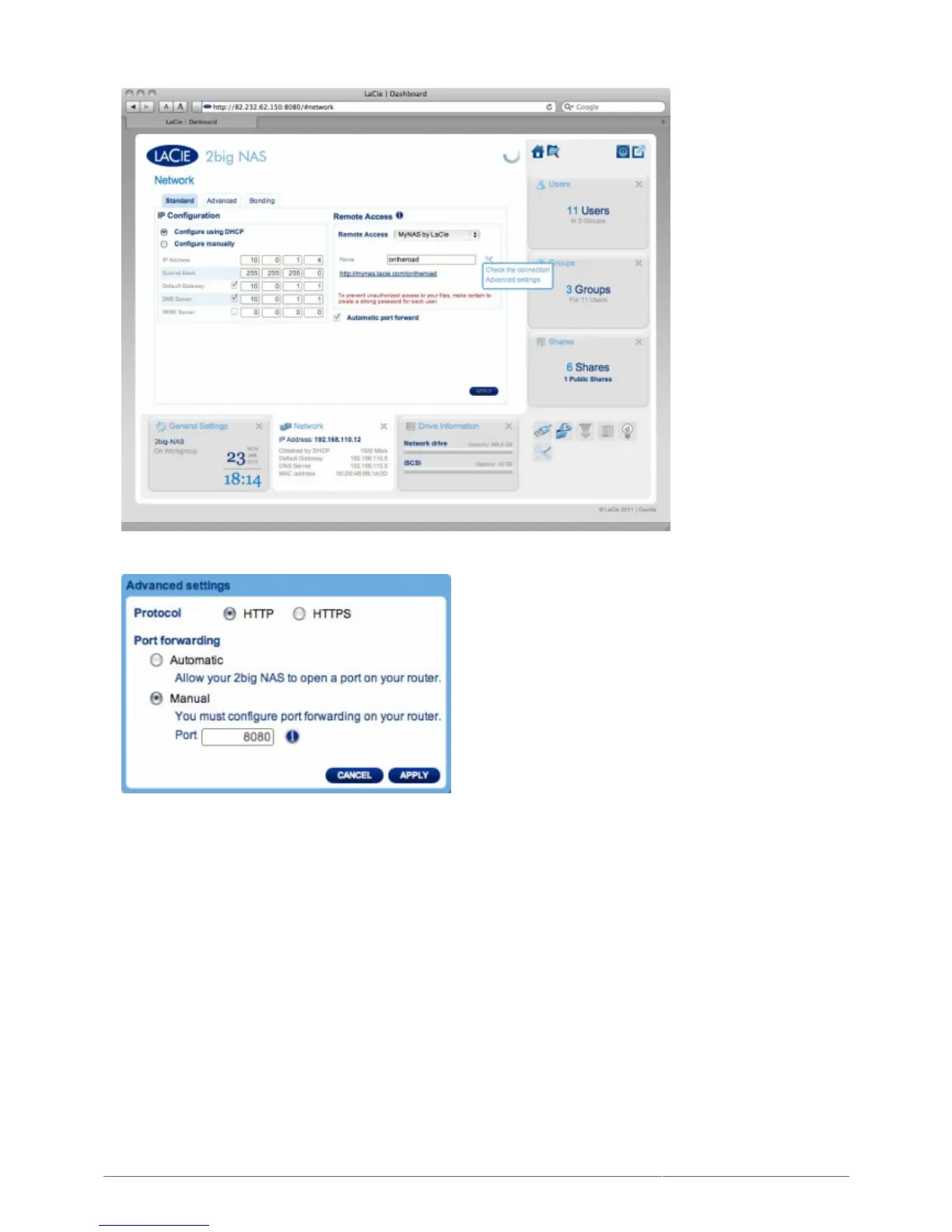
(If you do not see the configuration icon next to the Name field, first type a name and then click Apply, and
the icon will appear.)
In the dialogue window that appears, click manual.3.
Next, identify which port you intend to forward in your router.4.
Click Apply.5.
Access your router's administration page in order to forward this port.6.
Retry the remote access connection.7.











 To Next Page