LaCie 5big Network 2 • DESIGN BY NEIL POULTON Connecting to a Network
User Manual page 15
Connect to the LaCie 5big Network 2:
1. Launch LaCie Network Assistant and use it to open the Dash-
board (administration page).
Windows Users
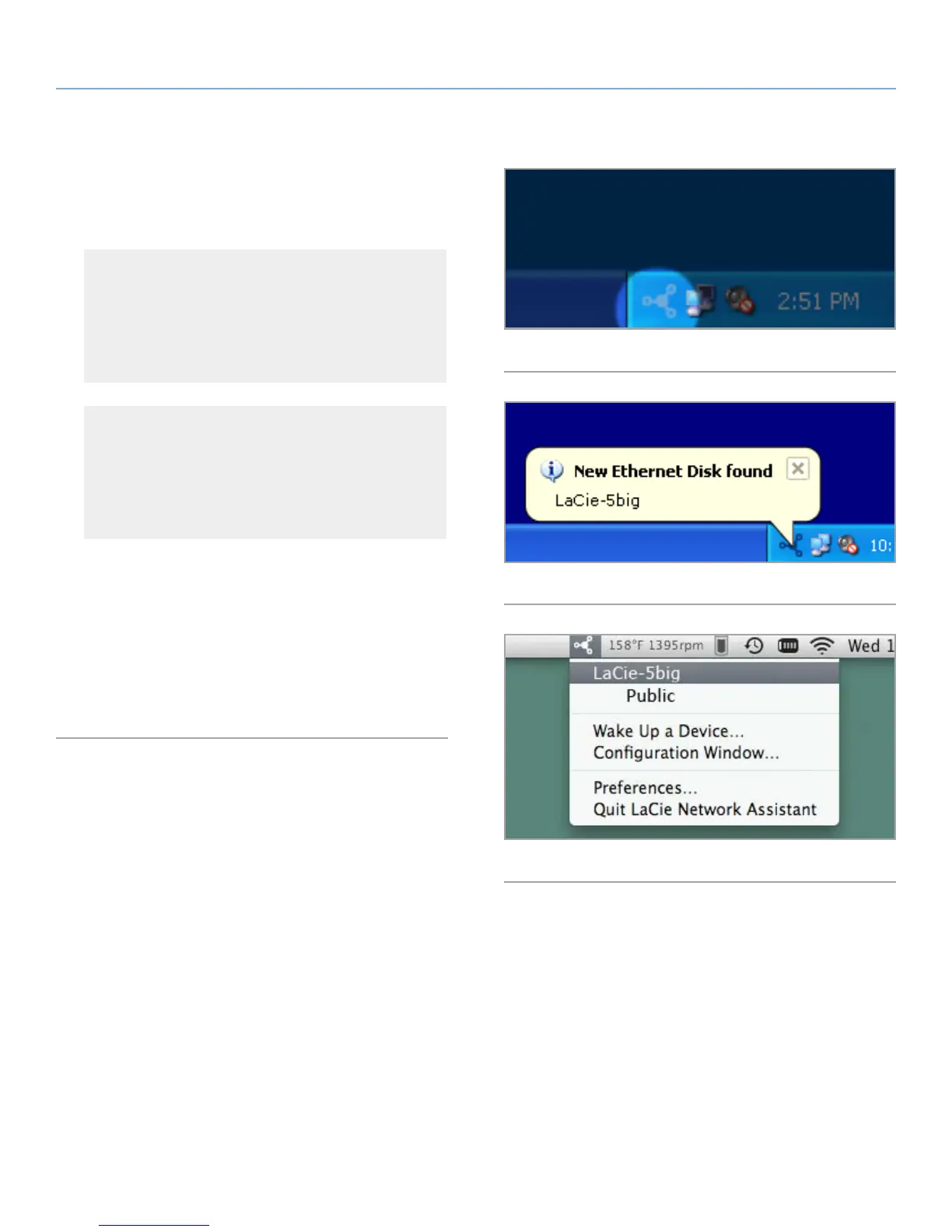
Select LaCie Network Assistant in Start/Programs. A Net-
work Assistant icon will appear in the system tray (Fig. 10)
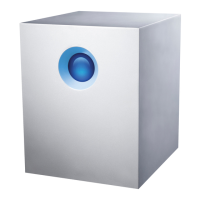
and Network Assistant will automatically detect your LaCie
5big Network 2 and any other storage devices on your net-
work (Fig. 11).
Mac Users
Select LaCie Network Assistant in your Applications folder.
A Network Assistant icon will appear in the menu bar and
the Assistant will automatically detect your LaCie 5big Net-
work 2 and any other LaCie storage devices on your net-
work.
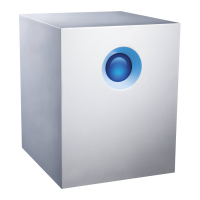
2. Click on the icon in the system tray (Windows) or menu bar
(Mac) and select LaCie-5big (Fig. 12). The Dashboard will open
in your default web browser.
3. If this is the first time you’ve connected to the Dashboard, pro-
ceed to the next step, 2.4. STEP 4: Completing the Setup Wiz-
ard. For subsequent logins, refer to section 4.1. Dashboard:
Accessing.
Fig. 10
Fig. 11
Fig. 12




 To Next Page