LaCie 5big Network 2 • DESIGN BY NEIL POULTON Administering Your LaCie 5big Network 2
User Manual page 45
4.12.1. UPS Management
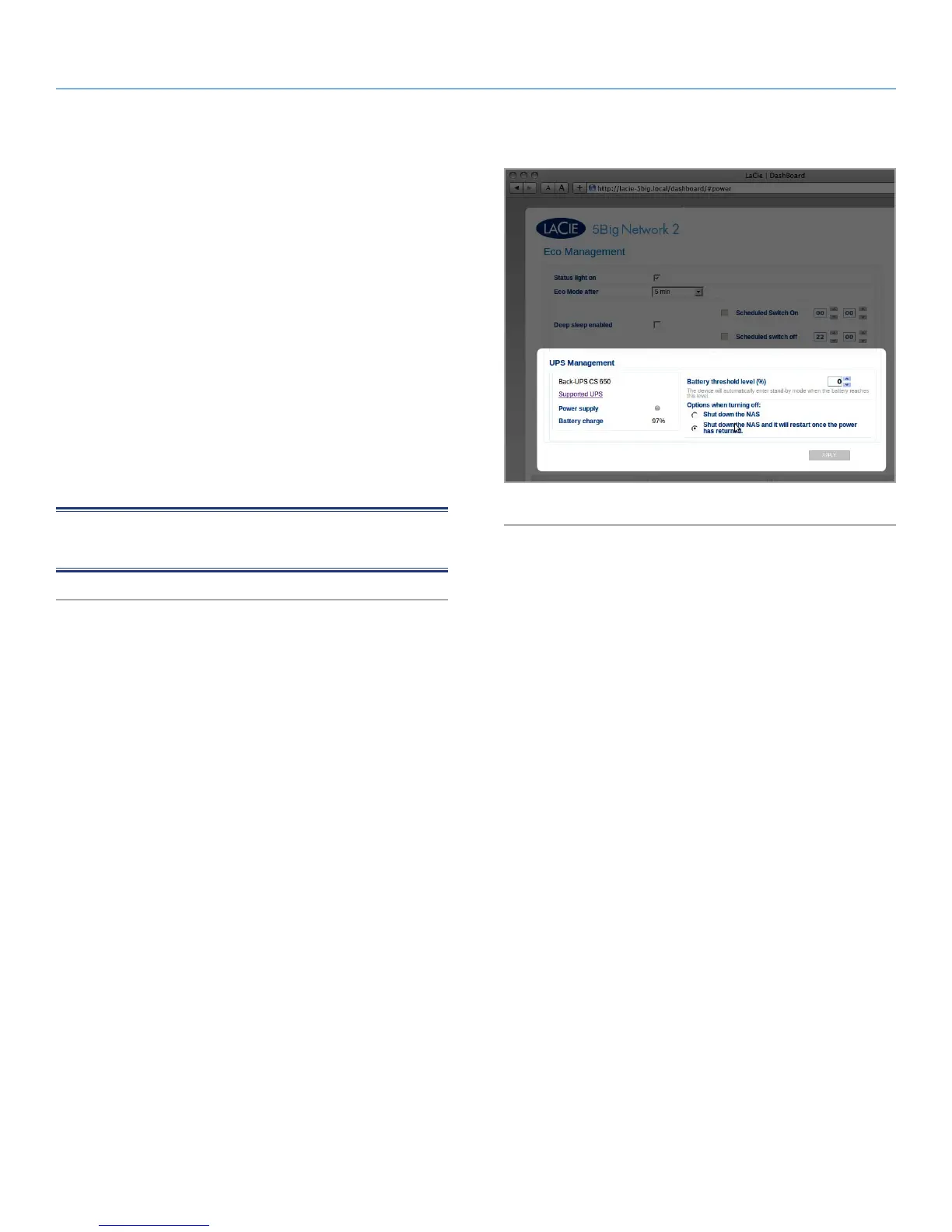
The 5big Network 2 supports UPS (uninterrupted power supply)
management. If you connect a supported UPS device to the 5big
Network 2’s USB port, in the Dashboard you will see modifiable
parameters.
In the left-hand column, a bullet will indicate power supply status.
✦ If green, power is being supplied through the power cable.
✦ If gray, power is not being supplied through the power cable.
On the right, under the heading Battery threshold level (%), you can
choose a minimum percentage of battery power at which the 5big
Network 2 will automatically enter stand-by mode.
Below, in the case that battery power is completely drain and the
drive is automatically shut down, you can elect to have the drive
restarted once power has been restored.
NOTE: For a list of supported UPS devices, click the Supported
UPS link.
Fig. 59













 To Next Page