LaCie 5big Network 2 • DESIGN BY NEIL POULTON Administering Your LaCie 5big Network 2
User Manual page 43
4.11. Dashboard: Drive Information
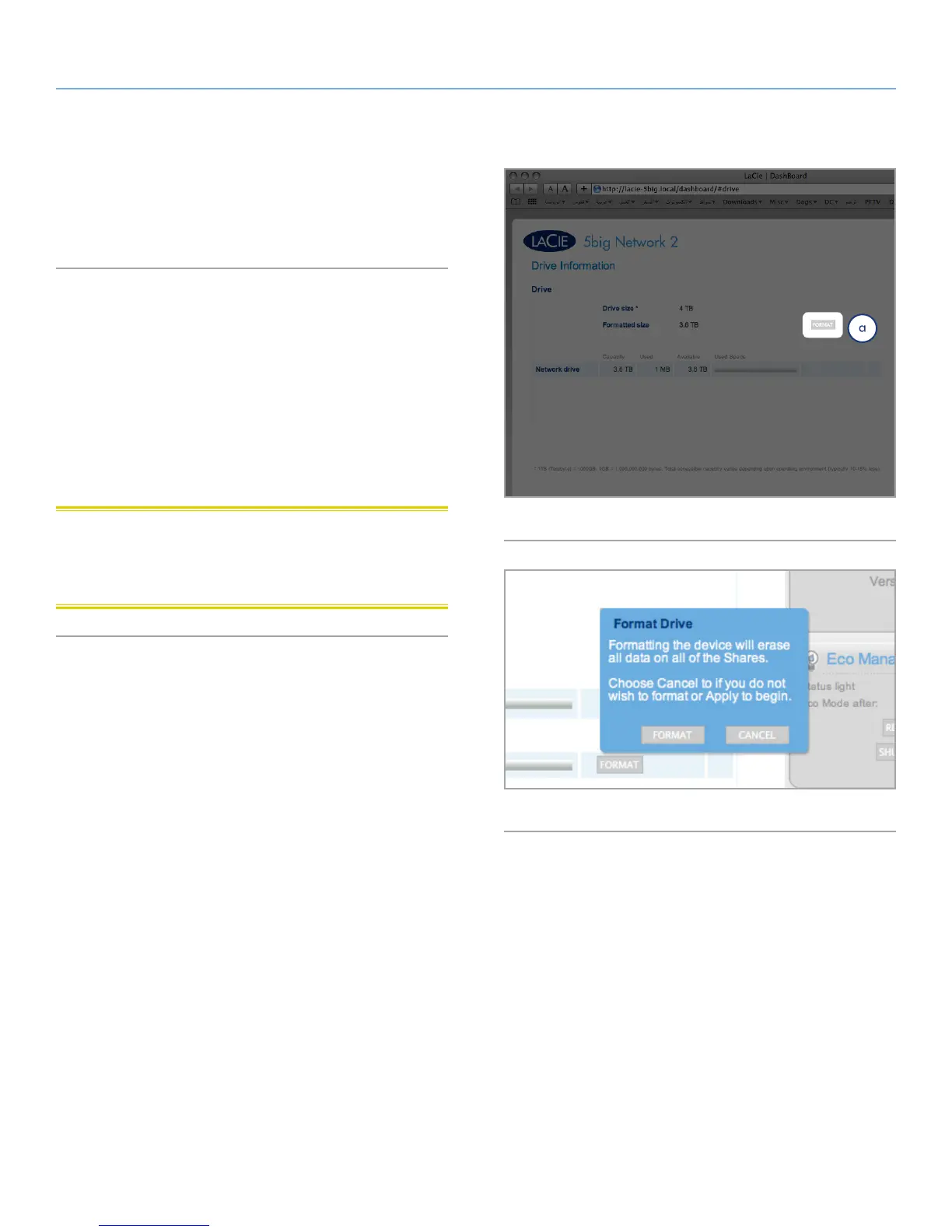
This page shows you information about disk usage and will allow
you to reformat your drive.
4.11.1. Formatting Your 5big Network 2
When you click the top Format button (Fig. 56, a), ALL data on the
disk will be erased and the disk will be formatted. Data on any USB
or eSATA hard drive connected to the front port will not be affected.
To reformat:
1. Click the FORMAT button.
2. In the blue window that opens, confirm by flicking the FORMAT
button.
CAUTION: Formatting will erase all the data on your drive (but will
not remove users or settings). Make sure to back up all your data
onto another volume before proceeding. LaCie cannot be held for
responsible for the loss of data occurring during formatting.
Fig. 56
Fig. 57



 To Next Page