LaCie 5big Network 2 • DESIGN BY NEIL POULTON Accessing & Transferring Files
User Manual page 22
3.2.1. Switching User
By default, you will be logged in as a guest, and will not therefore
have access to private shares. In order to access protected shares,
you will have to change the login credentials using the LaCie Net-
work Assistant. Follow these steps:
1. Click the LaCie Network Assistant icon in the Task Bar (Win-
dows) or Menu Bar (Mac) and select Configuration Window....
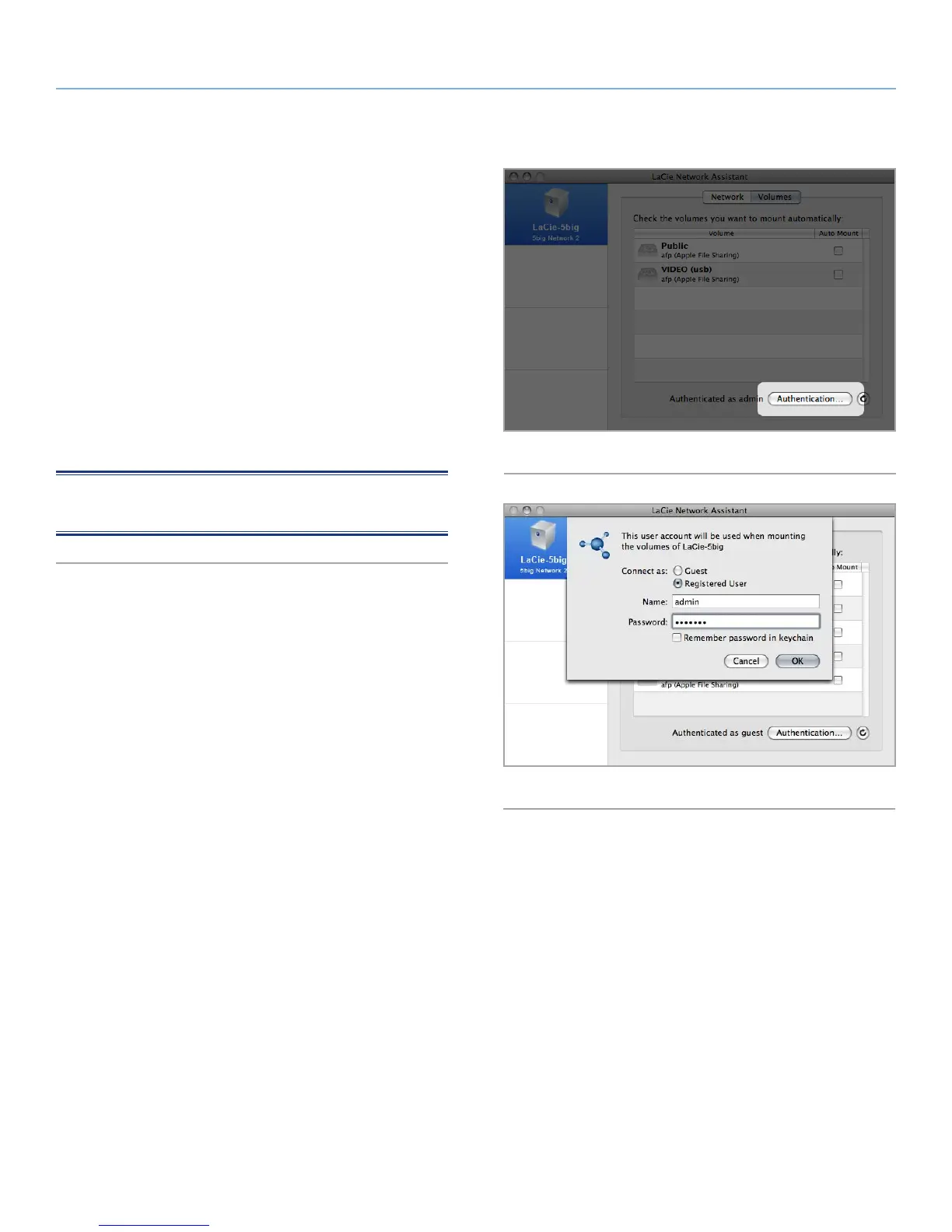
2. Click on the Volumes tab and then click the authentication but-
ton (Fig. 20).
3. When prompted, enter you username and password (Fig. 21).
4. Click OK. Now when you click the LNA icon, you should see a
listing of shares accessible to the authenticated user.
NOTE: The admin name and password can be changed from the
Dashboard > Home page.
Fig. 20
Fig. 21













 To Next Page