LaCie 5big Network 2 • DESIGN BY NEIL POULTON Introduction
User Manual page 9
DESIGNED BY NEIL POULTON
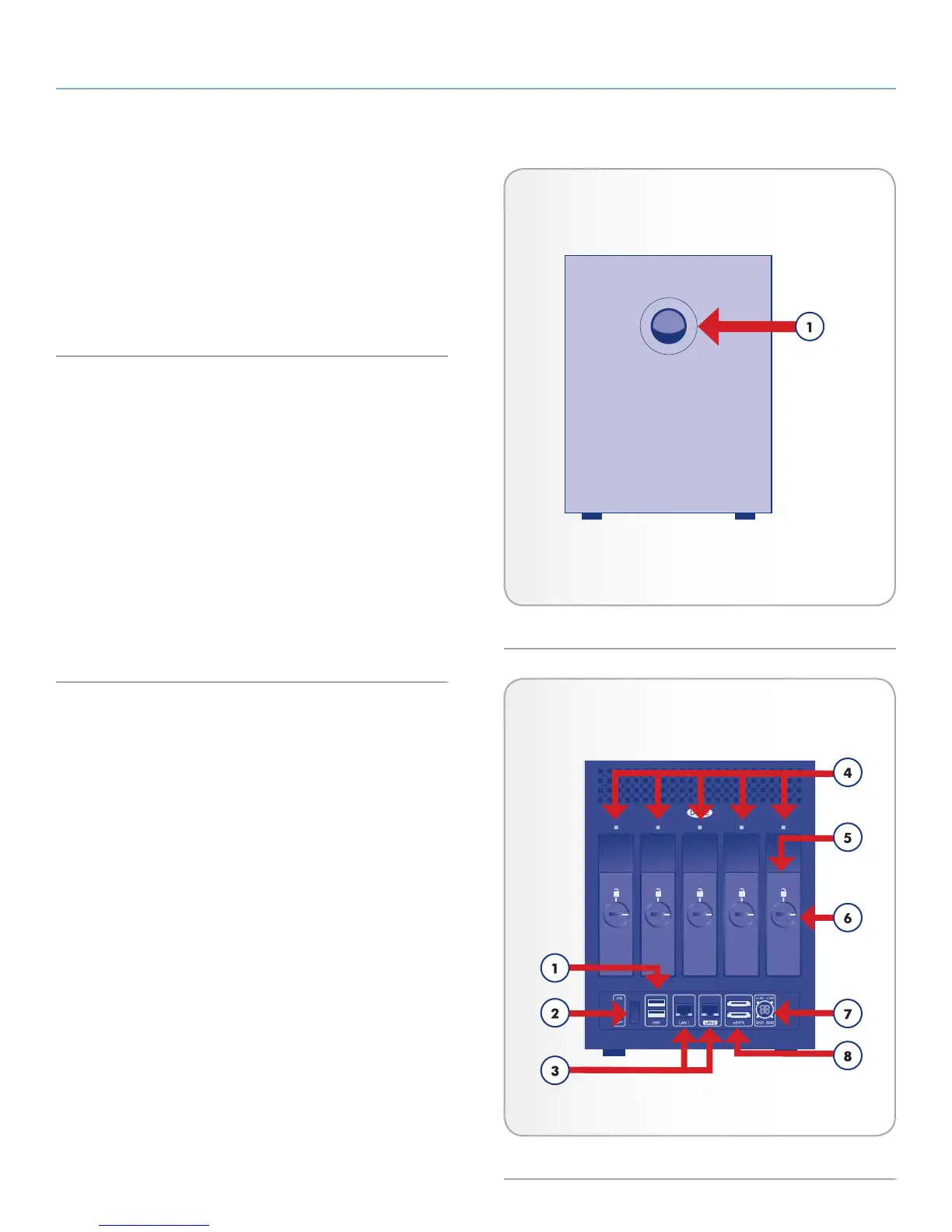
1.3. Views of the Drive
1.3.1. Front View
Button and Activity LED: The blue button stays on to show disk activ-
ity (unless you turn it off using the Dashboard, the user interface) and
can also be configured to put it to sleep or wake it from sleep. For
details, see 2.5. Power Button Functions and 4.12. Dashboard: Eco
Management.
1.3.2. Rear View
1. 2x USB 2.0 Expansion port
2. On/Off
3. 2x Gigabit Ethernet
4. Drive status LED
5. Drive tray handle
6. Drive lock
7. Power Connector
8. 2x eSATA Expansion port
Fig. 01
Fig. 02













 To Next Page