LaCie 5big Network 2 • DESIGN BY NEIL POULTON Administering Your LaCie 5big Network 2
User Manual page 46
4.12.2. Wake on LAN
You can use LaCie Network Assistant (LNA) to wake your 5big Net-
work 2.
First time you use WOL:
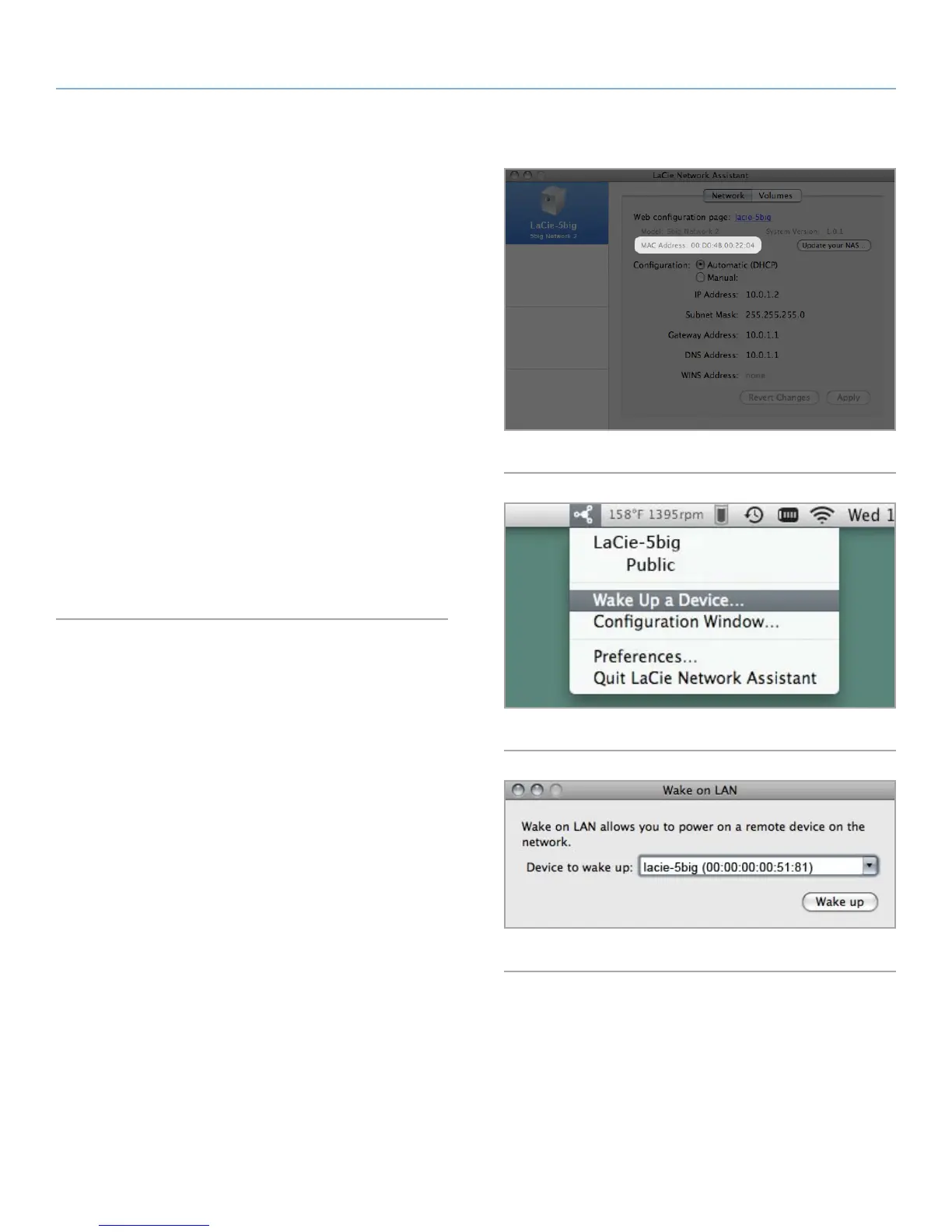
1. You’ll need your drive’s MAC address. Click the LNA icon in
your system tray (Windows) or menu bar (Mac) and select Con-
figuration Window.... Select then copy the MAC address text
(Fig. 60).
2. Next, click the LNA icon in your system tray (Windows) or menu
bar (Mac) and select Wake Up a Device... (Fig. 60).
3. Paste the MAC address into the field and click Wake Up.
Subsequent use:
1. Click the LNA icon in your system tray (Windows) or menu bar
(Mac) and select Wake Up a Device... (Fig. 60).
2. Choose the NAS product you wish to wake up from the menu
(Fig. 61).
3. Click Wake Up.
Fig. 60
Fig. 61
Fig. 62













 To Next Page