6.6.1 Interface Commands 137
| www.lakeshore.com
KRDG? Kelvin Reading Query
Input KRDG? <input>[term]
Format a
<input> Specifies input to query: A-D (D1–D5 for 3062 option)
Returned <temp value>
Or if all inputs are queried:
<A value>,<B value>,<C value>,<D value>
Format +nnnnnnn[term]
Or if all inputs are queried:
+nnnnn,+nnnnn,+nnnnn,+nnnnn[term]
Remarks Returns the Kelvin reading for a single input or all inputs. <input> specifies which
input(s) to query. 0 = all inputs.
Also see the RDGST? command.
LEDS Front Panel LEDS Command
Input LEDS <off/on>[term]
Format n
<off/on> 0 = LEDs Off, 1 = LEDs On
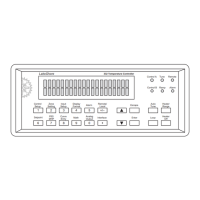
Remarks If set to 0, front panel LEDs will not be functional. Function can be used when display
brightness is a problem.
Example LED 0[term]—turns all front panel LED functionality off.
LEDS? Front Panel LEDS Query
Input LEDS?[term]
Returned <off/on> [term]
Format n (refer to command for description)
LOCK Front Panel Keyboard Lock Command
Input LOCK <state>,<code>[term]
Format n,nnn
<state> 0 = Unlocked, 1 = Locked
<code> Specifies lock-out code. Valid entries are 000 –999.
Remarks Locks out all front panel entries except pressing the All Off key to immediately turn
off all heater outputs. Refer to section 4.7.
Example LOCK 1,123[term]—enables keypad lock and sets the code to 123.
LOCK? Front Panel Keyboard Lock Query
Input LOCK?[term]
Returned <state>,<code>[term]
Format n,nnn (refer to command for description)
MDAT? Minimum/Maximum Data Query
Input MDAT? <input>[term]
Format a
<input> Specifies which input to query: A–D (D1–D5 for 3062
option).
Returned <min value>,<max value>[term]
Format ±nnnnnn,±nnnnnn
Remarks Returns the minimum and maximum input data. Also see the RDGST? command.


 To Next Page