5.9.1 Edit Curve 85
| www.lakeshore.com
To perform the Edit Curve operation, follow this procedure.
1. Press Curve Entry.
2. Scroll to Edit Curve, and press Enter.
3. Scroll to the desired curve and press Enter again.
4. Edit the curve header parameters using the standard keypad operation methods
described in section 4.2.3. The curve breakpoints are entered in a slightly differ-
ent way than other menu parameters.
5. To access the breakpoint data, highlight Curve Points in the Curve Edit menu
screen and press Enter to enter the Curve Point entry screen.
The Curve Point entry screen contains a scrollable list of all curve breakpoint pairs in
the selected curve. There are three columns in the list. From left to right the columns
are: breakpoint number, breakpoint sensor value, breakpoint temperature value. Ini-
tially the highlight is on the first breakpoint number.
Menu Navigation:
Curve Entry QEdit Curve
Interface Command: CRVHDR
5.9.1.1 Edit a Breakpoint Pair
To edit a breakpoint pair, follow this procedure.
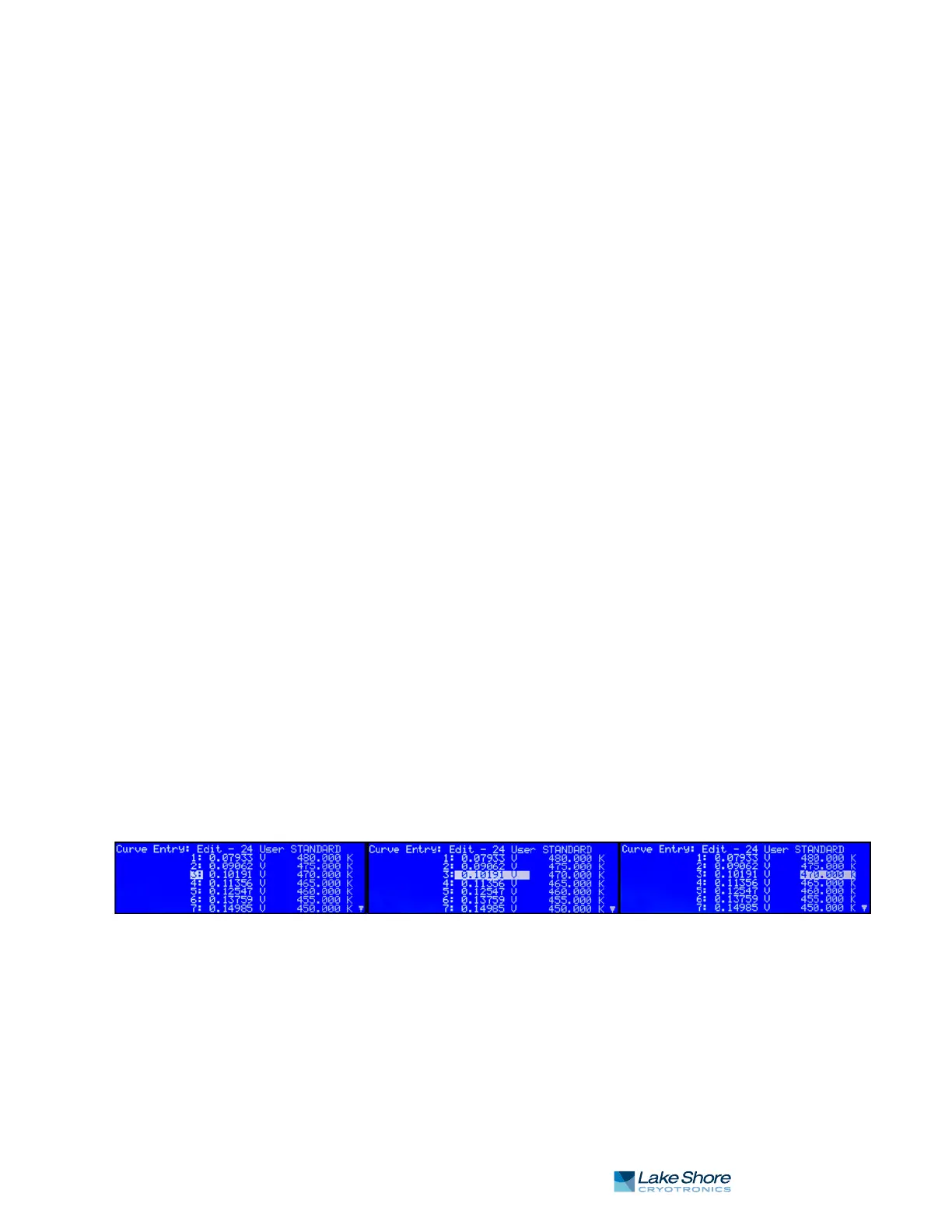
1. Select a breakpoint pair to edit. Do this by scrolling to the desired breakpoint
number and press Enter. The highlight moves to the sensor value of the selected
pair.
2. Use the Number Entry method to edit the value. Refer to section 4.2.1.1 for
details on the Number Entry method.
3. Once the new sensor value is entered, press Enter to highlight the temperature
value.
4. Use the Number Entry method to enter the new temperature value.
5. Press Enter at this point to store the new breakpoint pair.
6. Press Escape at any time when a sensor or temperature value is highlighted to
cancel any changes to either of the values and return the highlight to the break-
point number.
If the sensor value entered is not between the previous breakpoint sensor value and
the following breakpoint sensor value, then the new breakpoint pair will be moved to
the position in the curve that bounds the sensor value of the new breakpoint pair. If
the pair is moved, a message will be displayed to indicate to the location to which the
breakpoint pair was moved.
Menu Navigation:
Curve Entry QEdit CurveQ (21–59)QCurve Points Q(1–200)
Interface Command: CRVPT
FIGURE 5-7 Left: Scroll to highlight a breakpoint number; Middle: Press the enter key to highlight the sensor value of the selected pair ;
Right: Press the enter key again, and the temperature value is highlighted



 To Next Page