48 cHAPTER 4: Operation
Model 336 Temperature Controller
4.3.1.2 All Inputs Mode
All Inputs mode provides a limited amount of information about each of the sensor
inputs. Similar to the Four Loop mode, each quadrant of the display is dedicated to
one sensor input with the input letter being displayed, followed by the user-assign-
able input name. The sensor reading is displayed in large character format, using the
units assigned to the respective input’s Input Units parameter. When a Model 3062
option is installed, all eight sensor inputs and channels are displayed, and the display
mode can be configured as large or small. When it is configured as large, the input
name is not shown and the sensor reading is displayed in large character format.
When it is configured as small, the input name is shown and the sensor reading is dis-
played in the normal smaller character format.
Menu Navigation:
Display SetupQDisplay ModeQAll Inputs Mode
Interface Command: DISPLAY
4.3.1.3 Input Display Modes
An Input Display mode exists for each of the four sensor inputs on the Model 336.
These modes are referenced as Input A, Input B, Input C, and Input D in the Display
Mode parameter list. Each of these modes provides detailed information relevant to
the respective sensor input.
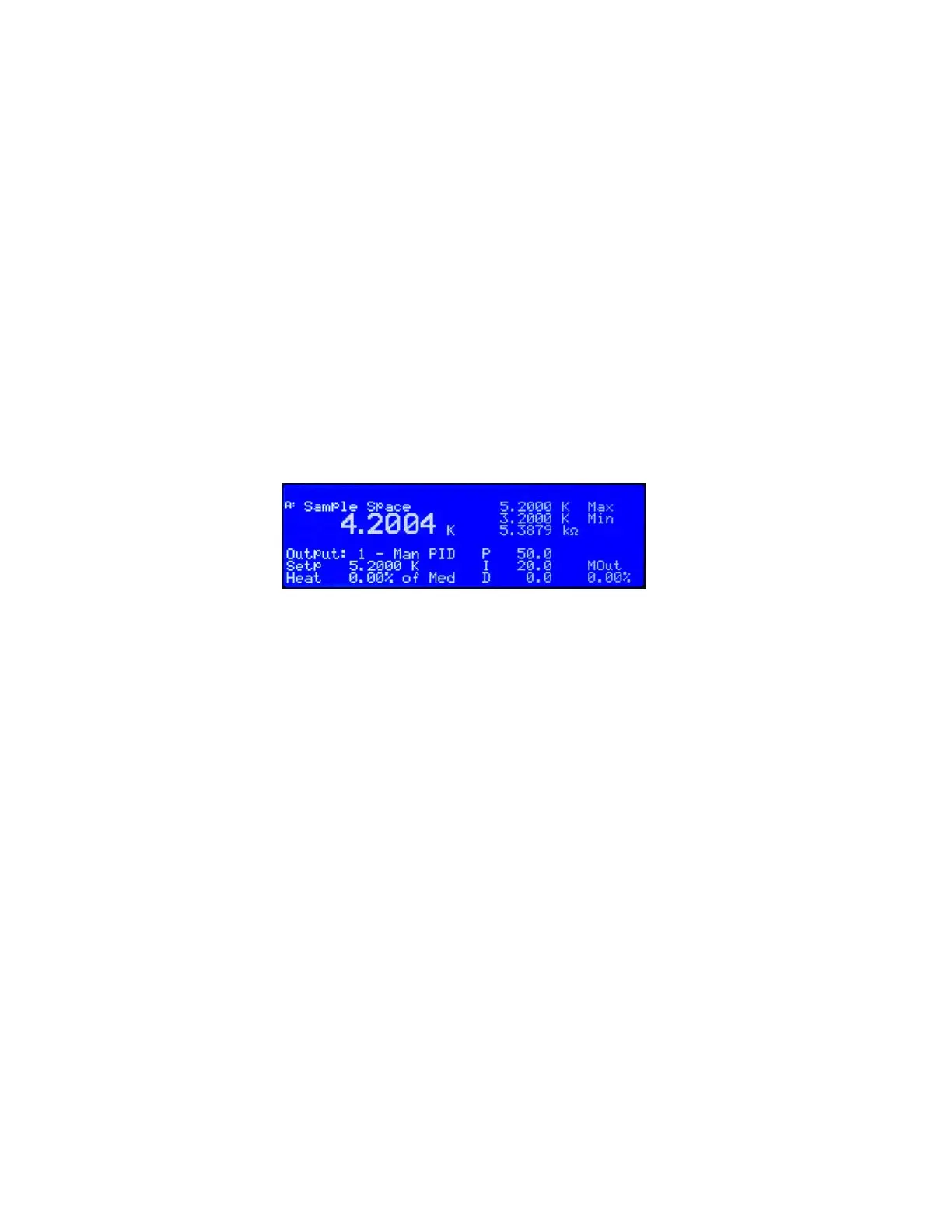
The top half of the display provides information related to the sensor input. The input
letter is displayed, followed by the user-assignable input name. The sensor reading is
displayed in large character format, using the units assigned to the respective input’s
Input Units parameter. The top half of the display also shows the maximum and the
minimum sensor reading since the last Max/Min reset.
The bottom half of the display contains information related to the control loop that is
using the sensor input (provided in the top half of the display) as its Control Input
parameter. Only the items applicable to the control loop will be displayed. Specifi-
cally, the number of the control loop output, followed by the Output Mode setting is
displayed. The P, I, D, Manual Output, Setpoint, and Heater Output information of the
control loop are also displayed. If no control loop uses the sensor input, then no infor-
mation is applicable.
The input display modes are unique in that they can be set temporarily by pressing
the A, B, C, or D front panel keys. After the key is pressed, the respective input display
mode becomes active for approximately 10 s before returning to the configured dis-
play mode. This provides quick access to each input and each associated control loop
for gathering information, or changing control loop parameters. Press any active keys
while the temporary display mode is active to reset the timeout period of the tempo-
rary display. Press Escape, or the same temporary display key again, to manually
return the display to the configured display mode. Press and hold a temporary display
key until an audible beep is heard (about 3 s) to cause the configured display mode to
change to the input display mode associated with that key.
Menu Navigation:
Display SetupQDisplay ModeQInput (A, B, C, D)
(Each input can also be accessed by pressing and holding A, B, C, or D.)
Interface Command: DISPLAY
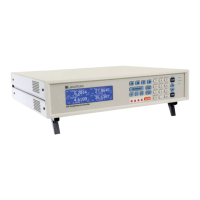
FIGURE 4-4 Input display mode


 To Next Page