26
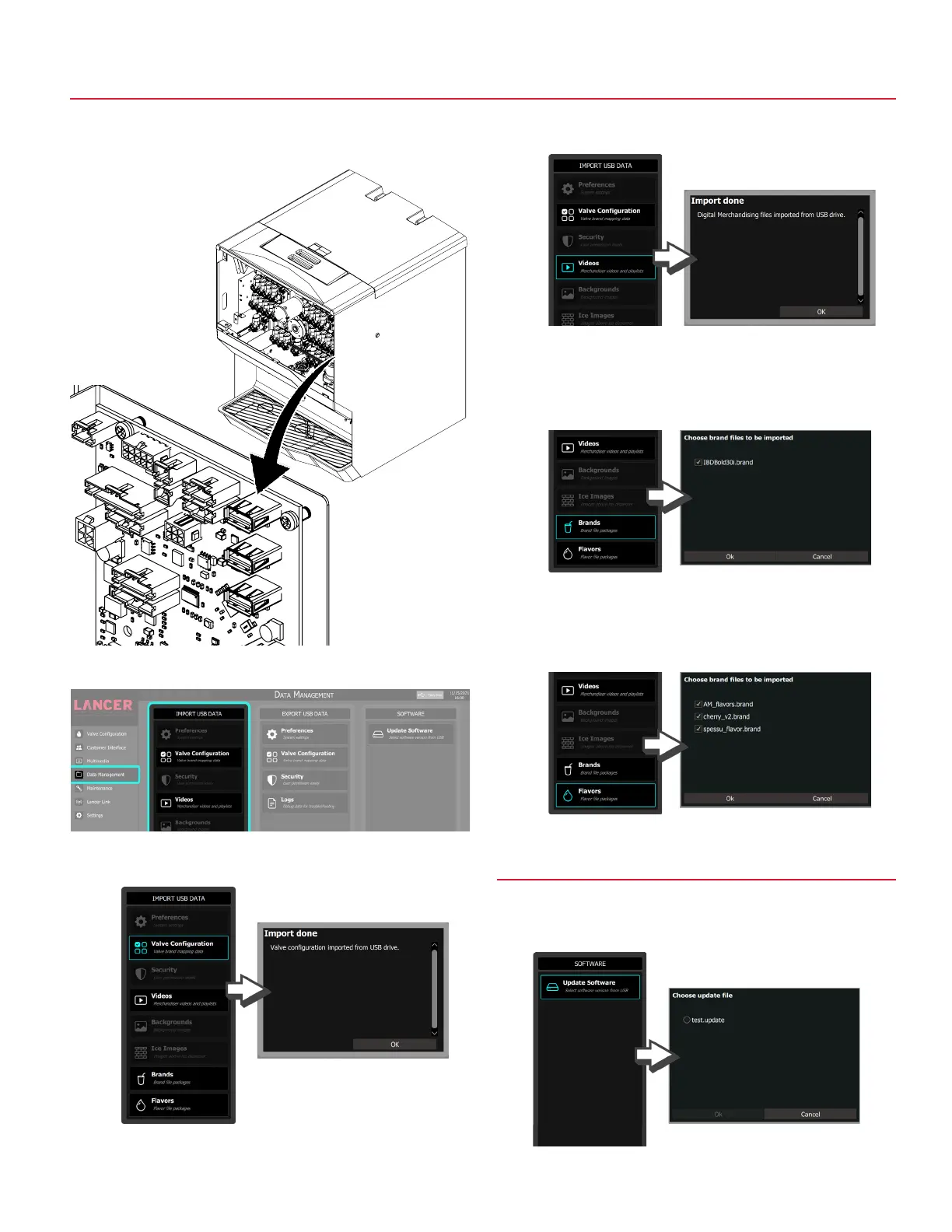
3. Tap Data Management on the navigation menu.
Data Management - Import USB Data
4. Tap Valve Configuration under the Import USB Data pane
to import valve brand mapping data.
5. Tap Videos button under the Import USB Data pane to
import videos and playlists.
6. Tap the Brands button under the Import USB Data pane to
import new brand icons. Note that existing brands can be
overwritten or appended if desired.
7. Tap the Flavors button under the Import USB Data pane to
import new flavor icons. Note that existing flavors can be
overwritten or appended if desired.
1. Lift screen to access USB ports.
2. Insert USB drive into an open USB port on DIO board.
Update Software
8. Tap the Update Software button under the Software pane
to import the selected software version from USB.



 To Next Page