24
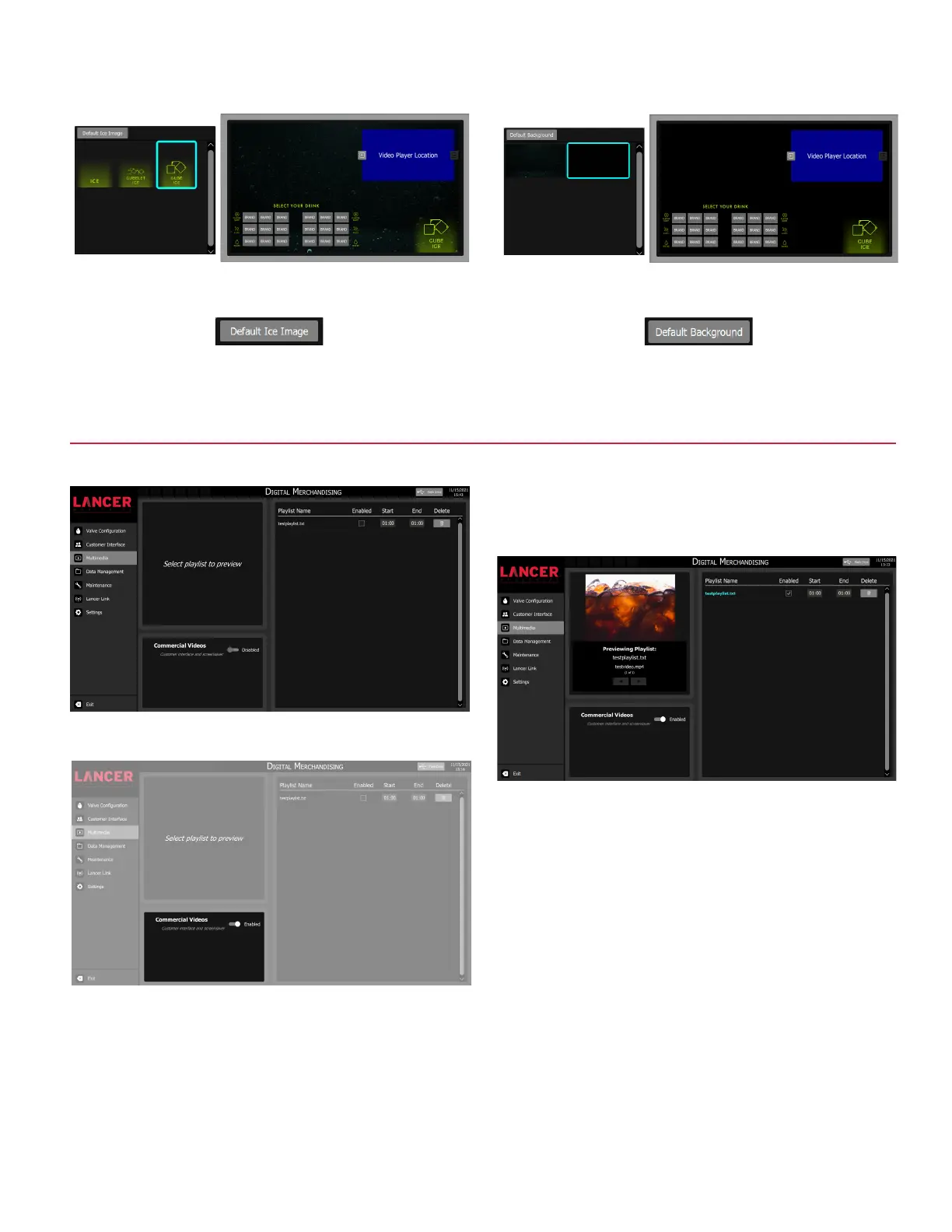
1. Tap Multimedia on the navigation menu.
Multimedia - Digital Merchandising
2. Toggle the Commercial Videos option to enable/disable
video playback for the customer interface.
3. Tap the Playlist Name to preview each playlist. The
Enabled check box will select a playlist for playback on the
customer interface. The Start and End times can be edited
for each playlist. The Delete button will erase the playlist
and associated media content from the dispenser.
4. Ice image can be changed using the ice image selector
pane. To upload new ice images, refer to the Import USB
Data section.
6. Background image can be changed using the background
image selector pane. To upload new background images,
refer to Import USB Data section.
5. Press the Default Ice Image to revert back to the original
ice image.
7. Press the Default Background to revert back to the original
background image.



 To Next Page