30
Settings
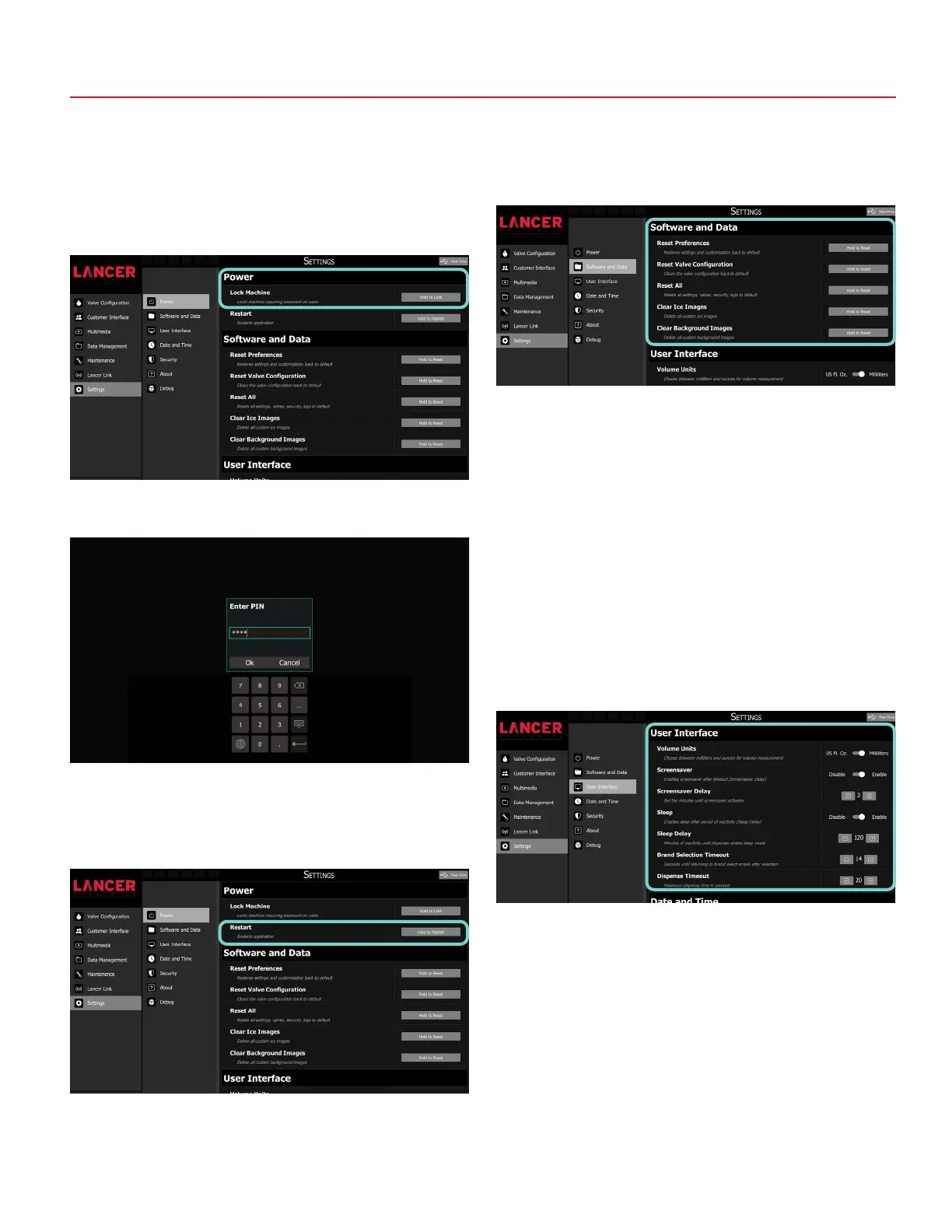
Lock Machine
1. Press and hold the Hold to Lock button to lock the
dispenser. This option will turn off the screen to the
dispenser and not allow any access to the service menu or
customer interface until the unlock PIN is entered.
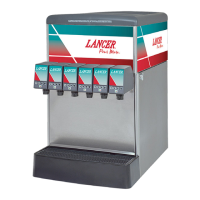
Restart
1. Press and hold the Hold to Restart button to restart the
software application on the dispenser.
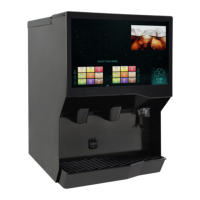
Software and Data
1. Press and hold the Hold to Reset button clear or reset data.
User Interface
1. Adjust delays and timeouts from this pane.
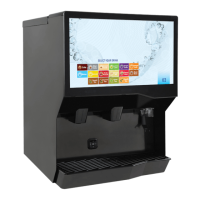
2. To unlock the dispenser, tap the screen and enter
PIN 4433 when prompted.
POWER SOFTWARE AND DATA
USER INTERFACE
Reset Preferences
Restores settings and customization back to default
Reset Valve Configuration
Clears the valve configuration back to default
Reset All
Resets all settings, valves, security, logs to default
Clear Ice Images
Delete all custom ice images
Clear Background Images
Delete all custom background images
Volume Units
Choose between milliliters and ounces for volume measurement
Screensaver
Enables screensaver after timeout (Screensaver Delay)
Sleep
Enables sleep after period of inactivity (Sleep Delay)
Sleep Delay
Minutes of inactivity until dispenser enters sleep mode
Brand Selection Timeout
Seconds until returning to brand select screen after selection
Dispense Timeout
Maximum dispense time in seconds



 To Next Page